

Website analytics for agencies is essential because they have to track the performance of their websites in digital marketing campaigns.
Table of Contents
If you’re running a marketing agency, you have to pay special attention to your client’s website.
Tracking raw numbers like visitors and sales won’t show real problems. You need to monitor the entire customer journey and visitor behavior to identify critical points.
Here, we’ll explain the benefits of website analytics for digital agencies and the way they have to interpret it to improve their omnichannel marketing strategy.
Why Marketing Agencies Need Website Analytics
Every marketing campaign requires a well-designed website where customers land and make a purchase.
Also, every website needs a tracking strategy to find its strengths and weaknesses and optimize its ROI.
Here are the benefits of using website analytics tools for marketing agencies:
- Prove Your Agency’s Value: You have to show your clients that the campaigns your agency runs are bringing leads, conversions, and revenue.
- Measure Channel Performance: Website analytics tools let you compare SEO, PPC, social media, email, content, and referral campaigns. This way, you can determine which channels and campaigns are best for investment.
- Find Campaign Problems: Web analytics tools help you detect sudden drops in traffic, conversions, or engagement. So, you can solve the problem before they cause financial losses for the client.
- Identify Optimization Opportunities: You can find campaigns, landing pages, audiences, and traffic sources that are not performing well and optimize them.
- Understand the Customer Journey: See how potential customers interact with various campaigns, website items, and ads. Track how they behave in your sales funnel from awareness to purchase.
- Create Insightful Client Reports: Web analytics tools turn raw data into clear insights. So you can explain what happened, why it happened, and what your agency should do next.
- Make Stronger Strategic Recommendations: Analytics helps you make decisions about budgets, campaign changes, content priorities, SEO strategies, CRO, and testing.
Best Practices for Analyzing Marketing Campaigns
Here is what you have to do to optimize the marketing campaigns your agency runs using website analytics data:
1. Define Goals Before Launch
Every campaign should have SMART goals. This means you need to define objectives that are:
- Specific
- Measurable
- Achievable
- Relevant
- Time-bound
Without knowing what you want to achieve, your agency can’t focus on a strategy. You have to be able to measure your success in reaching objectives and show the results to your clients.
Here are some common goals digital marketing agencies define for their campaigns:
| Campaign Objective | Useful Primary KPIs |
| Lead generation | Leads, qualified leads, conversion rate |
| Ecommerce | Revenue, purchases, ROAS |
| PPC acquisition | CPA, conversions, ROAS |
| SEO | Organic conversions, qualified organic traffic |
| Content marketing | Engaged traffic, conversions |
| Brand awareness | Reach, impressions, branded searches |
| CRO | Conversion rate, completed actions |
As you can see, the metrics you need to track can be completely different for different goals. So, spend enough time defining your goals.
2. Track the Entire Conversion Journey
As an agency, you should not just look at the numbers. You need to track the customer journey in the sales funnel to have a better understanding of their purchasing behavior.
Here is a typical sales funnel:
Impressions → Clicks → Website Visits → Engagement → Leads/Sales → Revenue
When you study the behavior of your clients’ customers in this journey, you can find drop-off points and the stages that need revision or improvement.
For example, if the website of your client has high impressions but clicks are low, you have to work on their titles, offers, and message.
On the other hand, if clicks are strong but website engagement is poor, you need to optimize the landing page, page speed, message match, or traffic quality.
3. Segment Website Traffic
General numbers can hide important differences. You need to know the website’s audience demographics by segmenting its traffic. You can consider these segments:
- Traffic source and medium
- Campaign
- Landing page
- Device
- Location
- New versus returning visitors
- Audience
- Organic versus paid traffic
- Branded versus non-branded search
- Product or content category
By analyzing these segments, you can find deeper insights into the performance of your client’s website.
For example, you will know which cities are sending more traffic. This helps you prioritize the ads and local SEO strategies.
4. Interpret Each Channel Separately
Marketing channels need different types of interpretations.
- SEO: SEO analysis is more than tracking ranking keywords. Try to monitor organic clicks, impressions, CTR, search queries, landing pages, backlinks, and conversions.
- PPC: Paid advertising analysis should connect your investment to outcomes. Track impressions, clicks, CTR, CPC, CPA, Revenue, and ROAS for your PPC campaigns.
- Social Media: Social traffic is really difficult to interpret. Your agency should not focus only on likes, shares, and comments under your client’s pages. You need to understand what users do on the client’s website after arriving from social media.
- Email Marketing: Analyze email clicks, website sessions from email, landing page engagement, and revenue earned from email campaigns.
- Content Marketing: It’s important to consider the purpose and search intent of each article before analyzing its traffic and conversion. For example, a top-of-funnel article is not meant to generate sales. On the other hand, a BOFU page should generate leads.
Finally, compare all the campaigns and prioritize them in terms of budgeting and time spent.
5. Find Best-Performing Landing Pages
You should pay special attention to your clients’ entry pages. They show what content attracts more visitors to the website and what content generates more leads.
If a paid campaign generates thousands of visits to a page but the page’s conversion rate is just 0.5%, you can’t consider it a successful page.
As an agency, you need to check whether the landing page message matches the advertisement.
You also have to make sure that:
- The offer is immediately clear
- The CTA is visible
- The form is simple enough
- Mobile-friendliness of the landing page
Moreover, you need to use behavioral analytics like heatmaps and session recording to analyze what users do on landing pages.
This helps you find friction on the landing page and remove it immediately. Real-time analytics is especially important for entry pages in campaigns because it lets you tackle the problems before the campaign is over.
6. Compare New and Returning Visitors
Comparing new and returning visitors gives you useful insights into your clients’ website performance.
New customers are at the beginning of the customer journey, while returning visitors have passed the journey and may have bought something previously.
A high proportion of new users shows successful acquisition, while a high returning user percentage shows interactions and maybe more information before purchase.
You need to choose the right marketing strategy based on the percentage of new vs returning visitors on your client’s website.
7. Identify Traffic and Conversion Trends
Your agency should look at trends instead of static numbers. You can analyze trends at several time scales, from daily to quarterly.
Although you need to consider spikes and drops, tracking trends gives you long-term insights into your performance.
This way, you can optimize your strategy based on more stable data compared to sudden changes.
8. Make Analytics Reports Client-Friendly
Remember that your clients might not be experts in website analytics. So, you should not present raw data without interpretation.
Try to avoid jargon and focus on graphs and insights that influence future decisions. Although the content of the report might be different based on industry and the purpose of campaigns, you’d better answer four questions:
- What happened?
- Why did it happen?
- What does it mean?
- What should we do next?
9. Use White-Labeling Features in Your Reports
Many website analytics tools offer white-labeling features to marketing agencies. White-labeling allows you to put your own agency’s label on client reports. This makes your reports more professional and lets you gain the trust of clients.
10. Respect Privacy
Although increasing sales is the main purpose of the majority of marketing campaigns, you can’t ignore ethical and legal rules.
You need to avoid breaking customers’ privacy by tracking them across the internet or collecting personal information to create profiles.
This is especially important when you’re running digital marketing campaigns in European countries. In this case, you need to comply with GDPR and avoid violating privacy rules. Otherwise, you’ll face legal fines and dent your agency’s reputation.
11. Automate Website Analytics Workflows
We’re now in the age of AI, and you can’t ignore it in your website analytics workflow. Try to use the right AI tools and create agentic AIs to automate repetitive procedures in your business.
This will bring multiple benefits, including:
- Collecting data without manual intervention
- Creating scheduled reports
- Spotting KPI changes automatically
- Assigning tasks to team members
- Finding issues immediately
- Giving data-driven recommendations
You can easily connect your AI tool to web analytics platforms, communication channels, clients’ websites and social pages, and many other useful tools to create a seamless workflow.
12. Work with Influencers
When it comes to marketing campaigns, you can’t solely rely on your website’s content for success. You need to reach out to writers, social figures, and influencers whom your niche audiences follow.
Influencer marketing can boost traffic to your client’s website and act as an endorsement for their products/services.
As an agency, you need to know how to find and reach out to niche influencers. Try to choose them wisely.
For example, for a local business, you can’t expect to work with a mega-influencer. Instead, you can count on nano-influencers and also testimonials from loyal customers.
For more professional websites, you’d better use influencer analytics tools like:
| Tool | Features |
| HypeAuditor | Engagement, audience quality, authenticity, and demographics |
| Modash | Creator performance, audience demographics, and campaign results |
| Upfluence | Engagement, audience, and sales attribution |
| Traackr | Creator performance, benchmarking, and ROI analysis |
Best Website Analytics Tools for Marketing Agencies
Now, it’s time to get familiar with the best tools for website analytics. As an agency, you need to use the most effective tools to gain the trust of clients and outperform your competitors:
1. WP Statistics
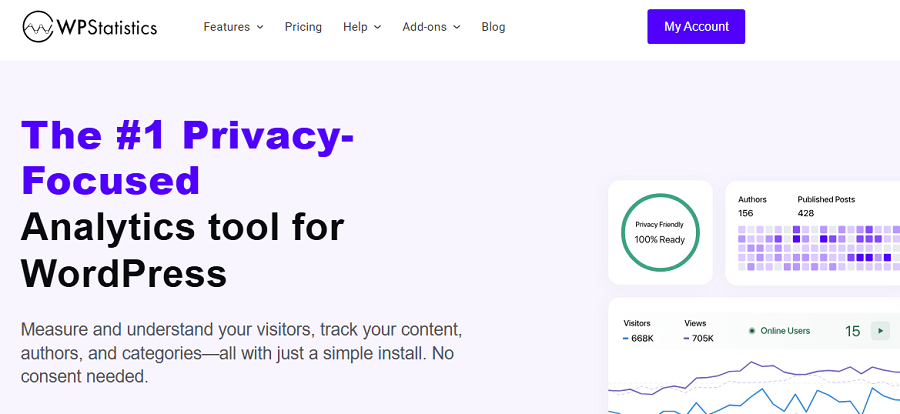
WP Statistics is a WordPress plugin for analyzing website performance without using invasive methods.
It tracks user behavior without using cookies and collecting personal information. WP Statistics uses IP anonymization when storing user data.
It also doesn’t share data with third-party platforms for remarketing and monetization. As you know, many cloud-based analytics platforms send website data to an external analytics service. WP Statistics, on the other hand, stores analytics data on the website’s own server.
It has a strong focus on privacy, cookie-less tracking, and data ownership, and allows agencies to set up its privacy features to stay GDPR-compliant.
You might think privacy-first tools are not accurate and versatile. However, WP Statistics offers a wide range of features for tracking content, campaigns, and user behavior.
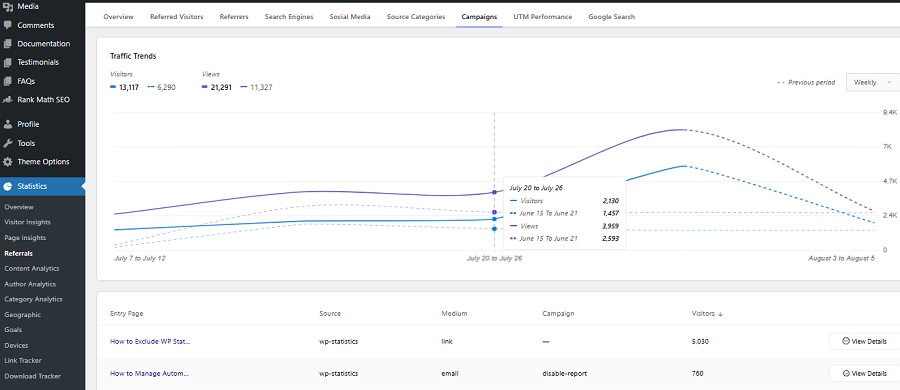
If you need a GA4 alternative for your clients’ websites, you can rely on this plugin. Of course, you need to go premium if you want to use its advanced tracking features.
Here is a summary of its capabilities:
- Page views and visitors
- Online visitors
- Traffic sources and channels
- Visitor geography: country, region, and city
- Browser, operating system, and device data
- Content and page performance
- Author performance
- Custom events and goals
- REST API
2. Google Analytics 4
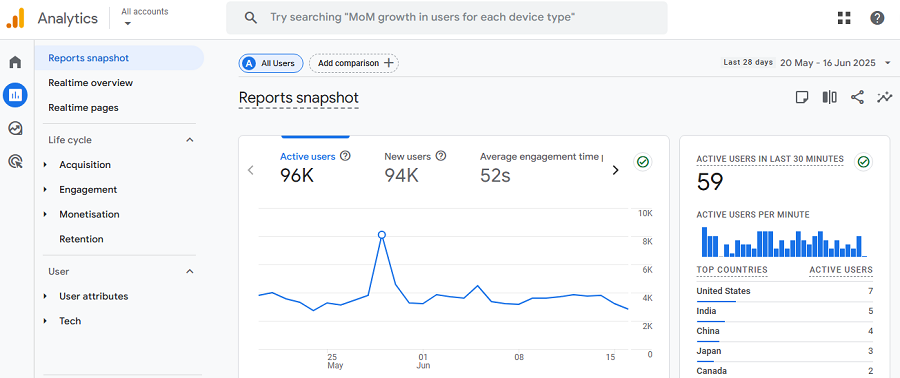
Google Analytics 4 (GA4) is the most famous website analytics platform available out there. It provides a broad range of tracking features, like acquisition, engagement, events, conversions, audiences, ecommerce, and customer journeys.
GA4 is an event-based tool suitable for agencies that want to track user behavior with as many details as possible.
It’s a free platform (Google says its tools come free of charge) and provides almost everything your marketing agency needs to analyze a website, an app, SMS marketing, and email marketing.
It also offers an advanced customization feature to define reports that are not natively available on the GA4 dashboard.
Previous versions of Google Analytics were not user-friendly, but gradually its user interface became simpler. At the moment, you can easily search for the metrics and dimensions you need and get answers. It’s quickly adding AI features to its dashboard, making GA4 more advanced than it is.
The only drawback of GA4 is privacy concerns due to the use of cookies and cross-website tracking. Remember that you need to use cookie banners on your clients’ websites when using Google Analytics.
Here is a list of key features offered by GA4:
- Users
- Sessions
- Engagement
- Traffic acquisition
- User acquisition
- Events
- Key events and conversions
- Ecommerce
- Landing pages
- Audiences
- Funnels
3. Google Search Console
Google Search Console is an essential tool for every website, no matter if you’re a small website owner or an agency.
It focuses specifically on a website’s visibility and performance. So, you can’t expect user behavior or campaign tracking from Google Search Console.
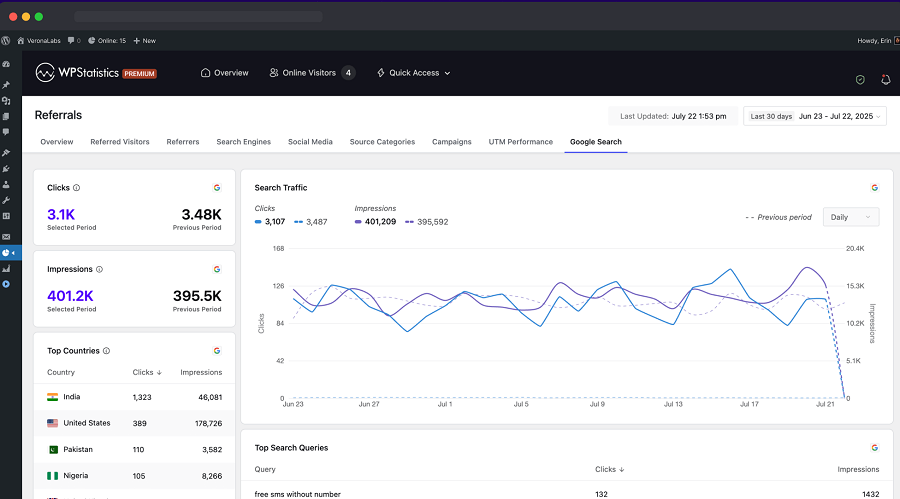
It gives you useful insights about impressions, clicks, CTR, and queries in Google search results (see Google’s Search Console overview). This is very useful because you understand the position of every page on your client’s website.
Moreover, it provides critical information about indexability, crawlability, and Core Web Vitals.
Agencies can use this information to understand which pages have visibility and performance issues.
Many website analytics tools, including WP Statistics, integrate with GSC to improve their query analytics.
Here is a summary of what Google Search Console offers:
- Search clicks
- Search impressions
- Click-through rate
- Average position
- Search queries
- Landing pages
- Countries
- Devices
- Search appearance
- Indexing reports
- URL inspection
- Core Web Vitals
- Sitemaps
- Search-related technical issues
4. Microsoft Clarity
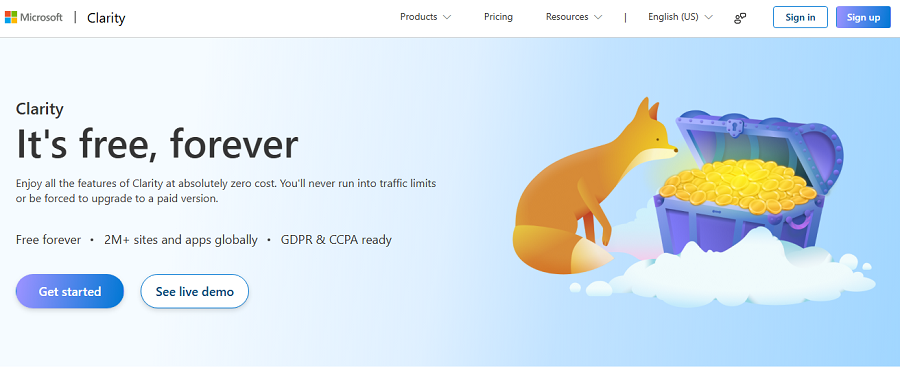
This is not a traditional website analytics platform. Clarity focuses on user behavior using visualized features including heatmaps and session recording.
Instead of giving the numbers, it shows you why these numbers happen. Marketing agencies can see where users click, how far they scroll, and how they interact with pages.
Using this information, you can perform conversion-rate optimization and remove friction in the customer journey.
Moreover, Clarity is free with no limits on traffic, making it a must-have tool in your website analytics workflow.
Here are the features Clarity offers:
- Session recordings
- Click heatmaps
- Scroll heatmaps
- User behavior analysis
- Rage-click detection
- Dead-click detection
- JavaScript error insights
- Segmentation
- Filters
- Smart events
- Behavioral insights
- Conversion-oriented analysis
5. Matomo
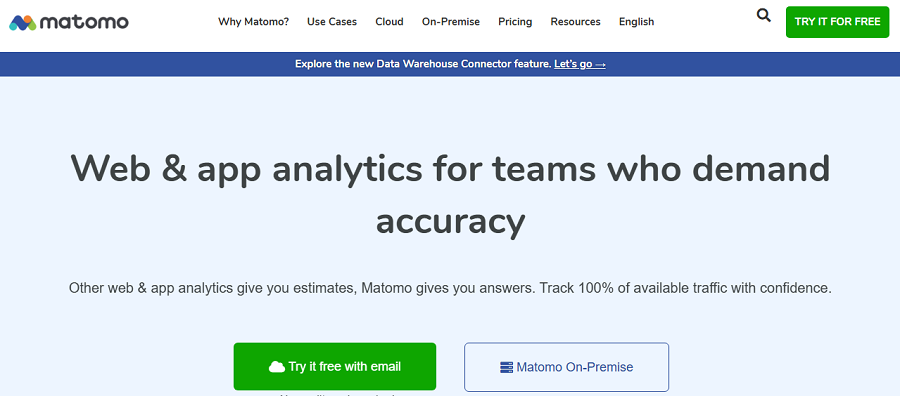
Matomo is one of the most complete GA4 alternatives. It’s built around privacy, data ownership, and flexibility.
You can use it in both cloud-hosted and self-hosted versions (Matomo’s site lists “Cloud or on-premise”). Of course, the self-hosted option is great for large marketing agencies because it gives them more control over their data.
Matomo can track all the required website analytics metrics, such as visitors, page views, events, campaigns, ecommerce activity, goals, and real-time activity.
It also supports segmentation, custom dimensions, APIs, scheduled reports, and numerous integrations.
Moreover, you can use its heatmaps and session recording features to have a deep understanding of user behavior. You can track many details without violating privacy rules like GDPR and CCPA.
Look at the features it offers:
- Visitors
- Page views
- Events
- Campaign tracking
- Ecommerce
- Goals
- Conversion rates
- Real-time analytics
- User profiles
- Visitor maps
- Geography
- Site speed
- Segmentation
- Custom dimensions
- Funnels
- Heatmaps
- Session recordings
- A/B testing
6. Adobe Analytics
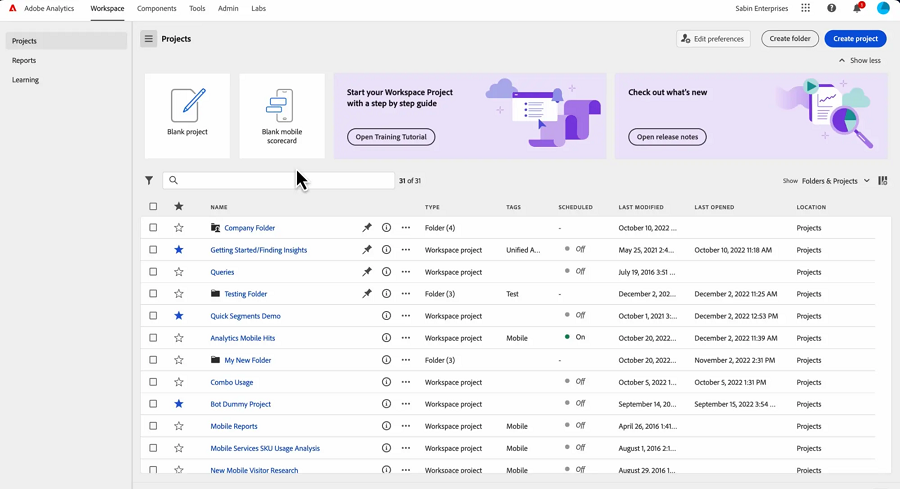
Adobe Analytics is a strong website analytics platform built for enterprise campaigns. It’s specifically designed for organizations that need deep and accurate website and mobile analytics.
It’s great for analyzing complex customer journeys and large datasets. If your agency has multiple digital properties and needs extensive integration, this is one of your best chances.
Adobe Analytics supports web and mobile performance analysis, conversion tracking, and funnel analysis.
You can also segment users and track their path on clients’ websites in real time. Adobe also offers broader Customer Journey Analytics products. It can connect online and offline data for a deeper view of customer interactions.
Overall, it’s one of the best enterprise-level analytics platforms for agencies that work with organizations.
Take a look at its features:
- Website traffic
- Mobile app analytics
- Conversion tracking
- Funnels
- Visitor behavior
- Pathing
- Segmentation
- Attribution
- Real-time reporting
- Customer journeys
- Cross-channel analysis
- Data integration
- Custom reporting
Here is a quick comparison to help you choose the best one for your marketing agency:
| Comparison Item | WP Statistics | GA4 | GSC | Clarity | Matomo | Adobe Analytics |
| Best for | WordPress | Web & app analytics | SEO | UX & CRO | Privacy | Enterprise |
| Traffic analytics | ✓ | ✓ | Limited | Limited | ✓ | ✓ |
| Conversions | ✓ | ✓ | — | ✓ | ✓ | ✓ |
| Events | ✓ | ✓ | — | ✓ | ✓ | ✓ |
| Campaign tracking | ✓ | ✓ | — | — | ✓ | ✓ |
| SEO data | ✓ | Limited | ✓✓ | — | ✓ | ✓ |
| Heatmaps | — | — | — | ✓ | ✓ | — |
| Session recordings | — | — | — | ✓ | ✓ | — |
| Privacy focus | ✓✓ | Limited | Limited | ✓ | ✓✓ | ✓✓ |
| Self-hosted | ✓ | — | — | — | ✓ | — |
| Pricing | Free + Paid | Free + Enterprise | Free | Free | Free + Paid | Custom |
Final Thoughts
Website analytics is not just tracking traffic and page views. As an agency, you have to go deeper to know what clients’ audiences want and what they dislike. Along with tracking other channels like social media, email, or SMS, you need to focus specifically on user experience on the website. This gives you useful insights into friction and drop-off reasons in the customer journey.
FAQs
How is web analytics used in marketing?
Web analytics helps marketers understand where your site’s visitors come from. Also, it allows you to understand how users interact with your website before they convert or drop off.
What is the best website analytics tool?
There’s no single best tool for every business. GA4 is a strong all-purpose option. Also, WP Statistics is an excellent choice for WordPress websites, especially when privacy and data ownership are priorities.
What are the top 3 website KPIs you track regularly and why?
The three most important are conversion rate, traffic, and revenue/leads. Traffic shows how effectively you attract visitors. Conversion rate measures how well the website turns them into customers or leads, and revenue or leads show the actual business impact.