
Make sure that your web analytics tool is GDPR-compliant.
Table of Contents
GDPR stands for General Data Protection Regulation. It’s a privacy and safety law that applies to businesses that collect and process personal data in the European Union, including web analytics platforms.
You have to make sure that your analytics tool collects, stores, and processes your visitors’ data safely.
In this blog post, we’ll explain what GDPR is about and how to store user analytics data to comply with this rule.
What GDPR Says about Analytics Data Storage
You might think that web analytics platforms store visitors’ data anonymously, but that’s not correct. Unfortunately, many of them collect and store lots of personal information.
Let’s first see what personal data they collect:
What is Personal Data in Analytics?
GDPR says that personal data is any information that can directly or indirectly identify a person.
Analytics platforms usually collect and store information like:
- IP addresses
- Device identifiers
- Cookie IDs
- User IDs
- Browser fingerprints
- Location data
- Session behavior
- Referral URLs
The important matter is that storing this information in the long term and combining and processing them give businesses the identity of visitors.
In fact, businesses can make a user profile using this information, and this is against the law.
Key GDPR Principles about Analytics Storage
GDPR has some core principles about storing and managing analytics data. Here is what you need to know about analytics storage principles:
- Lawfulness, Fairness, and Transparency: You must clearly explain what data you want to collect and why you need it. Also, you have to determine how long you store the data and who can access it.
- Data Minimization: You only collect necessary analytics information. So, storing full IP addresses or recording detailed personal identifiers might violate GDPR. Collecting and storing behavioral data is specifically illegal.
- Purpose Limitation: Analytics data should only be used for the purposes originally disclosed to users. If data was collected for website performance analysis, using it later for unrelated advertising purposes may violate GDPR.
- Storage Limitation: You should not keep analytics data forever. Analytics data retention policies should be clear and determine the duration and details of archives and deletion processes.
- User Consent: You have to get explicit consent from visitors before collecting and storing their data. Pre-checked boxes and vague cookie notices are not sufficient. In fact, users should have the ability to accept or reject analytics tracking.
Fines and Compliance Risks
GDPR has strict rules and also serious fines for violations. If you don’t comply with analytics data protection rules, you’ll face:
- Regulatory investigations
- Financial penalties
- Legal claims
- Reputation damage
- Loss of customer trust
Remember that GDPR penalties can reach millions of euros depending on the severity of violations. It should be noted that even smaller businesses should accept compliance responsibilities.
Different Types of Storing Analytics Data
Now, let’s see how you can store analytics data safely.
Web analytics platforms use several methods to store analytics information. You need to consider this matter before choosing your analytics tool because it impacts security, privacy, and GDPR implications.
1. Cloud-Based Analytics Storage
Cloud analytics platforms are so popular because they are convenient and scalable. However, they have some drawbacks in terms of GDPR. Look at the pros and cons of cloud-based analytics storage:
| Advantages | Disadvantages |
| Easy setup | Third-party data exposure |
| Scalable storage | International data transfer concerns |
| Automatic backups | Vendor lock-in |
| Reduced server maintenance | Limited control over infrastructure |
| Advanced reporting features |
Cloud-based data storage can be GDPR-compliant if you configure it properly. You should make sure about:
- Server regions
- Data retention settings
- Encryption standards
- Vendor compliance certifications
2. Self-Hosted Analytics
Self-hosted analytics platforms store data on a system that your business controls.
This option gives your business greater control over secure analytics storage. This is completely in accordance with GDPR. Consider its pros and cons before choosing it:
| Advantages | Disadvantages |
| Full data control | High technical responsibility |
| Stronger privacy | Security maintenance burden |
| No third-party exposure | Server management costs |
| Easy customization | Backup responsibilities |
| Better GDPR compliance | Higher costs for high traffic |
| No vendor lock-in | Slower new features |
Self-hosted web analytics tools are popular among privacy-conscious businesses that want stronger control over website data and GDPR compliance.
3. Local Server Storage
Some businesses store analytics data directly on their internal company servers. This is more common in enterprises or industries that work with sensitive data like healthcare.
Here are the pros and cons of this method:
| Advantages | Disadvantages |
| Maximum data sovereignty | Expensive infrastructure |
| Easier internal compliance | Limited scalability |
| Minimal external dependencies | Needs dedicated security expertise |
| Reduced breach risk | Complex disaster recovery |
| Strong data residency | High maintenance overhead |
Although it’s one of the safest methods, without strong security practices, it can be breached.
4. Hybrid Storage Solutions
Hybrid models combine cloud services with local or self-hosted infrastructure. For example, you can store raw analytics logs locally and save aggregated reports in the cloud. This allows you to remove sensitive identifiers before transfer.
Here are the pros and cons:
| Advantages | Disadvantages |
| Balances scale and control | More complex architecture |
| Cost optimization | Integration challenges |
| Flexible data placement | Higher management overhead |
| Good compliance + scalability | Possible sync and latency issues |
| Better disaster recovery | Security risks at integration points |
Tips to Store Analytics Data Securely
Try to consider the following tips when setting up your analytics platform:
1. Use a GDPR-Compliant Web Analytics Platform
The first and most important step to safely store your analytics data is to choose a suitable platform. As data protection rules become stricter, websites are moving toward privacy-focused tools, like WP Statistics.
It’s one of the most reliable Google Analytics alternatives and offers advanced tracking features without violating GDPR.
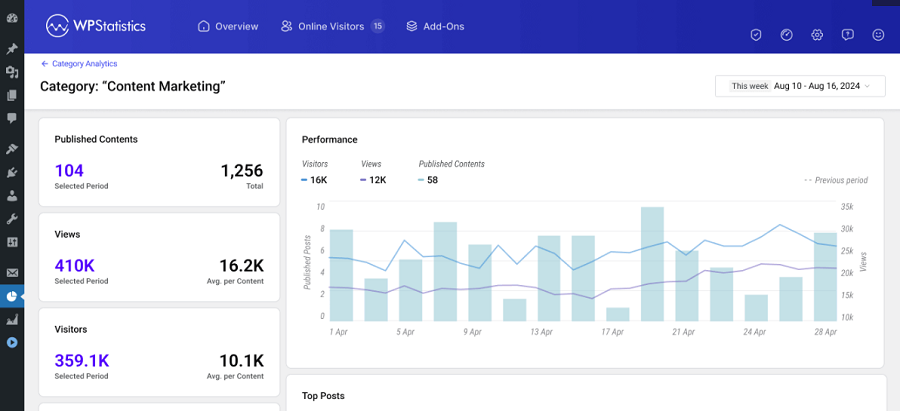
It stores your data on the WordPress server and doesn’t share it with any third-party platform for monetization or remarketing.
Also, it has an IP anonymization feature and uses a cookie-less method for tracking your site’s metrics.
You can try its free version to make sure of its capabilities and then choose a premium plan based on your requirements.
2. Encrypt Stored Analytics Data
Even if you store data locally, a single breach could expose large amounts of sensitive information.
Encryption protects analytics information from unauthorized access. So, you have to encrypt identifiable user data, including:
- Stored databases
- Backup files
- Data transfers
- Archived analytics records
3. Limit Employee Access
You should not give every employee access to analytics systems. Restrict it to personnel who truly need it. For example, marketing teams only need reporting access.
So, use role-based permissions to improve user data protection by giving permissions based on job responsibilities.
The following table is a good start:
| Role | Access Level |
| Marketing Staff | Read-only dashboards |
| Developers | Technical configuration only |
| Compliance Officers | Audit and retention settings |
| Administrators | Full system management |
4. Set Clear Data Retention Periods
The majority of businesses overlook analytics data retention requirements. You should define:
- How long are raw analytics logs stored
- When inactive data is deleted
- Which records are archived
Remember that the shorter the duration, the lower the risk.
5. Delete Unnecessary User Data
Unused data, like old visitor logs, expired identifiers, and duplicate analytics records, creates compliance risks. So, try to regularly check your data center and remove them.
6. Anonymize IP Addresses
IP anonymization is one of the simplest ways to improve the privacy standard of your website.
You can use a web analytics tool that masks parts of IP addresses or removes identifiable segments. Some tools, like WP Statistics, can hash IP data before storage to reduce the risk of identifying users.
7. Use EU-Based Servers When Possible
There is a big concern about transferring data from one country to another, especially outside of the EU.
So, it’s good to go for EU-hosted storage to simplify GDPR compliance. This has several benefits, including:
- Less international transfer concerns
- Easier regulatory alignment
- Better control over jurisdictional risks
So, if you have a business that is mainly focused on European users, don’t think of other options.
8. Do Regular Security Audits
ِTry to review your analytics systems regularly to check important issues, like:
- Security vulnerabilities
- Misconfigured permissions
- Outdated plugins
- Data leaks
- Tracking errors
9. Define Backup and Recovery Plans
It’s essential to have secure backups for encrypted storage, access restrictions, and recovery testing.
10. Create a Transparent Privacy Policy
Clearly explain your privacy policy, including analytics tools, the information you collect, the reason you analyze data, and the duration you store data.
11. Monitor Third-Party Integrations
Many websites connect analytics systems with various third-party platforms, like:
- Advertising platforms
- CRM tools
- Marketing automation software
- Heatmap tools
- Chat systems
These integrations can increase privacy risks, so you need to regularly check them.
12. Train Your Team Members
Human error is still one of the most important causes of data exposure. If you train employees, you can reduce configured tracking, accidental data sharing, or unsafe password practices.
Conclusion
Many businesses don’t pay attention to GDPR risks, and this causes legal problems.
You have to learn GDPR basics and train your employees on avoidable mistakes. Try to pay special attention to user consent, data minimization, and data retention.
If you keep and use analytics data indefinitely or store full IP addresses unnecessarily, you’ll put your business at risk of violating GDPR.
Also, using tracking methods like cookies and making profiles of visitors is too dangerous. Try to go for privacy-first tools like WP Statistics and don’t track personally identifiable information.
If you still have questions about GDPR compliance, you can count on our help.
FAQs
How to store data under GDPR?
To store data under GDPR, you should consider several factors. First, collect only necessary data. Second, secure it with encryption and access controls. Also, define retention periods. More importantly, get user consent before starting to collect data.
What is GDPR in data analysis?
GDPR is a European data protection regulation. According to this law, you must collect, store, and analyze people’s data in a way that protects their personal information and prevents it from being leaked or used for unnecessary purposes.
Do I need GDPR for my website?
If your website collects or processes data from users in the European Union, GDPR is essential for your site, even if you’re outside of Europe.