
Healthcare websites have the same metrics as almost every website, like traffic, sessions, and conversion rate. However, healthcare websites differ from most commercial sites.
Table of Contents
As healthcare businesses work with people’s sensitive information, they can’t simply share the data with any analytics platforms.
Governments have strict rules for collecting, storing, and sharing healthcare information. If you want to avoid legal issues and gain the trust of individuals and organizations, you need to comply with certain regulations, like HIPAA.
This article will discuss privacy concerns of healthcare website analytics and the way you can accurately monitor user behavior without violating data protection rules.
Why Healthcare Website Analytics Is Different
Just like other websites, healthcare websites have some normal goals like attracting visitors, providing useful content, and generating leads.
But there is a big difference when it comes to analyzing user behavior.
The user intent of an e-commerce site is to compare products like shoes and socks. They might enter their preferences like size, price, and color.
But the visitors of a healthcare website might ask questions about fertility treatment, cancer care, and addiction treatment. They usually reveal sensitive information like health conditions, insurance situations, etc.
If you just look at the event from an analytics perspective, the event is similar:
page_view → service_page → button_click
But the context is essentially different.
So, can’t simply use conventional methods for tracking user behavior on your healthcare website.
Many countries have strict rules for manipulating sensitive information, including healthcare data.
For example, the U.S. Department of Health and Human Services (HHS) has some direct rules for healthcare information collection through tracking technologies or disclosing data to tracking vendors.
Look at the following table to see some privacy risks when tracking a healthcare website using commercial analytics tools:
| Website Activity | Analytics Value | Privacy Risk |
| Homepage visit | Traffic | Low |
| Service-page visit | Service interest | Health interest |
| Provider search | Provider discovery | Health needs |
| Location search | Facility demand | Location data |
| Appointment page | Conversion intent | Care-seeking data |
| Appointment completion | Conversions | Patient data |
| Contact form | Lead generation | PHI/PII exposure |
| Patient portal login | Portal usage | Highly sensitive |
| Internal search | Information needs | Symptoms/conditions |
| Phone click | Contact intent | Call/number data |
| Advertising pixel | Campaign tracking | Third-party sharing |
So, please bear in mind that tracking protected health information (PHI) is different from non-sensitive information.
Of course, not every analytics event on a healthcare website is automatically PHI.
Privacy and Compliance: HIPAA, GDPR, etc
As a healthcare organization, you need to consider multiple legal and regulatory frameworks. Some of them might have overlaps, but you can’t ignore any of them.
Here, we want to review some of the most important regulations for healthcare website analytics.
1. HIPAA
The Health Insurance Portability and Accountability Act establishes privacy and security requirements. These rules are mandatory for covered entities and business associates.
It was first enacted on August 21, 1996, by the U.S. Department of Health and Human Services (HHS).
If your site has visitors from the US, you must comply with its rules.
HIPAA: Main Rules
As a healthcare website owner who wants to analyze visitors’ data, you need to consider the key HIPAA rules, including:
- Privacy Rule: Governs how PHI can be accessed, used, and disclosed.
- Security Rule: Requires safeguards for protecting electronic PHI (ePHI).
- Breach Notification Rule: Establishes notification requirements after a breach of unsecured PHI.
- Enforcement Rule: Covers investigations, penalties, and enforcement actions for HIPAA violations.
- Administrative Simplification Rules: Establish standards for electronic healthcare transactions, code sets, unique identifiers, and related requirements.
Google Analytics and HIPAA
As many website owners go for Google Analytics by default, we want to explain whether it’s compliant with HIPAA.
Google states that it does not satisfy HIPAA requirements, so do not assume Google Analytics is HIPAA compliant.
Remember that Google does not offer a Business Associate Agreement for Google Analytics.
As a result, if you want to keep your organization HIPAA-regulated, you must not expose PHI to Google Analytics.
The important point is that although privacy features such as data-retention controls can reduce certain risks, they do not change GA4’s compliance.
2. GDPR
GDPR stands for General Data Protection Regulation and is the main privacy framework in the EU.
Here are its main rules you need to consider when analyzing your healthcare website:
- Lawful Basis: Define a valid legal basis for collecting and processing personal data.
- Transparency: Clearly explain what personal data you collect and why.
- Data Minimization: Collect only the personal data that is necessary for your stated purpose.
- Purpose Limitation: You must collect personal data for specific, explicit purposes.
- Accuracy: Take reasonable steps to keep personal data accurate and up to date.
- Storage Limitation: Keep personal data only for as long as necessary for its intended purpose.
- Security and Confidentiality: Use appropriate technical and organizational measures to protect personal data against unauthorized access, loss, alteration, or disclosure.
- Individual Rights: Give individuals rights over their personal data. For example, they must be able to access, correct, delete, restrict, or object to certain processing.
- Consent: You need consent, where consent is the legal basis. You have to provide an easy way to give specific, informed, and unambiguous consent, with the ability to withdraw it.
- Breach Notification: Report certain personal data breaches to supervisory authorities and, in some cases, notify affected individuals.
- International Transfer: Consider safeguards for transferring personal data outside the European Economic Area (EEA).
- Accountability: Demonstrate that your data-processing activities comply with GDPR requirements.
3. CCPA
California Consumer Privacy Act (CCPA) is the major framework for protecting people’s privacy in the USA.
Here is the list of the most important rules enforced by CCPA:
- Right to Know: Let consumers know what personal information is collected, used, disclosed, or sold and why.
- Right to Delete: Let consumers request deletion of their personal information, subject to certain exceptions.
- Right to Correct: Let consumers request correction of inaccurate personal information.
- Right to Opt Out: Let consumers opt out of the sale or sharing of their personal information.
- Sensitive Personal Information: Additional protections for sensitive data, including certain health information and precise geolocation data.
- Data Minimization: Limit the collection, use, retention, and sharing of personal information to what is reasonably necessary and proportionate for the stated purpose.
HIPAA vs. GDPR vs. CCPA/CPRA
Here is a quick comparison between these regulations:
| Framework | Who It Affects | Main Analytics Concern | Key Considerations |
| HIPAA | Healthcare organizations and business associates | PHI and unauthorized disclosure | PHI, BAAs, vendors, safeguards |
| GDPR | Organizations processing personal data within its scope | Personal data and lawful processing | Consent, transparency, minimization, rights |
| CCPA/CPRA | Businesses meeting California requirements | Personal and sensitive information | Notice, consumer rights, sale/sharing |
| UK PECR | Organizations using cookies and similar technologies | Tracking and device access | Consent for many non-essential technologies |
| Other State Laws | Businesses subject to individual state laws | Personal and sensitive data | State-specific requirements |
Key Metrics to Track on Healthcare Websites
Before starting your analytics project, try to write down your objectives. Then, list the metrics required for measuring your success in reaching those goals.
Otherwise, you might get confused by the countless metrics web analytics platforms provide. Here, we’ve gathered a list of common analytics KPIs for healthcare websites. Of course, you need to adjust this list according to your business goals and requirements:
Acquisition Metrics
Acquisition metrics explain how people arrive at your website. In fact, these metrics measure your site’s performance in the awareness stage of your site’s acquisition funnel.
Here are key acquisition metrics for your healthcare website:
- Organic search traffic
- Referral traffic
- Direct traffic
- Campaign traffic
- Landing-page visits
- New vs returning visitors
Acquisition data can help your healthcare organization understand whether your patients are finding the right services.
Effective acquisition tracking should cover and segment all channels, like search engines, referrals, campaigns, SMS, or other channels.
Tracking aggregated data on your pages for traffic analytics is completely acceptable. However, if you want to track individuals to see whether a specific person visits a specific service can be against regulations. This can be critical when you want to count returning visitors.
Engagement Metrics
Tracking the number of users and sessions is helpful but doesn’t tell you the whole story. If you want to understand what’s working and what’s not working, you have to monitor engagement metrics.
True engagement is spending time on a page or interacting with elements like CTA links, videos, images, forms, etc.
Here are the most important metrics for measuring user engagement:
- Engagement rate
- Bounce rate
- Engagement duration
- Pages or screens viewed
- Scroll depth
- Downloads
- Video interactions
- Internal search usage
- Navigation interactions
- Frequently visited pages
- Exit patterns
You have to be careful when interpreting these metrics because the context strongly impacts them. For example, you can’t consider a high bounce rate necessarily a negative signal. For some pages like checkout or informational posts, a high bounce rate is acceptable.
Try to interpret them together, considering your site’s niche and each page’s context.
Patient Journey Metrics
This might be the most critical stage of healthcare website analytics because privacy concerns arise.
Here, you have to track the journey each user takes from the first awareness point to conversion. Look at this simplified journey:
Search → Service page → Provider directory → Appointment page → Appointment completion
Fortunately, you can measure the performance of this journey without recording who the visitor is.
Consider the following events in this journey:
- service_page_view
- provider_directory_open
- provider_profile_view
- appointment_start
- appointment_complete
Your analytics tool should only record what happened, not who the person is.
Conversion Metrics
Unlike ecommerce or SaaS businesses, conversions on healthcare websites are not just purchases.
Here are some common conversions you might consider for your site depending on your site:
- Appointment requests
- Appointment bookings
- Contact-form submissions
- Phone-number clicks
- Provider searches
- Facility searches
- Directions requests
- Patient-resource downloads
- Referral requests
- Telehealth-start events
- Insurance-information interactions
Here is a useful summary of healthcare website metrics and privacy considerations for each one:
| Metric | Why It Matters | Privacy Note |
| Organic traffic | Measures SEO reach | Avoid individual tracking |
| Landing pages | Shows which pages attract visitors | Sensitive topics may reveal health interests |
| Engagement | Measures content interaction | Prefer aggregate data |
| Appointment starts | Measures patient intent | Exclude patient details |
| Appointment completions | Tracks conversions | Use generic events |
| Provider searches | Shows physician demand | Avoid raw search queries |
| Facility searches | Shows location demand | Avoid precise location data |
| Phone clicks | Measures contact intent | Avoid unnecessary call data |
| Form completions | Measures lead conversions | Never collect form contents |
| Internal searches | Identifies content gaps | Search terms may be sensitive |
| Scroll depth | Measures content consumption | Use aggregate reporting |
| Returning visitors | Indicates repeat engagement | Individual tracking may be unnecessary |
Best Practices for Privacy-Friendly Healthcare Analytics
Privacy-friendly analytics is not a particular software product. It is a way of designing measurement.
1. Collect Less Data
You have to list the data you need to collect, including appointment-page views, appointment starts, appointment completions, and traffic source.
So, you have to avoid collecting personal information like:
- Patient names
- Email addresses
- Medical conditions
- Patient account numbers
- Full appointment details
- Raw form submissions
- Persistent individual profiles
Data minimization can reduce both privacy risk and operational complexity.
2. Never Use Sensitive Information in URLs or Event Parameters
URLs can easily be copied, so you should not use sensitive information in them. Here are samples to learn what a safe URL looks like:
- Unsafe example: /appointment?patient=JohnSmith&condition=diabetes
- Safer approach: event=appointment_complete or event=provider_directory_view
This way, your analytics platform counts an event without exposing personal information.
3. Be Careful with Internal Search
Many times visitors don’t find the answer to their questions on the entry page. Your site’s internal search feature is then used by these visitors. So, it will contain many useful but sensitive results.
If a visitor types: “symptoms of prostate cancer”, they might have relevant issues. So, storing the queries with personal information of people, like location, can increase the risk of non-compliance.
Instead, it’s good to measure:
- Number of searches
- Searches with results vs. no results
- Broad content categories
- Search-result click rate
4. Audit Third-Party Scripts
Beyond the web analytics tool, be careful with third-party scripts. Make sure that the following scripts do not violate privacy rules:
- Analytics
- Advertising pixels
- Social-media scripts
- Chat widgets
- Session recording
- Heatmaps
- A/B-testing platforms
- Embedded videos
- Maps
- Appointment systems
- Customer-data platforms
- Tag managers
Generally, a healthcare website should not use too many third-party tools. Only use reliable and compliant tools, and make sure that they match your privacy policy.
5. Use Aggregated Data
Some website owners think removing a name makes a dataset automatically harmless. This is completely wrong. Look at the following sample:
“Anonymous user ID 493829 visited the oncology page 14 times, searched for breast cancer treatment, then visited the appointment page.”
Although the person’s name is missing, the dataset still shows a detailed behavioral profile.
In aggregated reporting, on the other hand, you’ll see the analytics data as:
“The oncology service page generated 18,400 visits and 2.4% of visits reached the appointment page.”
In this dataset, you’ll find your marketing requirements without focusing on individuals.
6. Configure Data Retention Carefully
You can’t keep analytics data forever. It’s essential to define a retention period for your analytics setup and make sure that users’ data is deleted after that.
There is no single rule for retention periods in regulations like HIPAA, GDPR, and CCPA/CPRA.
HIPAA has a six-year requirement that applies to certain required documentation. So, you can’t use it for all analytics or PHI.
GDPR says you have to keep personal data only as long as necessary. Also, CCPA/CPRA emphasizes data minimization and purpose limitation.
The retention periods are defined based on the type and sensitivity of data, business purpose, legal requirements, and security risks.
You should avoid choosing the longest period simply because the analytics platform allows it.
The following table helps you in this regard:
| Data / Requirement | Retention Approach |
| HIPAA-required documentation | 6 years |
| Medical records | State/applicable law |
| HIPAA-related analytics data | No universal period; minimize |
| GDPR personal data | Only as long as necessary |
| GDPR analytics data | Set and periodically review a defined period |
| CCPA/CPRA personal data | Only as reasonably necessary |
| Sensitive personal information | Minimize; shorter periods where practical |
| Aggregated/anonymized analytics | Longer retention may be appropriate |
| Raw user-level analytics | Keep for the shortest useful period |
| Backups | Apply a defined deletion schedule |
7. Control Access
You have to limit access to analytics data in your platform. It’s recommended to use role-based permissions and least-privilege access approaches.
Moreover, you’d better use multi-factor authentication to make sure there is no unauthorized access to analytics data.
Best Analytics Tools for Healthcare Websites
Traditional analytics tools like Google Analytics don’t comply with privacy rules, especially when it comes to healthcare data.
Fortunately, there are a bunch of privacy-focused tools that provide accurate analytics data while respecting patients’ privacy. Here are some of the best tracking platforms for healthcare website analytics:
1. WP Statistics
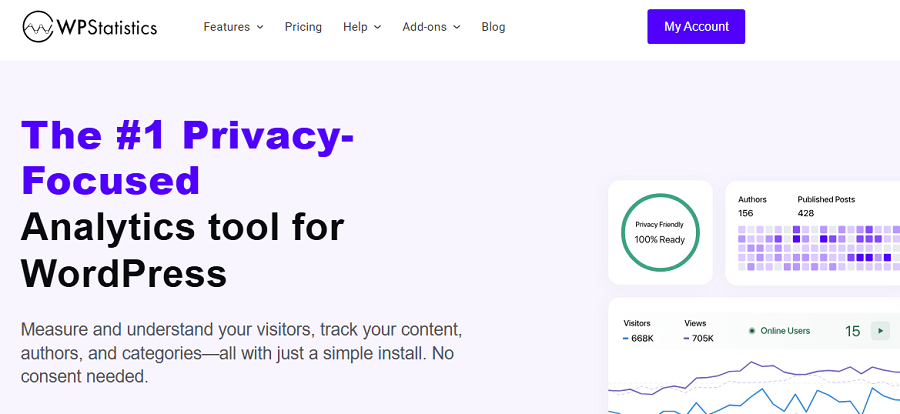
WP Statistics is an open-source analytics platform that is specifically designed for WordPress websites.
It’s an easy-to-use plugin that complies with privacy requirements, including cookieless tracking, data minimization, and anonymization.
It offers an advanced privacy setting that allows you to customize it according to your website needs.
It uses a lightweight JavaScript file for data collection and then anonymizes data and safely stores it on the WordPress server. WP Statistics won’t share data with commercial parties for marketing and monetization.
If you have a small to medium-sized healthcare website and need compliance and simplicity together, WP Statistics is your best choice.
Look at its key features to see whether it’s suitable for your site:
- Visitor Analytics
- Page Analytics
- Content Analytics
- Author Analytics
- Campaign Builder and Goal Tracking
- Custom Events
- Device/Location/Browser Segmentation
2. Matomo

Matomo is one of the strongest GA4 alternatives for healthcare websites that prioritize data ownership and deployment control.
Matomo allows you to configure it for privacy requirements, including GDPR, HIPAA, and CCPA. It allows two deployment options: cloud storage and self-hosted. The self-hosted deployment is great for healthcare organizations that need more control over their analytics data.
Matomo publishes specific HIPAA configuration guidance, which is rare among competitors. According to its documentation, your web analytics compliance depends on configuration.
The interface is a bit complex compared to WordPress, but it’s a complete tool for large teams and professionals.
3. Plausible
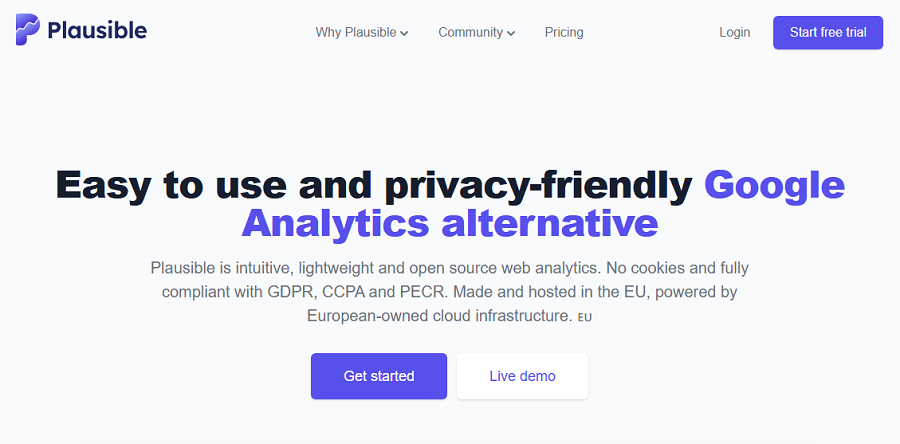
Plausible Analytics has a very different approach compared to other tools. It’s designed around aggregate, privacy-friendly website analytics.
Plausible does not use cookies or collect personal information. Also, it avoids selling visitor data or using it for behavioral advertising.
That makes it attractive for websites that primarily need:
- Traffic reporting
- Top pages
- Referral sources
- Device information
- Basic conversion events
- Simple dashboards
4. PostHog
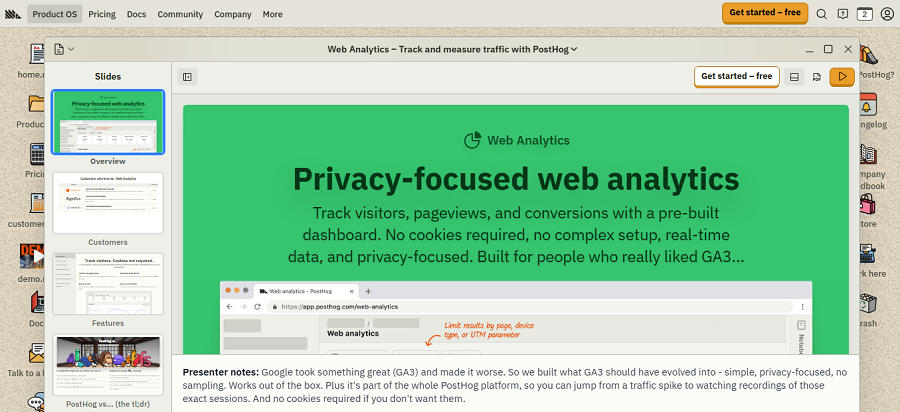
PostHog provides a broad set of analytics and product-development capabilities, including:
- Web analytics
- Product analytics
- Session replay
- Experiments
- Feature flags
It can also increase governance complexity. Remember that features such as session replay and detailed behavioral tracking can collect more information than a basic page-view analytics system.
So, for your healthcare website, those features should be enabled only after a careful privacy and security review.
Final Thoughts
Tracking the performance of a healthcare website is a bit different from commercial sites like ecommerce or SaaS. You need to pay special attention to privacy policy and data protection rules. Particularly, you have to comply with HIPAA and GDPR to avoid future legal issues. You have to minimize data collection and anonymize data before storage. Try to replace user behavior data with aggregated analytics. Also, choose a privacy-first tool and set it up according to local healthcare regulations. If you need more information about privacy-compliant analytics, you can contact us.
FAQs
What are the best healthcare analytics platforms?
It depends on your needs and budget. Here are some popular options: WP Statistics, Matomo, Plausible, and PostHog.
How can analytics be used in healthcare?
Analytics can help healthcare organizations understand patient behavior, website performance, appointment conversions, and content engagement.
What are some website analytics?
Common website analytics are traffic sources, page views, engagement rate, landing-page performance, appointment conversions, internal searches, phone clicks, and returning visitors.