

To improve your site’s performance, you have to analyze visitors’ behavior and recognize what they like.
Table of Contents
The thing is that collecting and storing people’s data for behavioral analytics might violate privacy rules, including GDPR in the EU.
You need to consider these regulations when choosing an analytics platform. In this blog post, we’ll let you know why you have to use privacy-first analytics plugins. Also, we’ll introduce the 8 best analytics plugins for WordPress websites.
Why Use GDPR Compliant WordPress Analytics Tools
GDPR stands for General Data Protection Regulation and is the privacy law in the EU. All businesses, including websites, that work in Europe must consider its regulations when working with people’s data, especially.
In fact, this law regulates how websites collect, store, and process personal data from European citizens.
Web analytics tools are constantly collecting, storing, and analyzing visitors’ information, so they have to comply with GDPR.
This includes information, like:
- IP addresses
- Device information
- Behavioral data
- Location data
- User identifiers
- Cookies
If you use an analytics platform that processes personal information improperly, you may face compliance risks.
To comply with GDPR, you need to choose a web analytics platform that:
- Anonymise IP addresses
- Establish data retention policies
- Enable Consent Mode
- Manage user consent using compliant cookie banners
- Update your privacy policies
Traditional analytics platforms like Google Analytics use invasive tracking methods like cookies and user profiling. So, you might put your business at risk if you use them for European visitors.
That’s why you have to go for privacy-focused analytics tools. Fortunately, there are a bunch of WordPress plugins that offer privacy-focused analytics features without reducing accuracy.
8 Best GDPR Compliant Analytics Plugins for WordPress
Now, let’s take a closer look at the most reliable WordPress analytics plugins:
1. WP Statistics
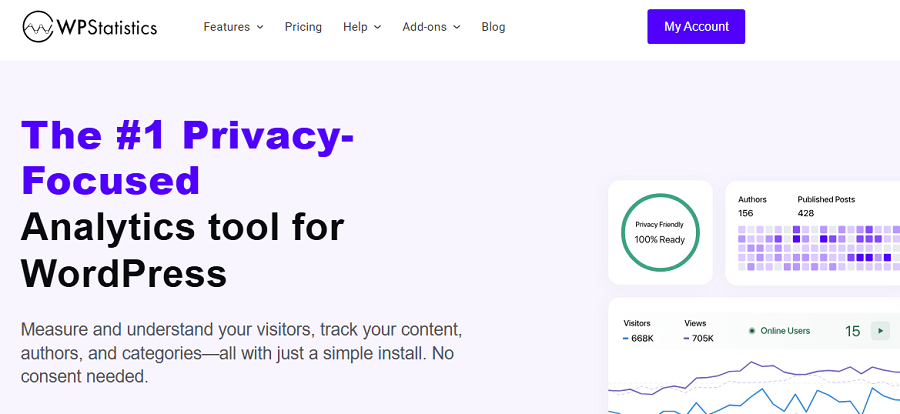
WP Statistics is one of the best web analytics plugins for WordPress websites. The VeronaLabs group founded it as a privacy-first alternative to Google Analytics and a simple way to track your website’s performance.
The main difference between WP Statistics and traditional third-party analytics platforms is that WP Statistics stores analytics information directly inside your WordPress database.
This is a great option for privacy-conscious businesses and organizations that want to operate under GDPR.
WP Statistics also lets you customize privacy configurations, such as IP anonymization and hashing. By default, you don’t need to use cookie banners when using WP Statistics. However, if you change the privacy settings, you can easily integrate the plugin with cookie-banner plugins on WordPress.
You can be sure that the plugin doesn’t share your users’ info with third-party tools for monetization and remarketing.
You can have this privacy and security while reviewing fully detailed analytics and a vast set of metrics.
WP Statistics has an extensive reporting system, including visitor tracking, geographic reports, traffic sources, device analysis, search engine insights, etc.
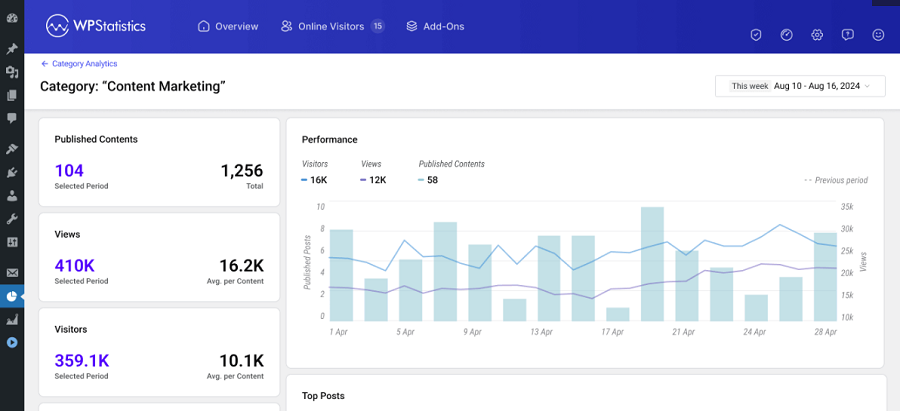
All of these reports are accessible directly from your WordPress dashboard, and you can see a summarized report as a ribbon on top of your web pages.
Key Features of WP Statistics
- Real-Time Visitor Tracking: Monitor live website traffic activity.
- Detailed Traffic Reports: Analyze visitors, referrers, devices, and locations.
- Search Engine Insights: Track search keywords and search traffic.
- Content Analytics: Identify your best-performing pages and posts.
- Role-Based Analytics: Track logged-in users based on their roles.
- Campaign Tracking: Build campaigns and track the results.
Pricing of WP Statistics
WP Statistics offers a free plan plus diverse pricing plans for businesses of all sizes. The good news is that they offer a 14-day money-back guarantee, which is great for those who might not be sure about the capabilities of the plugin.
| Plan | Price/year | Features | |
| Free | $0 | Core analytics features | |
| Premium Add-ons | $39 | 1 Site | Data Plus, Marketing, Advanced Reporting, Real-Time Stats, and Mini Chart |
| $99 | 5 Sites | ||
| $199 | Unlimited | ||
| Agency Bundles | $119 | 1 Site | You get a complete set of features, add-ons, and integrations. |
| $249 | 5 Sites | ||
| $449 | Unlimited | ||
Pros of WP Statistics
- Full data ownership
- GDPR compliance
- Rich reporting features
- Deep WordPress integration
- No dependency on Google Analytics
Cons of WP Statistics
- WordPress only
- Add-ons might be expensive for small businesses
2. Matomo Analytics

Matomo is based in New Zealand and is a powerful Google Analytics alternative with a strong focus on privacy. It’s a famous web analytics platform with a reliable WordPress plugin that is the priority for organizations and enterprise-grade campaigns.
Matomo offers a wide range of tracking features that compete with Google Analytics while remaining privacy-focused. This makes it different from other GDPR-compliant plugins because they usually sacrifice accuracy or compliance.
Matomo offers advanced tracking capabilities such as heatmaps, session recordings, and conversion funnels, which you can rarely find in other GDPR-compliant tools.
It has self-hosted and cloud-hosted storage options to let you choose the level of data ownership.
This makes it especially popular among enterprises, government organizations, hospitals, universities, and publishers.
Moreover, Matomo offers GDPR management features like IP anonymization, consent management integrations, cookie-less tracking modes, and full data ownership.
Overall, the plugin is based on transparency, and that’s why they changed its name from Piwik to Matomo, which is a Japanese word for “honesty.”
Key Features of Matomo Analytics
- Heatmaps & Session Recordings: Advanced behavioral analysis
- Ecommerce Analytics: Track revenue and conversions
- Custom Dashboards: Personalized analytics reports
- Tag Manager: Simplified tracking management
- Goal & Funnel Tracking: Measure user journeys
- Real-Time Analytics: Live visitor monitoring
Pricing of Matomo Analytics
| Plan | Price | Features |
| Self-Hosted | Free core software | Requires hosting resources |
| Cloud Plans | Starting around $23/month | Managed hosting and premium support |
| Enterprise | Custom pricing | Advanced enterprise capabilities |
Pros of Matomo Analytics
- Enterprise-grade analytics
- Excellent GDPR support
- Full data ownership with two options
- Advanced reporting tools
- Strong Google Analytics alternative
Cons of Matomo Analytics
- Resource-intensive
- Learning curve for beginners
- Advanced features are expensive
- Complex setup
3. Koko Analytics
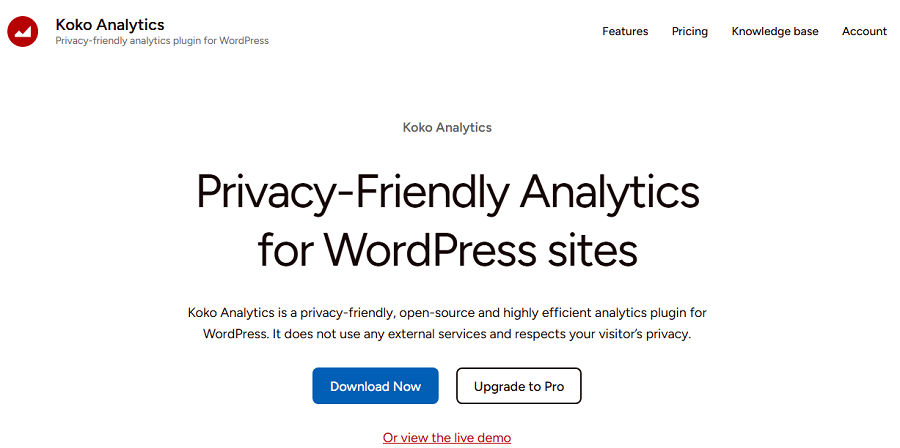
Koko Analytics is a privacy-friendly analytics plugin designed specifically for WordPress users. Despite Matomo, Koko is a lightweight plugin that is great for SMBs that want simple traffic insights without using invasive tracking methods.
It has a minimalist dashboard that makes it great for beginners who don’t need hundreds of metrics. In fact, Koko Analytics focuses on essential website statistics while remaining GDPR-compliant.
Koko Analytics stores data locally inside WordPress. So, you don’t rely on external services for collecting and analyzing your site performance. It avoids invasive tracking practices like cookies and doesn’t share data for monetization.
Of course, Koko Analytics is not a good option for advanced marketing analysis or detailed behavioral tracking.
So, if you’re looking for a fast and privacy-focused analytics plugin, it can be a good choice.
Key Features of Koko Analytics
- Automatic Cleanup: Helps manage database size
- Referrer Tracking: Identify traffic sources
- Page View Reports: Monitor popular content
- WordPress Native Integration: Fully integrated into the admin dashboard
- Low Resource Usage: Suitable for smaller hosting environments
Pricing of Koko Analytics
| Plan | Price | Features |
| Free | $0 | Full core analytics features |
| Premium Extensions | Limited optional costs | Additional functionality if needed |
Pros of Koko Analytics
- Extremely lightweight
- Excellent for privacy-conscious websites
- Simple setup
- Fast performance
- Self-hosted analytics
- Minimalist interface
Cons of Koko Analytics
- Limited advanced reporting
- Not ideal for enterprise analytics
- Fewer integrations compared to larger platforms
4. Simple Analytics
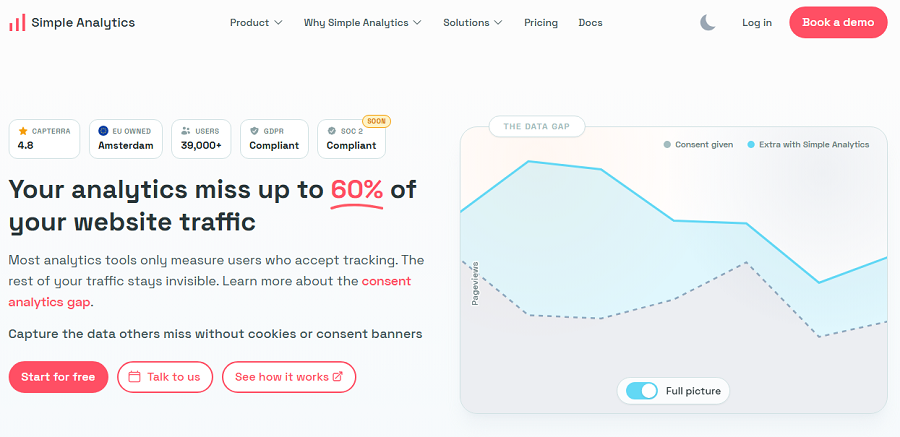
Simple Analytics is a modern cookie-less analytics platform and a direct alternative to Google Analytics.
It offers a WordPress plugin and is famous for simplicity, transparency, and GDPR compliance.
Simple Analytics avoids personal data collection and doesn’t create a behavioral profile for visitors.
You might wonder how it can track the performance of a site without cookies. In fact, it focuses on aggregate analytics instead of tracking individual users. This way, Simple Analytics can deliver actionable insights and provide them in a clean interface.
The plugin is highly popular among businesses, SaaS companies, startups, publishers, and privacy-conscious organizations. If you need both simplicity and legal data collection, Simple Analytics is a good choice for your business.
You can track important metrics such as visitors, referral sources, pages, campaigns, and events, which are presented clearly. It also offers event tracking, email reports, goals, and automation integrations.
Key Features of Simple Analytics
- Event Tracking: Monitor user actions
- Automated Reports: Receive analytics summaries
- Campaign Tracking: Measure marketing performance
- Cloud-Based Hosting: Minimal maintenance required
- Simple Integration: Easy WordPress setup
- Goal Tracking: Measure conversions
- Fast Lightweight Script: Optimized performance
Pricing of Simple Analytics
| Plan | Price | Features |
| Starter | Starting around $19/month | Core analytics features |
| Business | Higher monthly pricing | Team and advanced features |
| Enterprise | Custom pricing | Enterprise-level support |
Pros of Simple Analytics
- Excellent usability
- Strong privacy focus
- Cookie-free analytics
- Modern interface
- Fast implementation
- Great Google Analytics alternative
Cons of Simple Analytics
- No self-hosted version
- Subscription-based pricing
- Fewer advanced enterprise analytics features
5. Plausible Analytics
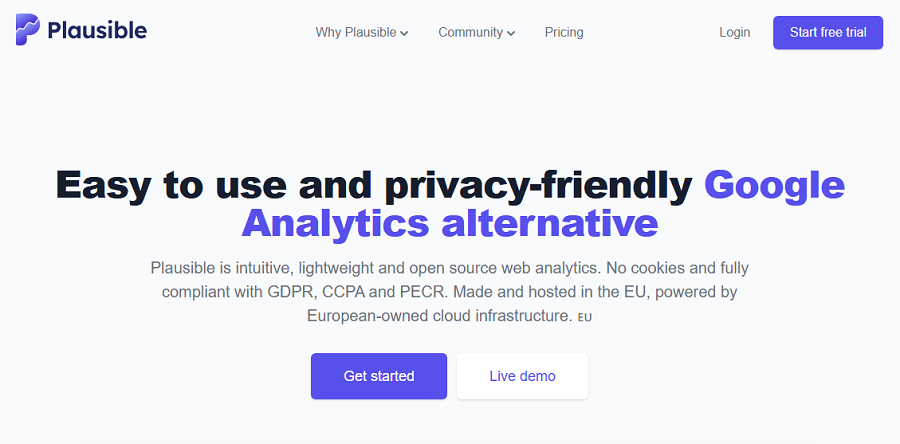
Plausible Analytics is another popular privacy-first analytics platform and a great GA4 alternative. It’s famous for its simplicity and for providing a lightweight alternative to traditional analytics platforms.
Plausible emphasizes transparency, speed, and GDPR compliance. You should not expect deep analytics reports, but a fast review of your essential metrics in a privacy-friendly way.
It uses a lightweight tracking script that avoids invasive cookies and behavioral profiling. This is the most important factor that makes it GDPR-compliant. In fact, you can collect analytics data without relying on consent banners.
Plausible is especially popular among developers, startups, and SaaS companies. Its dashboard is minimalist and offers valuable traffic insights such as visitor trends, referral sources, campaigns, conversions, and geographic data.
The good news is that the platform is open source and offers self-hosted data storage options in addition to cloud hosting.
Key Features of Plausible Analytics
- Lightweight Script: Excellent website performance
- Goal Conversions: Track business objectives
- Campaign Analytics: Monitor marketing traffic
- Simple Dashboard: Clean user interface
- Real-Time Traffic Insights: Live visitor monitoring
- API Access: Developer-friendly integrations
- WordPress Integration: Easy installation
Pricing of Plausible Analytics
| Plan | Price | Features |
| Managed Cloud | Starting around $9/month | Hosted analytics service |
| Self-Hosted | Free software | Requires server setup |
| Enterprise | Custom pricing | Advanced infrastructure and support |
Pros of Plausible Analytics
- Strong GDPR compliance
- Cookie-free analytics
- Open source transparency
- Excellent performance
- Simple and modern interface
- Self-hosting available
Cons of Plausible Analytics
- Limited deep behavioral analytics
- Advanced customization may require technical knowledge
- Some enterprise features are limited
6. Fathom Analytics
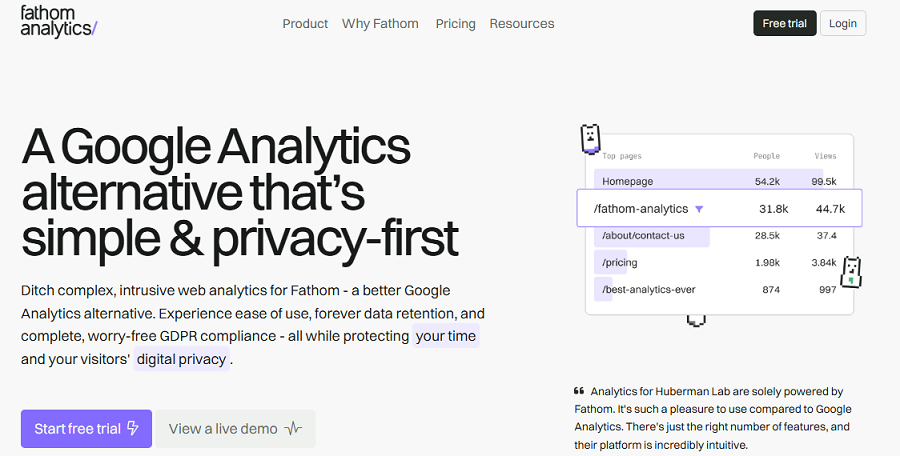
Fathom Analytics is a well-known privacy-focused analytics platform that offers a useful plugin for WordPress websites.
This platform focuses on ethical data collection and GDPR compliance while offering premium tracking features.
Fathom avoids strong, unnecessary personal data and uses cookie-free tracking approaches. So, you can be sure about compliance requirements, especially if you own an agency that works with sensitive data.
You can only find actionable metrics on the plugin’s dashboard to quickly review traffic trends, top pages, referral sources, campaigns, and goals.
We have to note that Fathom might not be useful for marketers who need advanced segmentation or extensive user behavior analysis. However, if you want a fast and accurate report on your site’s performance without violating data protection rules, you can rely on Fathom.
Key Features of Fathom Analytics
- Lightweight Script: Optimized website performance
- Goal Tracking: Monitor conversions and campaigns
- Simple Dashboard: Easy-to-understand reports
- Email Reports: Automated analytics summaries
- Privacy-First Architecture: Minimal data collection
- Real-Time Analytics: Live traffic monitoring
- UTM Campaign Tracking: Marketing performance insights
- Easy WordPress Integration: Quick installation process
Pricing of Fathom Analytics
| Plan | Price | Features |
| Starter | Starting around $15/month | Core analytics features |
| Business | Higher-tier pricing | Increased traffic capacity |
| Enterprise | Custom pricing | Advanced support and scalability |
Pros of Fathom Analytics
- Strong privacy reputation
- Excellent user experience
- Lightweight analytics
- Fast setup
- Cookie-free approach
- Great for businesses and agencies
Cons of Fathom Analytics
- No free plan
- Cloud-based platform
- No advanced features
7. Statnive
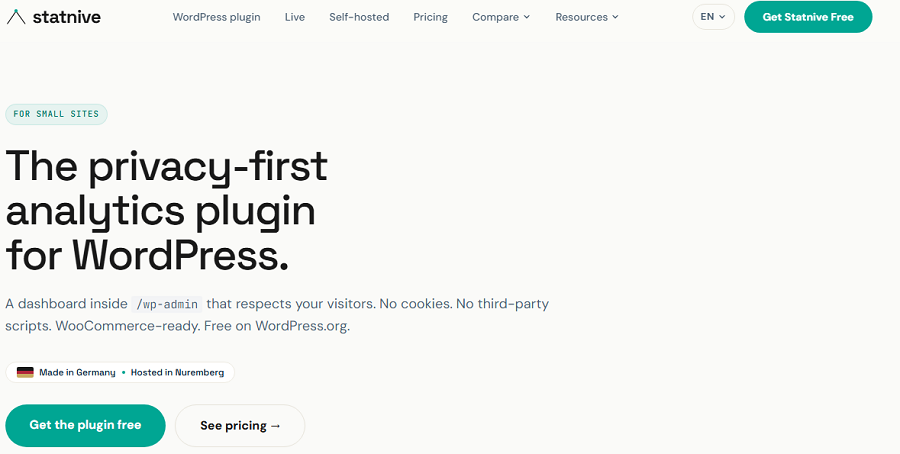
Statnive is a newer privacy-oriented analytics solution based in Germany. It’s completely compliant with GDPR and ethical data collection policies.
The platform offers a plugin for WordPress so you can access actionable traffic insights directly in your dashboard to improve your site’s performance.
It doesn’t rely on invasive monitoring methods like cookies, user profiling, and cross-website tracking.
It has perfectly balanced simplicity, performance, useful reporting features, and privacy-conscious analytics approaches. In fact, you can enjoy simplicity while using accurate reports.
It’s also user-friendly and offers a clean reporting experience and modern privacy expectations.
Moreover, as it uses lightweight scripts, you can be sure about the speed and performance issues. Although Statnive is newer compared to older analytics plugins, it’s growing rapidly.
Key Features of Statnive
- Lightweight Tracking: Reduced performance overhead
- Modern Dashboard: Clean analytics visualization
- Traffic Source Analysis: Understand referral channels
- Campaign Tracking: Monitor marketing efforts
- Real-Time Reporting: Live traffic insights
- Simple WordPress Integration: Easy setup process
- Performance Optimization: Lightweight analytics scripts
- Business Reporting Tools: Actionable website insights
Pricing of Statnive
| Plan | Price | Features |
| Free/Trial Options | Varies | Basic access depending on plan |
| Paid Plans | Subscription-based | Advanced reporting and features |
| Enterprise | Custom pricing | Higher scalability and support |
Pros of Statnive
- Modern analytics interface
- Privacy-focused approach
- Lightweight implementation
- Beginner-friendly reports
- Good alternative to traditional analytics tools
Cons of Statnive
- Newer ecosystem
- Fewer integrations than established competitors
- Limited long-term market maturity
8. Burst Statistics
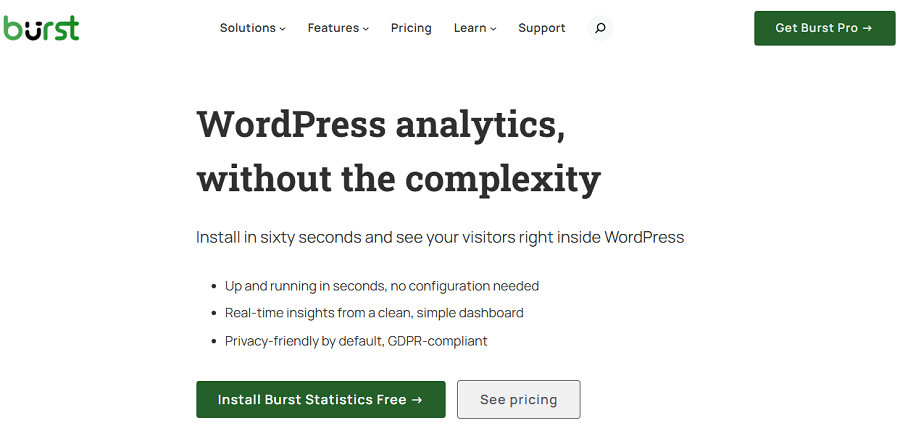
Burst Statistics was launched in 2022 by a company located in Groningen, the Netherlands. It might not be famous, but it’s one of the fastest-growing privacy-focused analytics plugins for WordPress.
Its GDPR-first philosophy and cookie-free tracking capabilities are great for agencies.
If you’re looking for a useful analytics plugin without invasive tracking methods, this is your best chance. Also, it has a clean interface that makes it popular among business owners who are not experienced with analytics.
Burst Statistics allows you to gather useful visitor insights without requiring complicated consent mechanisms. This simplifies compliance workflows and integrates well with privacy plugins and consent management systems.
Remember that it will not provide very detailed analytics reports like Google Analytics. But it’s great for websites that need fast and simple analytics with GDPR compliance.
Key Features of Burst Statistics
- Real-Time Insights: Monitor active traffic
- Device & Referrer Tracking: Analyze traffic sources
- Goal Tracking: Measure conversions and actions
- Lightweight Performance: Minimal impact on page speed
- WordPress Native Integration: No external platform required
Pricing of Burst Statistics
| Plan | Price | Features |
| Free | $0 | Core privacy analytics |
| Pro | Starting around $39/year | Advanced insights and premium support |
Pros of Burst Statistics
- Strong GDPR focus
- Cookie-free tracking support
- Lightweight and fast
- Beginner-friendly interface
- Self-hosted privacy analytics
- Easy setup
Cons of Burst Statistics
- Less advanced compared to other plugins
- Smaller ecosystem
- Limited deep marketing analytics
Final Thoughts
Using traditional analytics platforms is now riskier than ever. You’d better go for analytics tools that are GDPR-compliant by default so that you don’t need to take care of compliance manually.
Take a look at the following table to choose a suitable analytics plugin for your WordPress website:
| Plugin | GDPR Friendly | Cookie-Free | Self-Hosted | Real-Time Analytics |
| WP Statistics | Yes | Yes | Yes | Yes |
| Matomo Analytics | Yes | Yes | Optional | Yes |
| Koko Analytics | Yes | Yes | Yes | Limited |
| Simple Analytics | Yes | Yes | No | Yes |
| Plausible Analytics | Yes | Yes | Optional | Yes |
| Fathom Analytics | Yes | Yes | No | Yes |
| Statnive | Yes | Partial | Limited | Yes |
| Burst Statistics | Yes | Yes | Yes | Yes |
WP Statistics is the best option for businesses of all sizes. It offers advanced analytics features while remaining compliant. It’s a great alternative to GA4 that is easily installed on your dashboard. So, why wait? You can start with its free plan to see the capabilities and then choose a pricing package to track your site.
FAQs
Is Google Analytics GDPR compliant?
It’s not compliant by default, but you can configure it. For example, you have to use cookie banners to get explicit consent from visitors.
What is GDPR compliance for websites?
Websites should get user consent before collecting their data, and they must store the data in a secure document or software. Moreover, they can’t share the data with third-party platforms or monetize users’ information.
What are the 7 rules of GDPR?
1. Lawfulness, fairness, and transparency.
2. Purpose limitation.
3. Data minimisation.
4. Accuracy.
5. Storage limitation.
6. Integrity and confidentiality (security)
7. Accountability.
What’s the best GDPR-compliant web analytics plugin for WordPress?
WP Statistics is the best GDPR-compliant analytics plugin for WordPress websites. It’s also a great alternative to Google Analytics.