

Use first-party tools to control your site’s data.
Table of Contents
Businesses are shifting toward platforms that let them control their own data with minimal dependence on commercial third-party tools.
First-party analytics tools play a great role in this data ownership, as they store data on your own server instead of commercial third-party infrastructure.
In this blog post, we’ll discuss all the details about first-party analytics and the way it can improve your site’s compliance and trust. Also, we’ll introduce some of the best first-party tools to help you choose a suitable one for your website.
What Is First-Party Analytics?
First-party analytics is about collecting, processing, and analyzing your website data using systems you own.
In fact, you use your own domain, your own infrastructure, or a trusted analytics platform that works as you want.
The primary goal of using first-party analytics is to track the performance of your site’s visitors while controlling collected data.
As concerns about data leaks or misuse are rising in the world, organizations are going for first-party analytics more and more. The reason is that when you own your data, you can be sure about privacy, transparency, and regulatory compliance.
As you know, privacy rules are becoming stricter, and this has boosted the shift toward first-party data collection.
First-party analytics focuses on direct interactions between visitors and your site, not cross-website behavior. This improves privacy compliance and gains the trust of both people and companies.
First-party analytics uses a straightforward workflow:
Step 1: A visitor visits your website
Someone visits your website using a specific method:
- Typing your URL
- Clicking a search result
- Following a referral link
- Arriving from a marketing campaign.
Step 2: Analytics records the interaction
The first-party analytics platform records events, such as:
- Landing page
- Referral source
- Browser
- Device type
- Operating system
- Screen size
- Timestamp
- Country or region
- Pages visited
- Events performed
The first-party tool might use various methods, like JavaScript, server logs, server-side tracking, WordPress hooks, and hybrid approaches.
Step 3: Data is processed
First-party tools usually use an aggregated method to convert collected data into meaningful metrics, such as:
- Visitors
- Sessions
- Bounce rate
- Popular pages
- User journeys
- Conversion goals
- Traffic sources
- Campaign performance
Remember that this doesn’t mean that your analytics tool is privacy-focused. The tool should anonymize IP addresses and avoid personal identifiers to stay compliant.
Step 4: Reports are generated
Finally, the tool will show the results in a dashboard you control. Instead of exporting visitor data to advertising platforms, first-party tools focus on understanding website performance without sharing data with ad platforms.
Benefits and Limitations of First-Party Analytics
You have to consider all the aspects of first-party analytics before using this method. Take a look at the following table to learn about the pros and cons of first-party analytics:
| Benefits | Limitations |
| Strong visitor privacy and transparency | Small ecosystem of third-party integrations |
| Control and ownership of analytics data | Few advanced advertising features |
| Easy compliance with GDPR | Self-hosting might need technical expertise |
| Less dependence on external vendors | Few enterprise features |
| Lightweight tracking improves website performance | Large self-hosted deployments need regular maintenance |
| Not impacted by browser privacy restrictions | No cross-site user tracking |
| Flexible deployment | Premium capabilities need extra paid plans |
| Visitor trust | Extra add-ons required for advanced features |
First-Party Analytics vs. Third-Party Analytics?
Let’s review the most important differences between first-party and third-party analytics platforms.
The biggest difference is who owns the visitor’s data. A first-party tracking tool directly collects analytics information about visitors.
In third-party tracking, on the other hand, another company collects your site’s visitor information using scripts, cookies, pixels, or advertising technologies that they embed on your website.
In fact, when you install a first-party analytics platform on your own server, every action of visitors is collected by this platform and is stored in your company’s database. As a result, your company owns the collected data.
On the contrary, when you create an account on a third-party analytics platform, it embeds a tracking file on your site. Then, the file sends every action to an external server that is owned by the third-party analytics provider.
Here, the platform processes and stores the data according to its own policies without considering your concerns about data protection or privacy.
This impacts important factors, including:
- Data ownership
- Privacy compliance
- Transparency
- Long-term data access
- Vendor dependence
The following table lists other differences between first-party and third-party analytics:
| Feature | First-Party Analytics | Third-Party Analytics |
| Data ownership | You control the data | A provider stores and processes data |
| Visitor relationship | Direct | Indirect |
| Privacy | Generally stronger | Depends on the provider and configuration |
| Cookies | Optional or minimized | Often relies on third-party identifiers |
| GDPR compliance | Usually easier | May require additional safeguards |
| Cross-site tracking | No | Often supported |
| Advertising integration | Limited | Extensive |
| Vendor lock-in | Lower | Higher |
| Infrastructure | Self-hosted or privacy-focused cloud | External cloud platform |
7 Best First-Party Analytics Tools in 2026
Now that you know why first-party analytics is beneficial for you, it’s time to get familiar with some of the top analytics tools in 2026:
1. WP Statistics
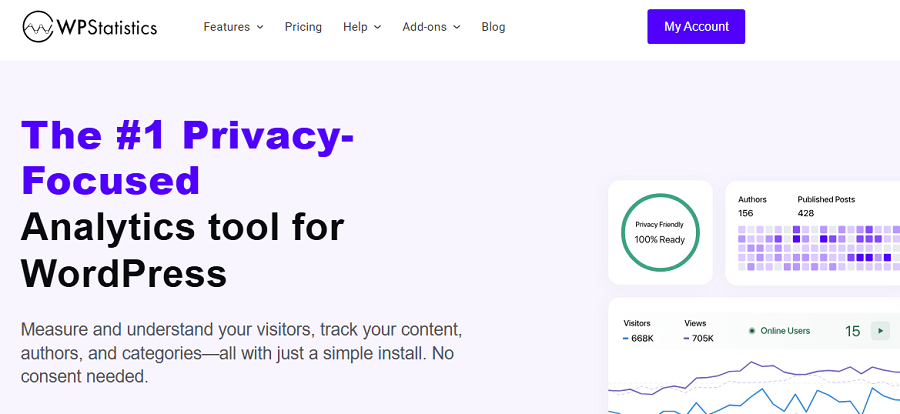
WP Statistics is one of the most popular analytics plugins for WordPress. It provides a first-party analytics service with a focus on privacy and data protection laws, like GDPR.
It offers a great balance between the accuracy of traffic and behavior analytics and the privacy of your visitors.
WP Statistics provides a wide range of traffic reports without using cookies or storing highly personal data. It uses an anonymization algorithm to protect user privacy and analyze behavior without profiling visitors.
Besides, it offers all of its services directly in your WordPress dashboard, making it a user-friendly tool for small to mid-sized businesses and startups.
Using WP Statistics, you don’t have to struggle with the installation and configuration process of GA4 and its complex dashboard. So even a beginner can start tracking a site's performance.
More importantly, your data stays on WordPress servers without the risk of leaking or being shared with third parties. You can be sure that your visitors’ data won’t be monetized.
Key Features of WP Statistics
- Visitors tracking
- Page views
- Referrers
- Search terms
- Export functionality
- Role-based access
- Geo-location data
- Browser stats
- Operating system tracking
- Device tracking
- Real-time stats
- IP anonymization options
- Customizable tracking exclusions
Pricing Plans of WP Statistics
| Plan | Price/year | Features | |
| Free | $0 | Basic analytics features | |
| Premium Add-ons | $39 | 1 Site | Data Plus, Real-Time Stats, Marketing, Advanced Reporting, and Mini Chart |
| $99 | 5 Sites | ||
| $199 | Unlimited | ||
| Agency | $119 | 1 Site | All features, add-ons, and integrations. |
| $249 | 5 Sites | ||
| $449 | Unlimited | ||
Pros of WP Statistics
✅ First-party data ownership
✅ Simple installation
✅ Privacy-friendly
✅ Transparent pricing
✅ Premium extensions available
Cons of WP Statistics
❌ WordPress only
❌ Advanced features are costly
2. Matomo
Matomo is one of the most powerful first-party analytics platforms available out there.
It’s an open-source alternative to traditional web analytics tools like GA4 and offers advanced features without using invasive tracking methods.
Matomo is GDPR-compliant by default and is really popular among organizations and companies that have strict data protection requirements.
It offers both self-hosted and cloud deployment options to let you choose your data ownership level.
Moreover, Matomo is a cookie-less tracking tool and avoids tracking users across websites or creating a user profile from their personal information.
It offers many advanced features like heatmaps and session recordings along with traditional tracking metrics.
Although the interface is not beginner-friendly, enterprise-grade businesses prefer Matomo to third-party analytics platforms.
Key Features of Matomo
- Visitors
- Sessions
- Page Views
- Traffic Sources
- Landing Pages
- Bounce Rate & Engagement Metrics
- Goals & Conversions
- Ecommerce Analytics
- User Journeys
- Real-Time Visitor Reports
Pricing Plans of Matomo
| Plan | Price/month | Features |
| Self-hosted | €0 | Basic features, hosting required |
| €33 – €219 | Payment per feature | |
| Cloud Starter | €22 | 50,000 hits per month |
| €172 | 1 million hits per month | |
| Enterprise | Custom | Advanced support, scaling, and compliance tools |
Pros of Matomo
✅ Complete data ownership
✅ Powerful privacy controls
✅ Feature-rich
✅ Flexible deployment options
✅ Excellent ecommerce analytics
✅ Highly customizable
✅ Strong WordPress integration
✅ Open-source
✅ Scalable
Cons of Matomo
❌ Steep learning curve
❌ Resource-intensive
❌ Expensive premium features
3. Koko Analytics
Koko Analytics is a lightweight, privacy-focused WordPress analytics plugin. It provides useful website insights without collecting unnecessary personal data or relying on third-party services.
It’s so popular among website owners who want reliable traffic statistics while keeping their websites fast and compliant, including:
- Bloggers
- Publishers
- Small businesses
If you have modern privacy expectations, Koko might be the best option for your site. It stores data locally on WordPress and provides first-party services with efficient database queries and minimal impact on your site’s performance.
Koko also avoids visitor profiling in the long term and only focuses on aggregated statistics. So, you’ll easily understand your site’s traffic trends without identifying individual users.
It offers essential metrics, such as visitors, page views, referrers, popular pages, and traffic over time.
Of course, you can’t rely on this plugin when it comes to advanced campaign tracking and detailed behavioral analytics.
Key Features of Koko Analytics
- Visitors
- Unique visitors
- Page views
- Daily, weekly, and monthly traffic trends
- Top pages
- Entry pages
- Referrers
- Campaign tracking (UTM support)
- Countries (optional extension/integration)
- REST API support
- Automatic cleanup tools
- Performance-optimized database structure
Pricing Plans of Koko
| Feature | Single | Multi | Agency |
| Price | €59/year | €99/year | €249/year |
| Site Limit | Up to 1 site | Up to 5 sites | Up to 25 sites |
Pros of Koko Analytics
✅ Extremely lightweight
✅ Minimal impact on page speed
✅ Stores data within WordPress
✅ Cookieless by default
✅ Easy to install
✅ Clean interface
✅ Open-source
Cons of Koko Analytics
❌ Limited advanced marketing features
❌ No heatmaps or session recordings
❌ Few integrations
❌ WordPress only
4. Statnive
Statnive is one of the newest privacy-first analytics platforms that has gained popularity among startups and privacy-conscious organizations.
If you want actionable website insights without violating privacy or data ownership rules, you can rely on this modern platform.
Despite traditional analytics platforms that focus on advertising ecosystems, Statnive just collects first-party website data. In fact, it minimizes personal identifiers and unnecessary tracking.
It offers both a managed cloud service and a self-hosted deployment, so you have the flexibility to choose the level of data control you need.
Statnive is suitable for businesses of all sizes, including small businesses, digital agencies, and larger companies that have stricter governance policies.
You can enjoy its clean and beginner-friendly dashboard on your WordPress website and track useful metrics while staying compliant with GDPR.
Key Features of Statnive
- Visitors
- Sessions
- Unique visitors
- Page views
- Landing pages
- Exit pages
- Referrers and traffic sources
- Campaign tracking (UTM parameters)
- Countries and regions
- Devices, browsers, OSs
- Real-time visitor reports
- Custom events
- Goal tracking
- Conversion reports
- Downloads
- Outbound link tracking
- User journeys
- API access
Pricing Plans of Statnive
| Plan | Price (Yearly) | Best For | Features Summary |
| Free | $0 | Personal and small business websites | Core privacy-first analytics with real-time reporting. |
| Professional | $99/year | Growing businesses | Advanced analytics, attribution, alerts, and form tracking. |
| Agency | $199/year | Agencies and developers | Complete analytics suite with heatmaps, AI insights, and white-label reporting. |
Pros of Statnive
✅ Modern interface
✅ Strong privacy-first design
✅ Both self-hosted and cloud deployments
✅ GDPR-compliant by default
Cons of Statnive
❌ Small community
❌ Few integrations
❌ Small plugin ecosystem
5. Umami
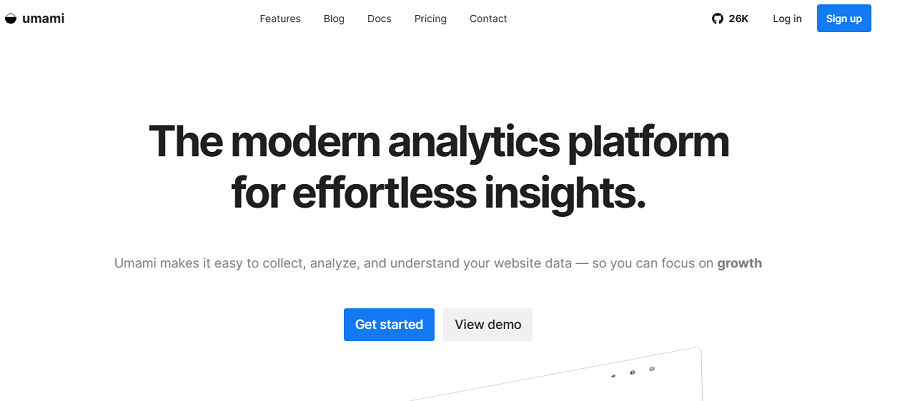
Umami is also a new first-party analytics tool and one of the most popular open-source platforms.
It’s a privacy-focused analytics tool that offers a clean, fast, and lightweight alternative to traditional analytics services like GA4.
Umami gives you full control over your analytics data and complies with data protection regulations like GDPR.
It also offers a user-friendly dashboard to quickly view visitors, page views, referrers, campaigns, devices, browsers, and operating systems.
You can also use it to create custom events to track user interactions based on your requirements.
Moreover, Umami offers deployment flexibility in two ways:
- Self-hosting: Using Docker or standard server environments
- Managed solution using Umami Cloud
That’s why businesses of all types and sizes are interested in Umami, including developers, SaaS companies, startups, and agencies. Of course, if you need more advanced features like heatmaps or session recordings, you have to go for another tool.
Key Features of Umami
- Visitors
- Sessions
- Unique visitors
- Page views
- Landing pages
- Referrers
- Campaign tracking (UTM)
- Countries
- Devices
- Browsers
- Operating systems
- Screen sizes
- Events
- Custom events
- Goals
Pricing Plans of Umami
| Feature | Hobby | Pro | Business | Enterprise |
| Price | $0/month | $20/month | $200/month | Custom |
| Best For | Individuals & small websites | Growing businesses | Large businesses & agencies | Large organizations |
| Free Trial | — | 14 days | 14 days | Contact Sales |
| Monthly Events Included | 100K | 1 Million | 10 Million | Custom |
| Additional Event Cost | — | $0.00003/event | $0.00002/event | Custom |
| Websites | 1 | Up to 20 | Unlimited | Unlimited |
| Team Members | 1 | Up to 10 | Unlimited | Unlimited |
| Data Retention | 6 Months | 2 Years | 5 Years | Custom |
Pros of Umami
✅ Open-source and transparent
✅ Lightweight and fast
✅ Excellent user interface
✅ Self-hosting and cloud hosting
✅ Cookieless
✅ Easy to deploy using Docker
✅ Strong API support
Cons of Umami
❌ No built-in heatmaps
❌ No session recording
❌ Limited ecommerce analytics
❌ Small ecosystem
6. Open Web Analytics (OWA)
This is a completely free open-source web analytics tool that can be used as a self-hosted alternative to commercial services.
This plugin provides useful reports, including visitors, page views, referrers, click tracking, and custom events.
You can integrate OWA with websites using JavaScript tracking, APIs, and a WordPress plugin.
Remember that Open Web Analytics doesn’t offer advanced tracking features like heatmaps and session recordings. But it’s great for small businesses and blogs that want to track essential metrics.
Key Features of Open Web Analytics
- Visitors
- Sessions
- Page views
- Click tracking
- Landing pages and exit pages
- Referrers and search engines
- Campaign tracking
- Countries
- Browsers, operating systems, and devices
- Custom events
- Heatmap-style click reports
Pros of Open Web Analytics
✅ Free and open source
✅ Control over collected data
✅ Custom event tracking
✅ API for integrations
✅ No recurring subscription fees
✅ Multiple websites tracking
✅ Flexible deployment
Cons of Open Web Analytics
❌ Old user interface
❌ Slow development
❌ Small community
❌ Limited cloud deployment options
7. Ackee
Ackee is another free open-source analytics platform. It has a minimal tracking tool useful for developers and startup owners who want simple, privacy-friendly website stats.
You can easily deploy Ackee using Docker and integrate it with many platforms. Ackee focuses on anonymous analytics and avoids collecting personally identifiable information.
It also doesn’t build long-term visitor profiles, which is an important factor for GDPR compliance.
You can count on it for tracking essential metrics, like visitors, page views, referrers, browsers, operating systems, screen sizes, languages, and traffic trends.
Unfortunately, you can’t use it for enterprise-grade websites or to track individual behaviors.
Key Features of Ackee
- Visitors
- Unique visitors
- Page views
- Referrers
- Browsers
- Devices
- Operating systems
- Languages
- Screen sizes
- Real-time reports
- Custom domains
- Privacy-friendly tracking
- Anonymous analytics
Pros of Ackee
✅ Extremely lightweight.
✅ Open source.
✅ Anonymous visitor tracking.
✅ Very easy to deploy.
✅ Excellent developer experience.
✅ Simple and attractive dashboard.
✅ Supports multiple websites.
✅ Strong privacy focus.
Cons of Ackee
❌ Limited marketing reports.
❌ No ecommerce analytics.
❌ No funnel analysis.
❌ No heatmaps.
❌ Small ecosystem.
❌ Best suited to technical users.
Conclusion
First-party tools are on the rise because they keep your data on your servers and minimize unnecessary data collection.
This improves your site’s compliance with regulations and helps you gain the trust of visitors, especially if you’re working in a sensitive niche like healthcare or banking. Fortunately, many first-party analytics platforms have emerged in recent years that offer various features with different levels of compliance.
WP Statistics, for example, will be directly installed on your WordPress website and will store your analytics data locally on WordPress.
It’s an open-source analytics tool with its source code available on GitHub.
WP Statistics is GDPR-compliant by default while offering advanced tracking features, including visitor analytics, page analytics, content analytics, and author performance.
You can use a 14-day money-back guarantee after subscribing to ensure it’s suitable for your site. So, why wait? Choose a plan and start your first-party tracking journey.
FAQs
What is first-party analytics?
First-party analytics collects and stores your website’s analytics data directly on your server.
What are 1st-party and 3rd-party analytics?
1st-party analytics is about collecting analytics data directly from visitors’ activities and storing it on the website’s own server. 3rd-party analytics uses a vendor tool to collect data from a website using a tracking file like cookies and stores it on a commercial server.
What is first-party data?
First-party data is information you collect directly from your website’s visitors. For example, website visits, purchases, app usage, and CRM records are 1st-party data.