
Choosing the right web analytics platform is an important step in tracking and auditing your website.
Table of Contents
Although many website owners start with Google Analytics, it’s not the best option in many cases. It’s free and accurate, but there are some concerns about GDPR compliance and using cookies to track users across websites.
That’s why many businesses try to go for privacy-first tools that avoid using cookies or invasive tracking methods.
We decided to compare two great cookie-free tools to help you choose the best one for your business. So, read this blog post on Matomo vs. WP Statistics to decide better.
What Is WP Statistics?
WP Statistics is one of the best WordPress analytics plugins. It’s a great Google Analytics alternative that keeps everything simple and private.
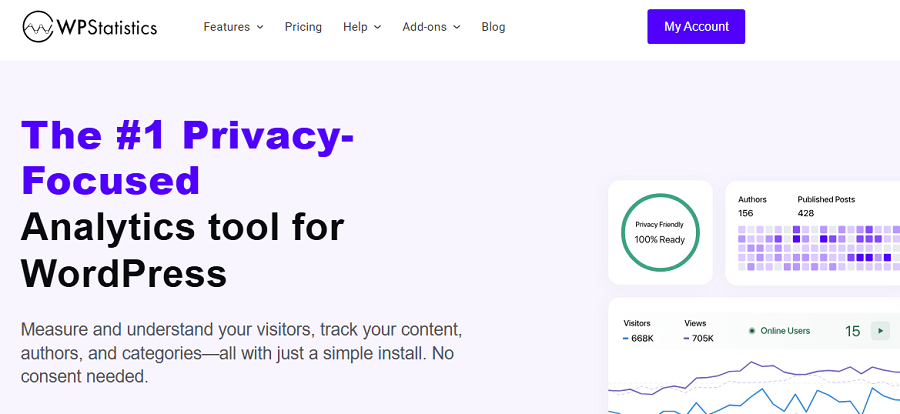
It allows you to access accurate insights into your website’s performance without switching your dashboard or sharing data with third-party platforms.
It is GDPR-compliant by default and gives you data ownership, which is great for businesses that prioritize data privacy.
Key Features of WP Statistics
WP Statistics offers useful tools and covers almost every insight you need for tracking your website’s performance. Here are the most important features it offers:
- Visitor Analytics
- Content Analytics
- Weekly/Daily Visits
- Real-time traffic stats
- Top pages, referrers, and search engines
- Country and browser reports
- Internal Search Terms
- Entry/Exit Pages
The good news is that it offers built-in features that even Google Analytics doesn’t provide. For example, you can track your writers’ performance using its Author Analytics feature.
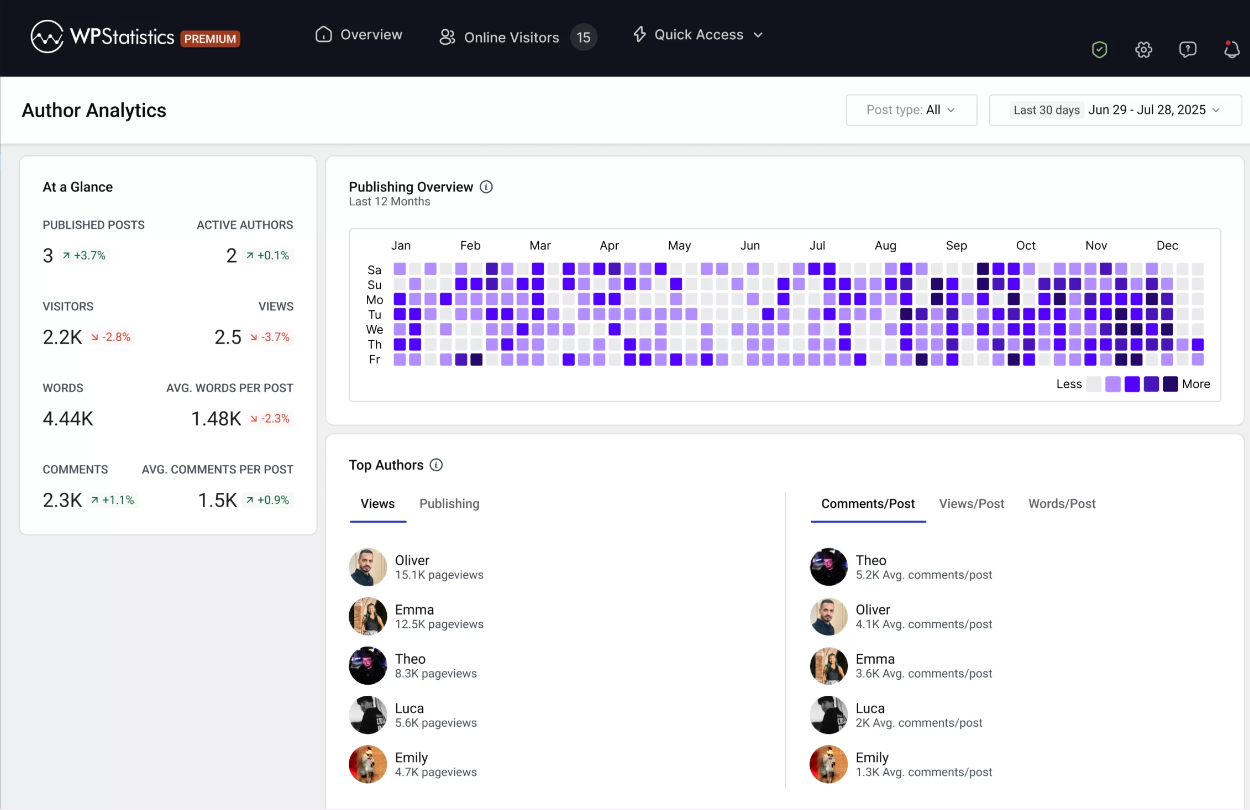
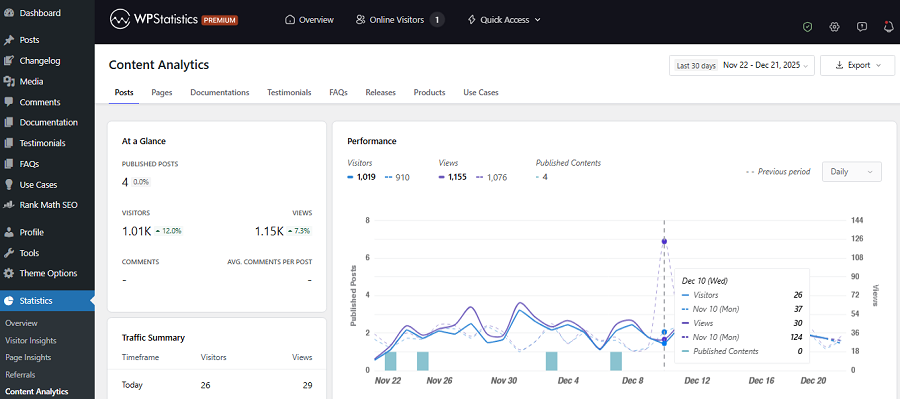
Moreover, it offers Content Analytics and Category Analytics that you can’t find on conventional analytics platforms.
Pros and Cons of WP Statistics
Every tool has its own strengths and drawbacks. Here are the advantages and disadvantages of using WP Statistics:
Pros of WP Statistics
- Useful free features
- Open-source
- Very easy to set up
- Fully self-hosted
- Privacy-friendly
- No monthly fees
- 14-day money-back guarantee
- Clean interface
- Summary report as a toolbar on your site
Cons of WP Statistics
- Limited advanced analytics for event tracking
- No funnel tracking
- No heatmaps or scrollmaps
What Is Matomo?
Matomo Analytics is a powerful Google Analytics alternative. This is an open-source analytics platform with a strong emphasis on data ownership and user privacy.
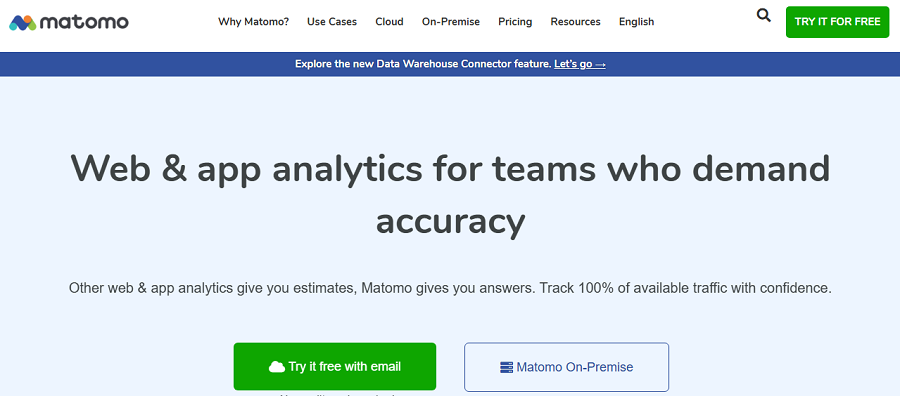
Matomo lets you keep complete control over your analytics data. This makes it a better option compared to third-party analytics tools that store data on external servers.
Matomo offers two options for storing your data:
| Feature | Matomo On-Premise (Self-Hosted) | Matomo Cloud |
|---|---|---|
| Hosting | Your own server | Matomo servers |
| Setup | Manual | Quick |
| Maintenance | You manage | Fully managed |
| Data ownership | Full control | Matomo-hosted |
| Privacy control | Maximum | High |
| Ongoing cost | None | Monthly fee |
| Pricing model | Free core | Traffic-based |
| Best for | Technical teams | Non-technical teams |
Both versions can integrate with WordPress via a plugin or tracking code.
Matomo offers advanced features for tracking user behavior, like goals, funnels, events, custom dimensions, and a WordPress plugin to have all of these on your dashboard.
It is great for understanding how visitors interact with your pages. This is far more useful than just knowing how they found your pages.
Overall, it’s the best tool for organizations that work with sensitive data and want detailed insights into the behavior of their users.
Key Features of Matomo
Look at the features of Matomo to understand its power:
- Advanced traffic and behavior analytics
- Goals, funnels, and conversion tracking
- Heatmaps and session recordings
- Custom dimensions and events
- Ecommerce tracking
- API access and data exports
Strengths and Limitations of Matomo
Here are the pros and cons of Matomo:
Pros of Matomo
- Enterprise-level analytics
- Full data ownership
- Highly customizable reports
- Scales well for high-traffic sites
Cons of Matomo
- More complex setup compared to WP Statistics
- Advanced features need paid add-ons
- Not useful for small websites
Matomo vs. WP Statistics: Key Differences
Both Matomo and WP Statistics are privacy-focused tools that can be added to your WordPress dashboard. However, their use cases might be different.
If you don’t consider these differences, you might choose the wrong web analytics platform for your business. This will cause misunderstanding about your website performance and user behavior.
General Comparison between Matomo vs. WP Statistics
The following table compares the key differences between Matomo and WP Statistics:
| Category | WP Statistics | Matomo |
| Setup | Very Easy | Complex |
| Dashboard | WordPress admin | External User Interface |
| Data ownership | Self-hosted | Self-hosted + cloud |
| GDPR & Privacy | Default + Customization | Configurable |
| Performance impact | Low | Moderate |
| Focus | Content | Behavior |
| Pricing | Free + add-ons | Free + paid plans |
Overall, WP Statistics focuses more on content insights, while Matomo has a focus on advanced user behavior and conversion analytics.
Of course, each of them offers features for tracking content and use behaviors, but their focus might make a big difference.
That’s why we tried to summarize their key tracking features to help you choose the best tool according to your requirements.
WP Statistics vs. Matomo Performance: Key Features
| Feature | WP Statistics | Matomo |
|---|---|---|
| Pageviews & visitors | ✅ | ✅ |
| Real-time stats | ✅ | ✅ |
| Author analytics | ✅ | ⚠️ Limited (custom filters) |
| Content performance | ✅ | ✅ |
| Category & tag stats | ✅ | ⚠️ Limited (custom dimensions) |
| Internal search terms | ✅ | ⚠️ (custom setup) |
| Goals | ✅ Add-on | ✅ Native |
| UTM tracking | ✅ | ✅ |
| Campaign builder | ✅ Add-on | ⚠️ Limited |
| Referrer tracking | ✅ | ✅ |
| Geo & device data | ✅ Add-on | ✅ |
| Funnels | ⚠️ Basic | ✅ Add-on |
| User paths | ⚠️ Limited | ✅ Add-on |
| Custom events | ✅ Add-on | ✅ |
| Heatmaps | ❌ | ✅ Add-on |
| Session recordings | ❌ | ✅ Add-on |
| Ecommerce tracking | ⚠️ Basic | ✅ Advanced |
| API access | ❌ | ✅ |
As you see, the majority of WP Statistics’ features are focused on content, author, and visitors, although it offers campaign tracking tools as well.
On the other hand, Matomo offers behavioral features, such as heatmaps and advanced tools for analyzing funnels.
Now, let’s dive deeper into their differences:
Setup & Ease of Use
One of the most important factors in choosing a web analytics platform is its simplicity.
WP Statistics is much easier to set up and use compared to Matomo. It’s specifically designed for WordPress websites and can be easily installed with several clicks.
It also offers a ribbon on your site to check a summary report of visits and views without opening the dashboard. Matomo requires a complex setup in both self-hosted and cloud versions.
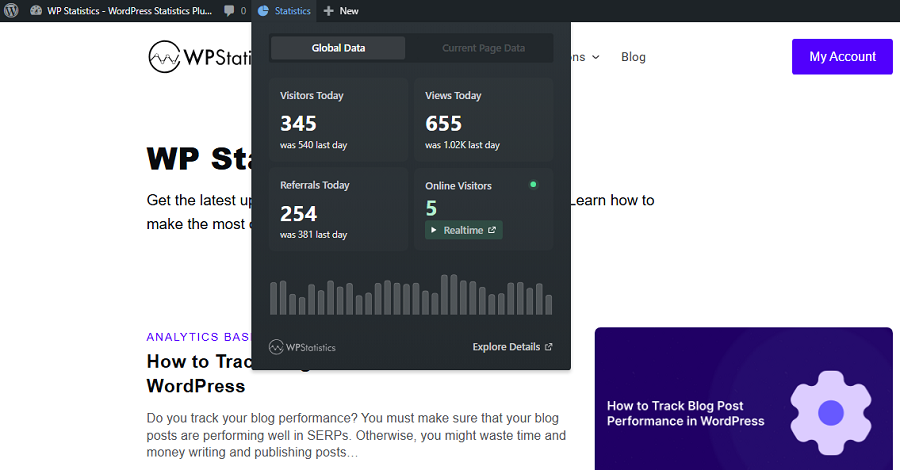
In fact, only technical users can use Matomo, but WP Statistics is suitable for all types of users and website owners.
Data Ownership & Privacy Control
Both tools are privacy-friendly with different approaches. WP Statistics stores all analytics data locally in your WordPress database and simplifies GDPR compliance.
It also offers some customization on cookies and PII. Matomo, on the other hand, provides more privacy controls, such as customizable data retention policies.
Performance Impact
Web analytics tools can affect your website performance, especially if it has considerable traffic.
WP Statistics is a lightweight tool and optimized for WordPress, especially for small to medium websites.
If your website’s traffic grows, large volumes of data in the WordPress database can impact performance if you don’t manage it properly.
Matomo needs more resources, especially when you choose the self-hosted version. It has advanced tracking features that need more server resources.
Overall, WP Statistics works best for small to mid-sized sites, and Matomo is better for high-traffic environments.
Analytics Focus: Content vs. Behavior
Now, it’s time to talk about the biggest difference between Matomo and WP Statistics. We should consider what they analyze best.
WP Statistics focuses on content performance. This is what you can understand when you look at its features, like author analytics, category tracking, and internal search terms. This approach of WP Statistics makes it ideal for content-based websites.
Matomo focuses on user behavior and conversions, and offers tools like funnels, user paths, heatmaps, custom events, and session recordings.
These features help your business recognize how your visitors interact with your site. This way, you can find how conversions improve.
Pricing & Long-Term Cost
The cost structure of a web analytics tool can influence your long-term decision. So, try to compare the pricing plans of WP Statistics and Matomo in detail before choosing one.
WP Statistics is free to use and offers optional paid add-ons for advanced features. Fortunately, it doesn’t charge you with monthly fees, and you have a 14-day money-back guarantee.
Matomo has a free core self-hosted version. However, many advanced features need paid add-ons. Also, its cloud version uses a traffic-based monthly pricing model, which is not budget-friendly.
Final Decision: Which Is Better for Your Business?
Now that you know what Matomo and WP Statistics offer, it’s time to choose a suitable tool for your website.
WP Statistics is better at WordPress content analytics and offers useful features, like author performance, internal search terms, and category insights.
It can easily integrate with Google Search Console to offer details on top search queries. So, it’s ideal for bloggers, publishers, and small e-commerce stores.
Matomo, on the other hand, is great at behavioral and conversion analytics. It offers features like user paths, custom events, and session recordings. These features make it the best option for growth and optimization teams who want to focus on conversions and user behavior.
It’s good to try the demo version of each tool to make sure it’s suitable for your business before paying for premium plans. Fortunately, WP Statistics offers a 14-day money-back guarantee, making it much easier for you to choose.
FAQs
How accurate is Matomo’s data?
Matomo is highly accurate, and you can use it instead of GA4. It uses a first-party tracking method and offers detailed user behavior insights.
Is Matomo better than Google Analytics?
Matomo is better in terms of privacy and data ownership. However, GA4 is more advanced than Matomo.
Is WP Statistics good?
Yes. WP Statistics is a reliable WordPress analytics plugin and offers accurate reports on visits, views, author performance, and content analytics.
What is the best analytics plugin for WordPress?
WP Statistics is the best WordPress analytics plugin. It’s GDPR-compliant and offers detailed insights into the performance of your site.