
Self-Hosted Analytics Explained: All You Need to Know
Table of Contents
Make your website compliant using self-hosted analytics.
In web analytics, you need to consider privacy to be a key factor when choosing your tracking method and analytics tool.
This is particularly important for businesses that work with sensitive data and want to comply with data protection rules.
One of the best approaches to make your website compliant with privacy rules is to use self-hosted analytics.
Self-hosting helps you reduce the number of third parties involved in data collection and processing, increasing the safety of your visitors’ data.
In this blog post, we’ll explain everything you need to know about self-hosted analytics and the best tools you can use in 2026.
What Is Self-Hosted Analytics?
Self-hosted analytics is about collecting, processing, and storing your website performance data on your own servers.
In fact, instead of relying on a third-party cloud provider, you save your data on a server you manage.
As you know, an analytics tool will run a small tracking script to record visitor interactions, such as page views, referral sources, and device types.
This is almost identical in both traditional cloud analytics and self-hosted ones. But the difference emerges after this stage.
Cloud-based analytics tools will send collected information to a third-party server for processing. After that, it will show the results and reports on a dashboard.
On the contrary, a self-hosted analytics platform will send the data directly to your own server. Your server will then process the information, store it in your own database, and generate reports.
You might think this is a simple difference, but it has significant impacts on privacy, compliance, customization, security, and long-term ownership.
Data Ownership in Self-Hosted Analytics
Data ownership is the primary advantage of self-hosted analytics. Instead of sending your website's data to a third-party analytics provider, you retain full control over where it is stored and how it is managed.
Depending on your requirements, you can deploy a self-hosted analytics platform in various environments, including:
- Your own dedicated server
- A virtual private server (VPS)
- On-premises infrastructure
- A private cloud environment
- Managed hosting services
- Containerized environments such as Docker
- Kubernetes clusters for large-scale or highly available deployment
As you control the hosting environment, you can take control of many things, including duration, backup frequency, encryption methods, access permissions, security policies, and geographic location of stored data.
Self-Hosted Analytics vs. Cloud Analytics
Here are the key differences between self-hosted analytics and traditional analytics:
| Feature | Self-Hosted Analytics | Cloud Analytics |
| Data ownership | Full ownership | Provider owns infrastructure |
| Data storage | Your server | Third-party servers |
| Infrastructure control | Complete | Limited |
| Privacy | Highly configurable | Depends on the provider |
| Customization | Extensive | Usually limited |
| Software updates | Usually your responsibility | Provider-managed |
| Initial setup | More involved | Usually simple |
| Maintenance | Required | Minimal |
| Vendor lock-in | Low | Can be significant |
| Long-term flexibility | Excellent | Varies by platform |
The Benefits of Using Self-Hosted Web Analytics
Here are the benefits of self-hosted web analytics:
1. Data Ownership
The best advantage of self-hosted analytics is that you own your site’s analytics data. Your data isn’t saved on someone else's servers.
As a result, every event, session, and report can be generated from your own infrastructure, and you can manage many items, including:
- The duration of storing data
- Backup policies
- Access level
- The server for storing data
- Exporting your database
2. Privacy
Privacy is now an essential part of business management. You can’t collect any data and store it anywhere you want.
Traditional analytics tools store data on third-party servers and might share your visitors’ data without your knowledge.
Self-hosted analytics keeps your data on your own server and reduces third-party sharing. This can gain the trust of customers, especially for organizations that work with highly personal information.
3. Compliance with Data Protection Regulations
Countries are developing stricter legal frameworks for data protection. For example, GDPR in Europe and CCPA in the USA observe the process of data collection, analysis, and sharing to ensure people’s personal information is safe.
Self-hosted analytics makes compliance much easier because it has a transparent data storage and management approach.
4. Customization
Traditional analytics tools usually offer a rigid dashboard for tracking certain metrics. However, each business might have different tracking requirements.
Although some of them offer some custom options, you can’t have control over many things.
Self-hosted analytics platforms, on the other hand, usually allow more dashboard customization options.
So, marketers, developers, SEO analytics, and other specialists can change dashboards and metrics according to their requirements.
5. Open-Source Flexibility
Self-hosting makes developing open source platforms much easier. This has several advantages, including:
- transparent codebases
- active developer communities
- extensibility
- independent security reviews
This lets you see how data is collected and processed, and check if it aligns with your requirements or regulations.
Also, you can modify functionality or integrate the analytics platform with internal systems.
6. No Vendor Lock-In
Sometimes you need to migrate from one platform to another. This might be difficult when you work with a cloud analytics provider. The reason is that historical data export is challenging, and APIs may change.
Self-hosted analytics removes these problems because you own:
- the database
- the software
- the hosting environment
- the update schedule
7. Flexible Data Retention
Self-hosted platforms let you define your own retention strategy, which is great for customer trust and also compliance.
For example, you can choose to keep:
- One year of raw events,
- Five years of aggregated reports,
8. Security Control
When you host analytics data, your security control increases. Although this might bring more responsibility, you can take control of sensitive data and make sure it can’t be used for monetization.
You can implement security measures according to your organization's requirements.
For example, you can determine:
- Firewall rules
- VPN-only administrative access
- Private networking
- Encryption at rest
- Encrypted backups
- Multi-factor authentication
- Intrusion monitoring
- Role-based permissions
9. Infrastructure That Fits Your Needs
When you use self-hosted software, you have deployment flexibility. You can install analytics software on various servers, from a low-cost VPS to dedicated hardware.
10. Lower Long-Term Costs
As your website grows, recurring subscription fees for cloud analytics platforms can become significant.
So, if you have an organization and want to manage multiple websites, you’d better go for a single self-hosted deployment. This provides many properties without increasing licensing costs.
Self-hosted deployment can be a cost-effective solution in the long term. This is especially important when you use open-source software.
Limitations of Self-Hosted Platforms for Website Monitoring
Although self-hosted analytics is beneficial, you have to consider its drawbacks before starting your tracking journey:
1. You Are Responsible for the Server
When you store your analytics data on your own server, you have to take care of it yourself. So, your responsibility will increase compared to the traditional analytics approach.
In fact, you have to think of many security issues, including:
- Monitoring server health
- Managing storage capacity
- Configuring web servers
- Maintaining databases
- Renewing SSL certificates
- Handling unexpected downtime
These tasks will become much more important as your site grows.
2. Installation Can Be More Complex
If you want to use a cloud analytics platform, you just need to create an account on their site and connect your site to it.
On the other hand, many self-hosted analytics platforms have greater setup complexity because you have to handle a server, installation, configuration, security measures, and testing.
Also, you need a regular maintenance plan and a backup strategy to protect your files and visitor data.
Fortunately, many modern analytics platforms now offer a much easier installation and configuration process, just like traditional tools. For example, self-hosted analytics plugins have simple installation and configuration processes that even beginners can understand.
3. Scalability
As your site’s traffic increases, analytics workloads increase as well. As a result, your system receives more tracking requests, larger databases, higher storage usage, and greater memory consumption.
So, you need a scaling strategy, like:
- Database optimization
- Faster storage
- Additional CPU cores
- Reverse proxies
- Caching
- Load balancing
- Container orchestration
Fortunately, many businesses won't need enterprise-scale infrastructure unless their websites see significant growth.
4. Technical Knowledge
Although modern self-hosted analytics platforms have become much easier to deploy, you still need some technical knowledge.
For example, it’s good to know the basics of Linux and PHP, DNS configuration, and SSL certificate management.
If these topics are unfamiliar to you, you can still use self-hosted plugins that have minimum configuration requirements.
5. Hosting Costs
Some businesses think that self-hosted analytics are completely free. Although many excellent analytics platforms are open source and free to use, the server is not free.
You should consider costs, like VPS or dedicated server hosting, domain names or subdomains, backup storage, and premium support.
Fortunately, for small websites, these costs are often modest. Also, they can go for plugins that store data on WordPress, so you don’t need any hosting.
Larger organizations can also consider larger infrastructure without worrying about the cost compared to cloud storage.
6. Limited Integrations
When you use large commercial analytics platforms like GA4, you can use an extensive ecosystem of integrations.
Self-hosted alternatives might not support every marketing or advertising platform. So, you have to consider the integrations before choosing your self-hosted analytics platform.
Important integrations you need are:
- WordPress
- WooCommerce
- Tag managers
- Content management systems
- Email marketing tools
- Custom APIs
- Webhooks
7. Fewer Enterprise Features
Enterprise platforms usually include advanced capabilities, like predictive analytics, AI-powered insights, marketing attribution modeling, built-in advertising integrations, A/B testing, etc.
Self-hosted solutions usually focus on essential analytics metrics along with privacy and transparency. So, many of them are not suitable for large businesses and campaigns.
You have to check their free and paid features before choosing one. Try to compare them with traditional analytics tools to select the best option based on what you need.
8. Learning Curve
Many self-hosted analytics platforms are made with simplicity in mind. However, there is still a learning curve.
You'll need to understand dashboard navigation, event tracking, goal configuration, user permissions, and custom tracking dashboards. You have to go for a tool with suitable documentation and a user-friendly dashboard.
Pros vs. Cons: Is Self-Hosted Worth Trying?
Take a look at the following table to compare the benefits and drawbacks of self-hosted analytics to see if it’s suitable for your business:
| Pros | Cons |
| Full ownership of analytics data | Server management difficulty |
| Excellent privacy control | Installation & configuration complexity |
| Open-source flexibility | Maintenance required |
| Greater customization | Backup responsibility |
| No vendor lock-in | Update responsibility |
| Flexible deployment | Scaling plans required |
| Unlimited data retention | Technical knowledge required |
| Better infrastructure control | Hosting costs still apply |
| Transparent data processing | Some integrations may be limited |
| Long-term independence | Enterprise features vary by platform |
Now that you know why self-hosted analytics is useful, it’s good to get familiar with some of the best analytics tools that offer self-hosted services:
1. WP Statistics
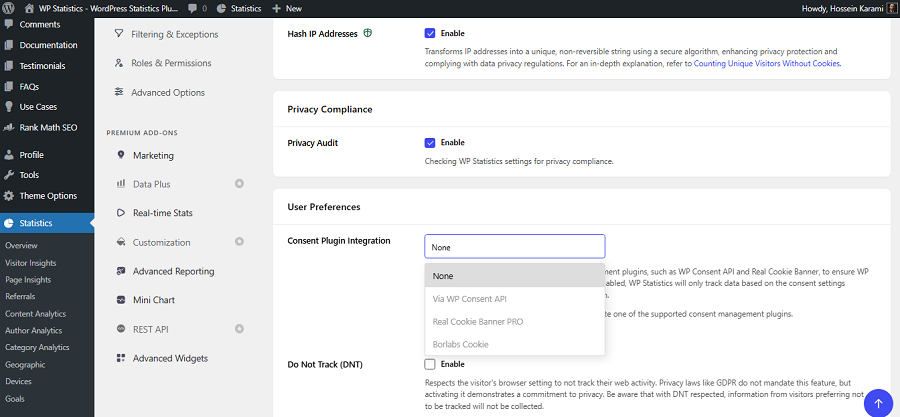
WP Statistics is a self-hosted analytics plugin for WordPress websites. It’s a great GA4 alternative that stores visitor data directly in your WordPress database and gives you ownership over your website data.
The plugin is GDPR-compliant by default and doesn’t use any invasive tracing methods like cookies or user profiling. WP Statistics doesn’t monetize your visitors’ data and has a privacy configuration feature that allows you to determine your privacy settings.
It has a user-friendly dashboard where you can monitor visitors, page views, search engine referrals, operating systems, browsers, countries, and top-performing content.
WP Statistics offers some features, such as author analytics or single page tracing, that even GA4 doesn’t provide by default.
Overall, it has the benefits of self-hosted analytics without its difficulties, like a learning curve or hosting issues.
You can try its basic features for free and choose a pricing package based on your requirements. It should be mentioned that it has a 14-day money-back guarantee that ensures you’re satisfied with its capabilities.
2. Matomo
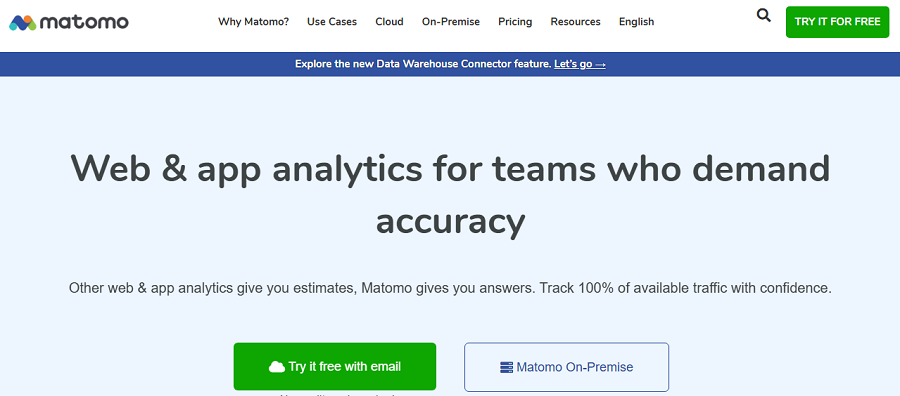
Matomo is known as the most complete self-hosted analytics platform and a perfect GA4 alternative.
It’s a privacy-first analytics tool that offers an advanced open-source solution for large companies and organizations.
If you’re running an enterprise or an institution that prioritizes privacy and data protection, you can count on Matomo’s features.
Matomo might be a bit complex to be used by a small business, but it offers a complete set of advanced features in a single dashboard.
So, you can expect something more than page views and visitor counts. It includes features, like:
- Conversion tracking
- eCommerce reporting
- Campaign analysis
- Tag management
- Heatmaps
- A/B testing
3. Plausible Analytics
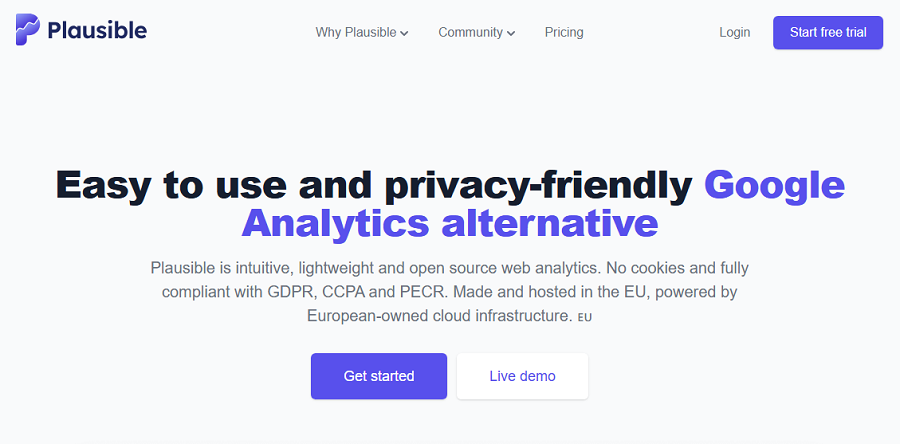
Plausible Analytics is one of the best-known privacy-focused analytics platforms thanks to its minimalist design and lightweight code.
It has both hosted and community editions. Many users subscribe to the hosted version, but the Community Edition can also be self-hosted using Docker.
Plausible focuses on the essential metrics most website owners check every day, like visitors, page views, traffic sources, top pages, goals, and conversions.
It has a clean interface that is especially appealing to bloggers, startups, and small businesses that want useful insights without unnecessary complexity.
4. Umami
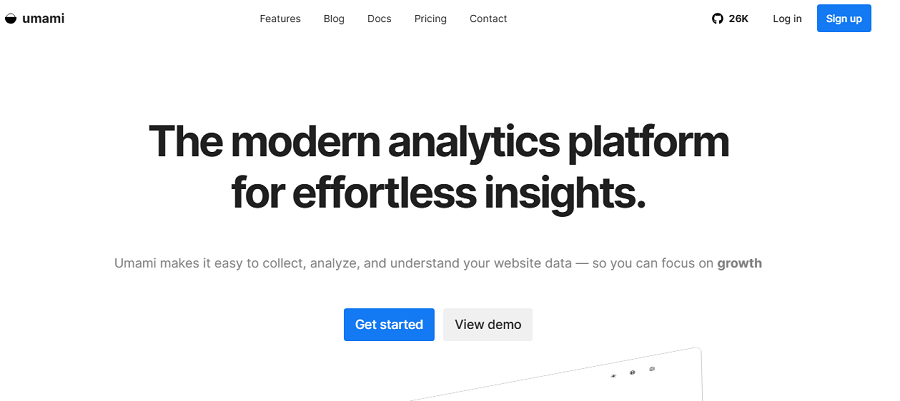
Umami is a young platform, but it has quickly become one of the most popular self-hosted analytics tools.
It offers open-source analytics services for website owners who want a clean, privacy-first alternative to GA4.
Umami focuses on simplicity and delivering essential metrics that matter most. So, it doesn’t overwhelm users with dozens of reports and configuration options.
It won’t collect extensive visitor data and emphasizes privacy by minimizing data collection. Of course, it still provides actionable insights into your website performance.
Umami has a lightweight tracking script with a minimal impact on page speed. As a result, Umami is an excellent choice for performance-conscious websites.
5. PostHog
PostHog is far more than a simple website analytics platform. It is an open-source product analytics suite that is designed for software companies, SaaS products, and development teams that need deep insights into user behavior.
It doesn’t focus only on website traffic. PostHog’s features extend into product analytics, feature flags, session recordings, heatmaps, funnels, user journeys, A/B testing, and data warehouses.
PostHog is one of the most powerful self-hosted analytics platforms available. However, you might feel additional complexity and infrastructure requirements.
If you have an organization that builds web applications or software products, you can use PostHog to replace multiple analytics tools with a single platform.
Final Thoughts
Using self-hosted analytics has many advantages, including data ownership and easier compliance with GDPR and CCPA.
Some self-hosted analytics tools are difficult to implement, especially for beginners. However, if you choose the right self-hosted analytics platform, like WP Statistics, you can have advanced features and simplicity together.
Whether you have a small business or an enterprise, you can rely on self-hosted tools as GA4 alternatives.
FAQs
What is a self-hosted analytics solution?
It means you can store your site’s analytics data on your own server and manage everything without relying on third-party providers.
What is the self hosting alternative to Google Analytics?
There are many alternatives to GA4 that offer self-hosting services. For example WP Statistics and Matomo offer advanced features without having to use third-party infrastructure.
Is WP Statistics free?
It offers a free version but for advanced features, you have to go premium.
Does self-hosting make your site GDPR-compliant?
Now necessarily. You have to take care of other requirements like using cookies, sharing data, security, etc.