
Experience full data ownership with open source analytics.
Table of Contents
Using open source tools is on the rise in many niches, and web analytics is no exception. Businesses are gradually shifting toward having more control over their data and providing more privacy to their users.
Having customizable analytics features and local storage helps you reach better performance and higher security in website tracking. That’s why open source analytics is now a trend in the world.
If you want to make your monitoring strategy future-proof, you’d better think of an open source tool instead of traditional tracking software.
In this blog post, we’ll explain the benefits of open source analytics and the best tools you can use in 2026.
What Is Open Source Analytics?
An open source analytics tool is a piece of software whose source code is publicly available. In other words, as a user, you can inspect the code, modify it, and even distribute it under the terms of its license.
Traditional tools are closed-source platforms and are fully controlled by a vendor. On the contrary, open source solutions allow you to understand how the analytics system works and change it based on your own needs.
This approach has become really popular among different types of users, from small businesses to developers and privacy-conscious organizations.
The main difference between open source and proprietary analytics is how the software is developed and controlled.
In fact, the main goal of both types of tools is to collect and analyze website data and visitor behavior.
However, the way they give access to website owners is different. Traditional analytics tools give you access to your data and reports, but they do not provide access to the source code or complete control over how the platform operates.
On the other hand, open source analytics has a different model. The software code is openly accessible to allow you to:
- Test its functionality
- Contribute improvements
- Modify the platform
The following table compares open source analytics with traditional tools:
| Feature | Open Source Analytics | Proprietary Analytics |
| Ownership | You control the software and data | Vendor controls the platform |
| Data Privacy | Configurable according to your policies | Determined by vendor policies |
| Customization | You can modify the source code | Limited to built-in options |
| Hosting | Self-hosted, cloud-hosted, or hybrid | Usually vendor-hosted |
| Cost Structure | Infrastructure and maintenance costs | Subscription or usage-based pricing |
| Flexibility | Adaptable to different environments | Limited by the vendor ecosystem |
Overall, open source analytics gives you greater flexibility in using and integrating the tool into your current platforms.
Pros and Cons of Open-Source Website Analytics Tools
Choosing the right analytics platform depends on various factors, including:
- Privacy
- Operational requirements
- Costs
- Technical expertise
- Long-term business goals
Let’s review the pros and cons of open source analytics to see if it’s worth trying:
Benefits of Using Open Source Website Analytics Tools
Here are some of the main advantages of open source analytics:
1. Full Data Ownership
Data ownership is now an important factor in choosing a web analytics tool. Many organizations, especially those that work with sensitive data, want to have complete ownership of their data.
Many open source analytics platforms can be self-hosted, allowing organizations to store and manage visitor data on their own infrastructure if they choose.
2. Better User Privacy
Privacy concerns are gradually increasing, especially in web analytics. As a result, privacy-first analytics has become really popular among businesses.
Many open source tracking tools are designed with privacy-first purposes. So, they usually minimize unnecessary data collection. Also, these tools avoid using invasive tracking technologies. This approach can help you build trust and attract users who value transparency.
3. Compliance Advantages
Governments are making data protection rules stricter. Open source analytics tools offer self-hosted storage that can make it easier for you to comply with regulations.
Also, customizing features, like data storage, retention, and processing, is possible when you use an open source solution.
4. Transparency
Developers and security professionals can inspect how the software works. This transparency helps you understand your analytics system instead of relying solely on vendor documentation.
5. Customization
Open source analytics software will give you access to the source code to align it with your specialized requirements. You can create:
- Custom dashboards
- Build integrations with internal systems
- Develop tracking workflows
6. Community-Driven Development
As everyone can access the source code and contribute to the ecosystem, you can find useful developer communities around open source analytics tools.
You can get familiar with new features, bug fixes, integrations, and security improvements.
Disadvantages of Open Source Analytics
Although open source tools have many advantages, you need to consider some drawbacks:
1. Technical Setup
Installing and configuring a self-hosted analytics platform is usually more difficult than a traditional platform. It usually needs server administration skills, which is a bit complex for smaller businesses without technical teams.
2. Server Maintenance
Self-hosted analytics software needs ongoing management. You have to take care of updates, backups, performance optimization, and system monitoring.
3. Learning Curve
Understanding and configuring the capabilities of open source tools and their customized features can take time.
4. Scaling Requirements
When your website traffic grows, you’ll see that your infrastructure demands increase. So, you need to plan for some scaling requirements, like:
- Additional storage
- Processing capacity
- Database optimization
5. Limited Support
Some open source tools don’t offer dedicated support 24/7. You have to find the answer to your problem in forums and communities
6. Resource Requirements
Open source tools need computing resources and personnel time. You have to consider the resources required to operate the analytics infrastructure.
7. Security Responsibilities
Open source tools are usually secure, but you are responsible for applying security measures, such as:
- Updates
- Monitoring vulnerabilities
- Backups
Here is a summary of the advantages and disadvantages of open source analytics:
| Pros | Cons |
| Complete data ownership | Technical setup required |
| Stronger privacy controls | Ongoing server maintenance |
| Greater transparency | Learning curve for new users |
| Extensive customization | Infrastructure scaling responsibilities |
| Community-driven innovation | Limited dedicated support for some projects |
| Potential long-term cost savings | Resource and operational requirements |
| Reduced vendor lock-in | Security management remains the user's responsibility |
The Best Open Source Web Analytics Tools in 2026
Here are the best open source platforms for website analytics:
1. WP Statistics
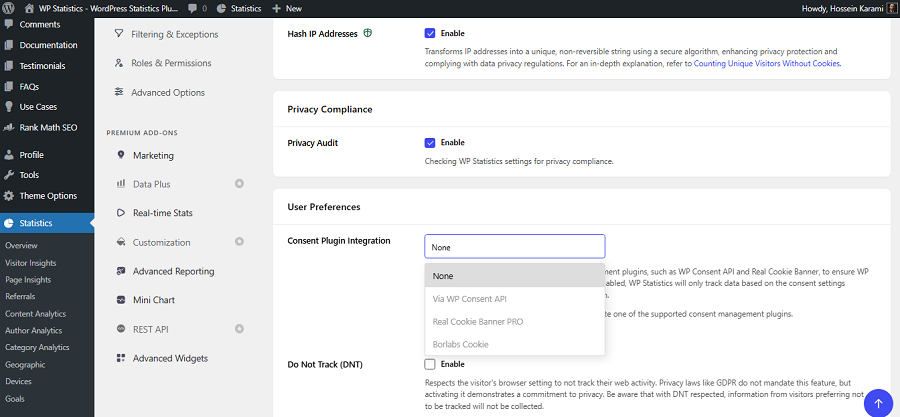
WP Statistics is a popular open source web analytics plugin specifically for WordPress websites.
It allows you to collect and analyze visitor data without using cookies or other invasive tracking methods.
Moreover, it stores data on the WordPress server and doesn’t share it for monetization.
So, you have complete control over your analytics data and stay GDPR-compliant while monitoring different metrics.
WP Statistics is suitable for businesses of all sizes and types, from bloggers and publishers to SMBs and agencies.
If you want accurate analytics like GA4 without violating privacy rules, this is your best chance.
Key Features of WP Statistics
- Visitor and page view tracking
- Real-time website statistics
- Search engine keyword tracking
- Geographic location reports
- Referrer and traffic source analysis
- REST API support
- Author performance
- Exit/Entry page analytics
- Custom event
Pros and Cons of WP Statistics
| Pros | Cons |
| Easy installation Complete data ownership No third-party data sharing Privacy-friendly setup Native WordPress dashboard | Limited to WordPress Database size on large websites Advanced features are expensive. |
Pricing of WP Statistics
- Free: Open source plugin with basic analytics features.
- Premium Add-ons: Individual modules.
- Bundle Plans: Approximate annual packages for all add-ons.
2. Matomo
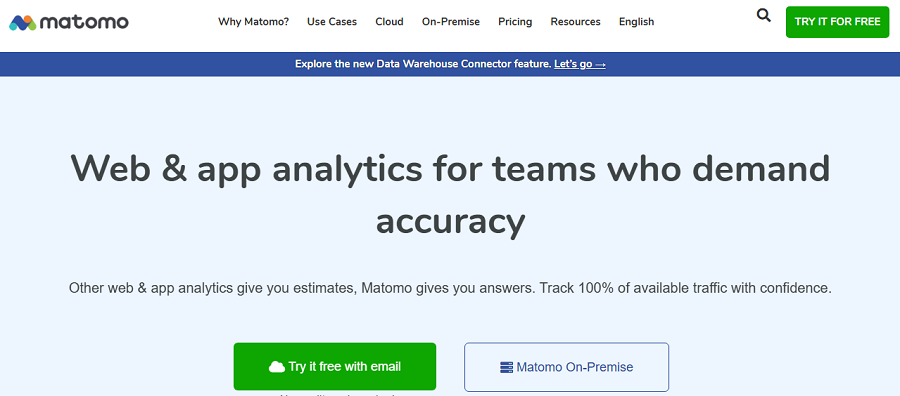
Matomo is one of the best Google Analytics alternatives and a trusted open-source analytics platform.
It’s GDPR-compliant by default and offers a comprehensive analytics platform that includes almost all metrics you need to track your site’s performance.
Matomo provides both self-hosted and managed cloud storage options to let you choose the level of data control.
This makes it a great option for large organizations that work with sensitive data and want more privacy and control.
Advanced visual features such as heatmaps, session recordings, conversion funnels, and A/B testing make Matomo a different tool among other open source tools. Of course, it’s a bit complex, especially for beginners and small business owners.
Key Features of Matomo
- Real-time visitor analytics
- Custom dashboards and reports
- Event and goal tracking
- Heatmaps and session recordings
- Conversion funnel analysis
- Tag Manager
- Multi-site management
- Extensive plugin ecosystem
- API and third-party integrations
Pros and Cons of Matomo
| Pros | Cons |
| Feature-rich Full ownership Strong privacy compliance Excellent alternative to GA4 Active community | Advanced modules are expensive. Initial setup is complex. Requires powerful servers The user interface is overwhelming. Cloud plans are expensive. |
Pricing of Matomo
- Free: Open source self-hosted edition.
- Cloud Plans: Pricing depends on website traffic volume.
- Business Features: Paid modules and cloud subscriptions.
- Enterprise: Custom pricing for large organizations.
3. Umami
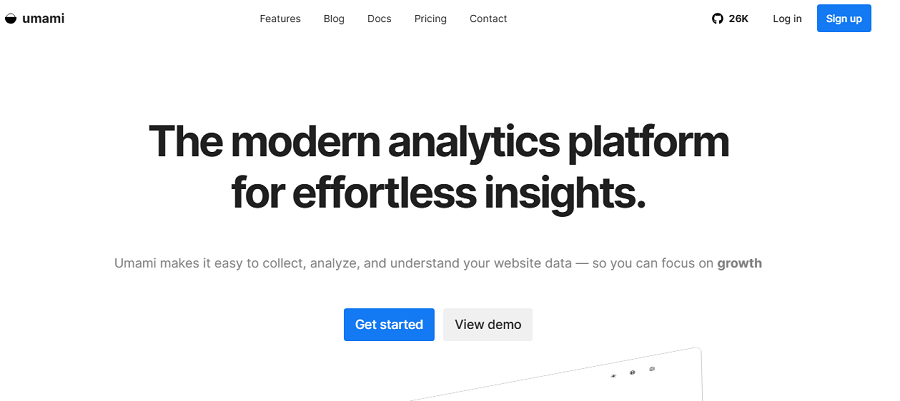
Umami is one of the fastest-growing open source tools in the world. It’s a privacy-focused analytics platform that is famous for its lightweight design and minimalist interface.
It only provides essential website analytics without collecting excessive personal data. Moreover, it doesn’t rely on cookies, making it a compliant platform with GDPR and CCPA.
It’s great for developers, startups, bloggers, and privacy-conscious website owners who don’t need advanced features.
If you just want to track practical metrics such as page views, visitors, referrers, devices, and events, it can be a good choice for you.
The project also offers a managed cloud service for users who want the benefits of open source analytics without maintaining their own infrastructure.
Key Features of Umami
- Open source and self-hosted
- Optional managed cloud service
- Lightweight architecture
- Privacy-first analytics
- Cookie-free tracking capabilities
- Real-time visitor reporting
- Event tracking
- Custom website dashboards
- Multi-website management
- Simple API integrations
- Fast-loading tracking script
- Team collaboration support
Pros and Cons of Umami
| Pros | Cons |
| Simple to use Lightweight and fast Privacy-focused by design Easy self-hosting Suitable for developers and startups | No advanced marketing tools Limited built-in customization No heatmaps or session replay Smaller plugin ecosystem Not ideal for deep enterprise analysis |
Pricing of Umami
- Hobby: Self-hosted open source version.
- Pro: Monthly subscriptions based on website usage.
- Business: Additional collaboration features for organizations.
- Enterprise: Custom pricing for larger applications.
4. Plausible Analytics
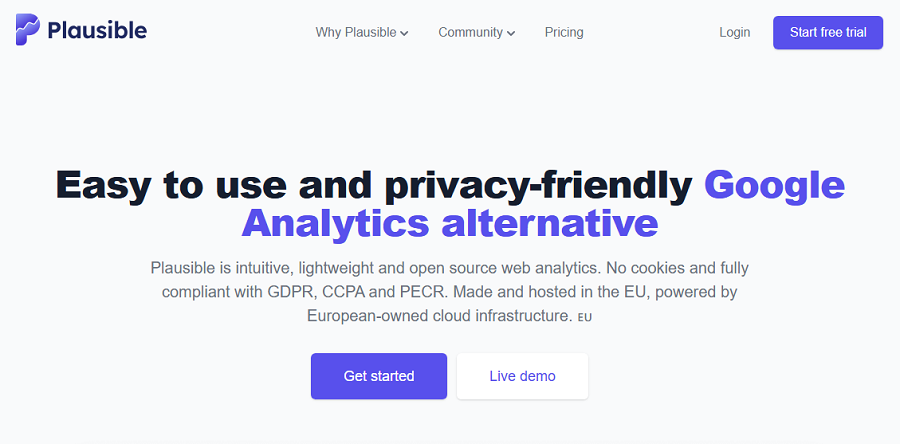
Plausible Analytics is a simple, open-source website analytics platform. It’s suitable for users who want straightforward reporting without sacrificing privacy.
If you need a GDPR-compliant alternative to Google Analytics while tracking essential metrics, Plausible is a great choice.
Plausible offers a managed cloud service, but its source code is publicly available. Also, you can self-host the platform if you prefer complete control over your
data.
Its interface is really simple, and only presents key metrics on a single page. This is great for marketers, developers, and business owners to understand.
Key Features of Plausible Analytics
- Self-hosted and managed cloud options
- Single-page dashboard
- Goal and event tracking
- Campaign tracking with UTM parameters
- Multi-site support
- API access
- Team sharing
- Simple integration with popular frameworks
Pros and Cons of Plausible Analytics
| Pros | Cons |
| Clean and intuitive dashboard Excellent privacy compliance Lightweight script Easy migration from Google Analytics Available for self-hosting | No advanced features No built-in product analytics Cloud version is subscription-based No visual features |
Pricing of Plausible Analytics
- Starter: Open source deployment at no software cost.
- Growth: Approximate monthly pricing based on traffic volume.
- Business Plans: Higher visitor limits and team features.
- Enterprise: Custom solutions for large organizations.
5. PostHog
This is a comprehensive product analytics platform designed for SaaS companies, developers, and product teams.
If you need deep insights into user behavior and insist on open source analytics, PostHog is a great option for you.
PostHog offers a flexible deployment model that gives you more customization options. Also, you can choose a fully self-hosted open source installation or use the managed cloud platform.
It emphasizes event tracking, feature adoption, user journeys, and product optimization.
PostHog is rapidly growing and now includes advanced conversion-based reports such as session replay, feature flags, A/B testing, and data warehouses.
Key Features of PostHog
- Advanced event tracking
- Product analytics dashboards
- Session replay
- Feature flags
- A/B testing and experimentation
- Conversion funnel analysis
- User path and retention analysis
- Cohort management
- Data warehouse integration
- API and SDK support
- Team collaboration tools
- Mobile and web application analytics
Pros and Cons of PostHog
| Pros | Cons |
| Powerful product analytics Self-hosted and cloud options Multiple tools in one platform Excellent for SaaS businesses Growing ecosystem | Complex for beginners Requires technical knowledge Can consume significant server resources The interface is difficult for beginners. Advanced cloud features might be expensive.. |
Pricing of PostHog
- Free: Open source self-hosted edition.
- Free Cloud Tier: Limited monthly event allowance.
- Usage-Based Plans: Pricing scales according to event volume.
- Enterprise: Custom pricing with advanced security and support features.
6. Open Web Analytics
Open Web Analytics (OWA) is one of the oldest open source tracking tools out there. It’s a great alternative to traditional analytics services and allows you to have complete control over collected data.
OWA offers detailed visitor tracking and analytics reports, including visitor behavior, click tracking, referral analysis, and page performance metrics.
Moreover, it provides advanced visualized reports like heatmaps along with real-time analytics. It can also integrate with content management systems such as WordPress and MediaWiki.
Key Features of Open Web Analytics
- Website and visitor tracking
- Click heatmap tracking
- Real-time analytics reports
- Referrer tracking
- Custom event tracking
- API support
- WordPress integration
- MediaWiki integration
- Geographic visitor reports
- Site performance monitoring
- Data ownership and local storage
Pros and Cons of Open Web Analytics
| Pros | Cons |
| Completely self-hosted Free to use Includes click tracking features Supports multiple websites Good for privacy-conscious users | The user interface is dated. Smaller community ecosystem Limited cloud and enterprise options Fewer modern integrations |
Pricing of Open Web Analytics
- Free: Open source self-hosted platform.
- Hosting Costs: Users only pay for their own infrastructure.
- Professional Services: Third-party support may be available.
- Enterprise: No official enterprise cloud offering.
7. Countly
Countly is an open source platform that offers enterprise-grade analytics services. If you need advanced website analytics, product analytics, and customer experience, you can choose this tool.
It’s great for organizations that want to understand how users interact with websites, mobile applications, and connected devices.
Countly is also good at advanced segmentation, user profiling, and detailed event tracking. That’s why large businesses, software vendors, and institutions widely use Countly.
Countly offers both self-hosted and cloud deployments, which are suitable for companies with strict data governance requirements.
Key Features of Countly
- Real-time analytics
- Advanced event tracking
- Product analytics
- Mobile application analytics
- User segmentation
- Push notification support
- Crash analytics
- Conversion funnels
- Customer journey analysis
- Plugin ecosystem
- API and SDK integrations
- Multi-platform tracking
- Enterprise security features
Pros and Cons of Countly
| Pros | Cons |
| Comprehensive analytics platform | Complex |
| Suitable for websites and mobile apps | Advanced capabilities require paid plans |
| Privacy and data ownership options | Requires significant infrastructure |
| Highly customizable through plugins | Not as beginner-friendly as simpler tools |
| Good fit for large organizations | Small websites may not need all features |
Pricing of Countly
- Community Edition: Free open source self-hosted version with basic functionality.
- Flex Plans: Paid options that unlock additional modules.
- Business Plans: For growing organizations with advanced analytics needs.
- Enterprise: Custom pricing with premium support, security, and deployment options.
Conclusion
Open source analytics is the future of web monitoring. It allows you to take control of your site’s tracking settings and own your visitors’ data.
Open source analytics tools are usually compliant with privacy and data protection regulations, like GDPR and CCPA.
These tools give you the ability to edit the source code to adjust it to your analytics requirements.
Also, you’ll observe the algorithm of the tool to make sure about its transparency and the way it collects user data. If you need more information about open source analytics tools, you can count on our team at WP Statistics. We’ll provide advanced tracking services through an open source tool without violating your visitors’ privacy.
FAQs
What is open source analytics?
Ana open source analytics allows you to see the source code and store data locally instead of relying on commercial third-party platforms.
What’s the best open source analytics tool for WordPress?
WP Statistics is one of the most trusted open source analytics platforms for WordPress sites.
Are open source analytics tools GDPR-compliant?
It depends on the configuration of them and the way they collect and store data. Many open source tools, like WP Statistics, offer compliant services without using invasive methods like cookies.