
If your site has high traffic but low revenue, you need to focus on your conversion rate.
Table of Contents
The first step is to set up an effective CRO analytics tool on your site to monitor how your visitors interact with it. This helps you find the problem that prevents visitors from taking the final action and turning into a customer or lead.
Then, you can optimize your content, design, and offers to boost conversion and increase your sales.
Here, we’ll help you find the best CRO analytics plugin for your WordPress website and monitor user behavior.
Why You Need CRO Analytics for Your Site
Driving traffic to your site is not the end of the customer journey. You have to understand what they’re doing on your site and why some of them don’t buy from your business while visiting your landing pages.
CRO analytics helps you in this regard.
What Is CRO Analytics?
Conversion Rate analytics focuses on understanding user behavior on webpages in order to identify opportunities to optimize it and increase conversions.
In fact, CRO measures:
- Buttons: You understand which buttons attract the most clicks.
- Scrolls: It lets you see how far visitors scroll.
- Form Abandonment: You can track where users abandon forms.
- Landing Pages: You have to see which landing pages convert best.
- Exit: You can track exit pages and the reasons visitors exit before purchasing.
- Elements: It lets you monitor the elements on your webpages with the highest engagement rates.
CRO helps you make data-driven decisions to improve user experience and increase conversions on your site.
Here is a summary of the differences between standard analytics and conversion analytics:
| Standard Analytics | CRO Analytics |
| Traffic numbers | User behavior |
| Page views | Click tracking |
| Sessions | Conversion funnels |
| Bounce rate | Scroll depth |
| Acquisition channels | Heatmaps |
| Visitor demographics | A/B testing |
In sum, traditional analytics tells you what happened, while CRO analytics can explain why it happened.
Benefits of Tracking Conversions
Here are the pros of conversion rate monitoring instead of traditional analytics:
- Friction points: It’s possible to find problems in conversion paths.
- Bad-performing pages: You can discover landing pages that are not working well.
- Navigation: Conversion tracking helps you improve navigation and site structure.
- Forms: You can optimize forms and checkout processes.
- Engagement rate: CRO allows you to increase engagement and session duration.
- Abandonment: Using CRO, you can reduce abandonment rates.
- ROI: Tracking conversion rate helps you improve marketing revenue.
These results can’t be reached just by using traditional analytics.
So, every website, especially ecommerce businesses, SaaS platforms, and membership sites, needs to take CRO into account.
How to Choose an Analytics Plugin for Conversion Rate Optimization
Consider the following factors when choosing an analytics plugin for CRO:
- Ease of setup
- Conversion tracking capabilities
- User behavior analytics
- Heatmap functionality
- Session recording features
- Funnel analysis support
- A/B testing capabilities
- GDPR friendliness
- Reporting quality
- Integration options
- Pricing and value
10 Best WordPress CRO Analytics in 2026
Here are the top CRO analytics plugins for WordPress websites:
1. WP Statistics
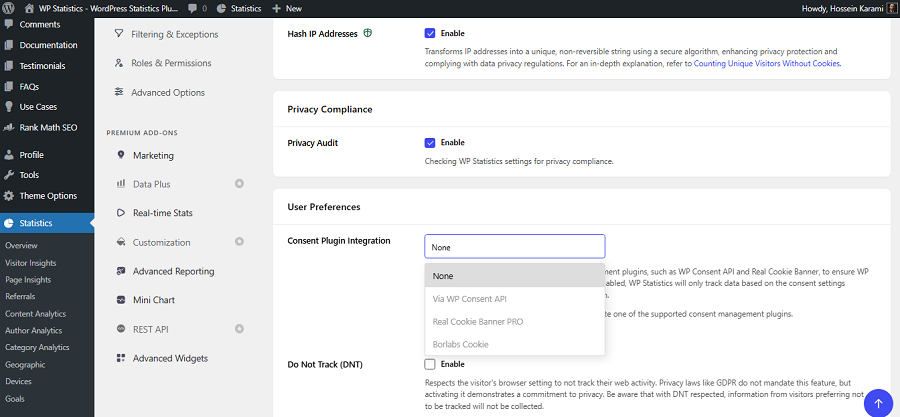
WP Statistics is a leading privacy-first WordPress analytics plugin. It offers advanced conversion tracking features while staying compliant with regulations like GDPR and CCPA.
Unlike Google Analytics, WP Statistics stores data directly within WordPress and doesn’t use cookies for tracking user behavior.
Also, it anonymizes IP addresses to respect the privacy of visitors and doesn’t track them across websites.
It allows you to monitor visitors’ behavior using features such as exit/entry pages, devices, location, custom events, link clicks, internal search terms, and UTM tracking.
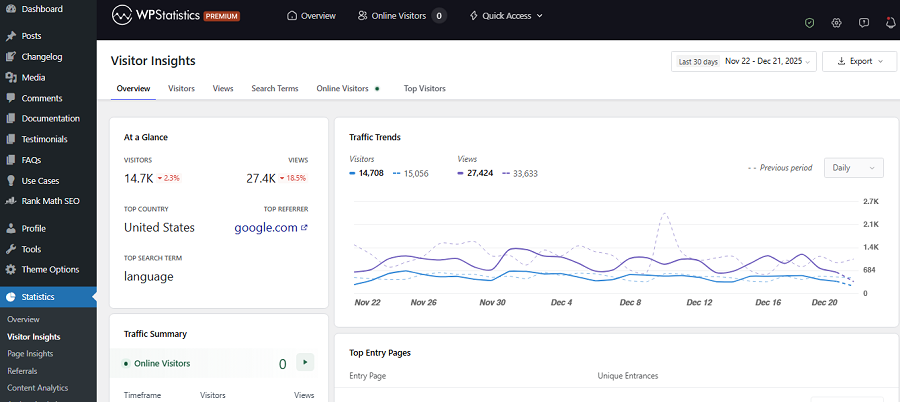
You can also use some features that even GA4 doesn’t offer by default. For example, you can track author performance or single-page analytics.
If you want a GA4 alternative to track and optimize conversions on your site without violating data protection laws, WP Statistics is a great choice for you.
Key Features of WP Statistics
- Self-hosted analytics
- Visitor tracking
- UTM tracking
- Device and browser reports
- Geographic reports
- Search engine tracking
- Event tracking
- Privacy-focused architecture
- Real-time statistics
- Custom reporting modules
Pricing Plans of WP Statistics
| Plan | Price/year | Features | |
| Free | $0 | Basic analytics features | |
| Premium Add-ons | $39 | 1 Site | Data Plus, Real-Time Stats, Marketing, Advanced Reporting, and Mini Chart |
| $99 | 5 Sites | ||
| $199 | Unlimited | ||
| Agency | $119 | 1 Site | All features, add-ons, and integrations. |
| $249 | 5 Sites | ||
| $449 | Unlimited | ||
Pros of WP Statistics
- Strong privacy controls
- Self-hosted data
- Extensive reports
- UTM tracking
- Event tracking support
Cons of WP Statistics
- No native heatmaps
- No built-in A/B testing
- Advanced features are expensive
2. MonsterInsights
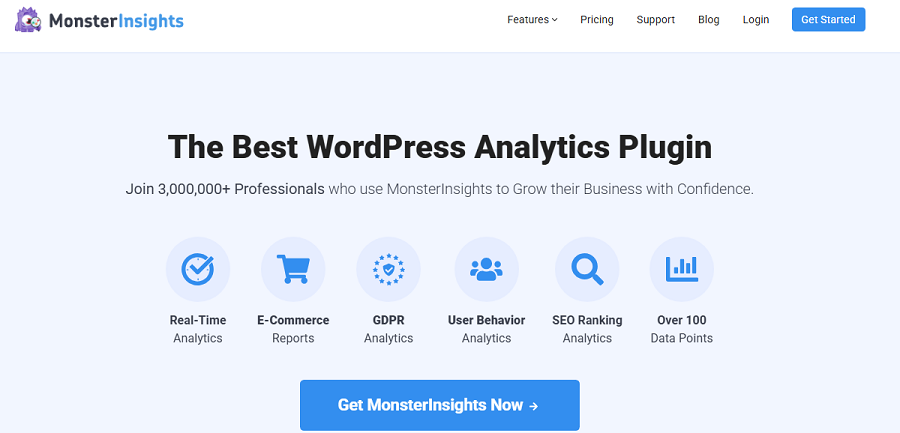
MonsterInsights is one of the most popular Google Analytics plugins for WordPress websites.
If you don’t want to work with complex reports of GA4, you can have its important metrics on your WordPress dashboard using MonsterInsights.
MonsterInsights offers more than basic traffic reporting, including event tracking, form conversion tracking, eCommerce analytics, affiliate link tracking, outbound link monitoring, and user journey reporting.
It’s great for WooCommerce store owners who want to highlight product performance, revenue, checkout behavior, and conversion trends.
MonsterInsights can integrate with many important tools, like Google Analytics 4, WooCommerce, Easy Digital Downloads, MemberPress, etc.
Key Features of MonsterInsights
- GA4 integration
- eCommerce tracking
- Form conversion tracking
- User journey reports
- Affiliate link tracking
- Outbound link monitoring
- Real-time reports
- Dashboard reporting
- Custom event tracking
- GDPR compliance tools
Pricing Plans of MonsterInsights
| Plan | Price | Websites | Main Features |
| Plus | $99.50/year | 1 | Analytics reports, publisher tracking |
| Pro | $199.50/year | 5 | eCommerce, forms, user journeys |
| Elite | $299.50/year | 25 | Client management and advanced reporting |
Pros of MonsterInsights
- Easy installation and integration
- Beginner-friendly dashboard
- Excellent WooCommerce reporting
- Strong conversion tracking
- Extensive integrations
Cons of MonsterInsights
- No built-in heatmaps
- No native A/B testing
- Premium features require paid plans
3. Google Site Kit
Google Site Kit is Google’s official WordPress plugin that connects Google services to your dashboard.
Unlike MonsterInsights, Site Kit is completely free and focuses only on important metrics and integrations with GA4, Search Console, AdSense, PageSpeed Insights, and Tag Manager. This plugin is particularly popular among website owners who have limited budgets.
Site Kit helps you understand traffic acquisition, content performance, and user engagement to optimize conversion rates.
However, Site Kit lacks advanced features such as heatmaps, session recordings, and A/B testing.
Key Features of Google Site Kit
- Official Google integration
- GA4 support
- Search Console reports
- PageSpeed Insights
- AdSense reporting
- Tag Manager integration
- Dashboard widgets
- Free usage
Pros of Google Site Kit
- Completely free
- Official Google plugin
- Easy installation
- Reliable data source
- Lightweight setup
Cons of Google Site Kit
- Limited features
- No heatmaps
- No A/B testing
- Basic reporting
4. Analytify
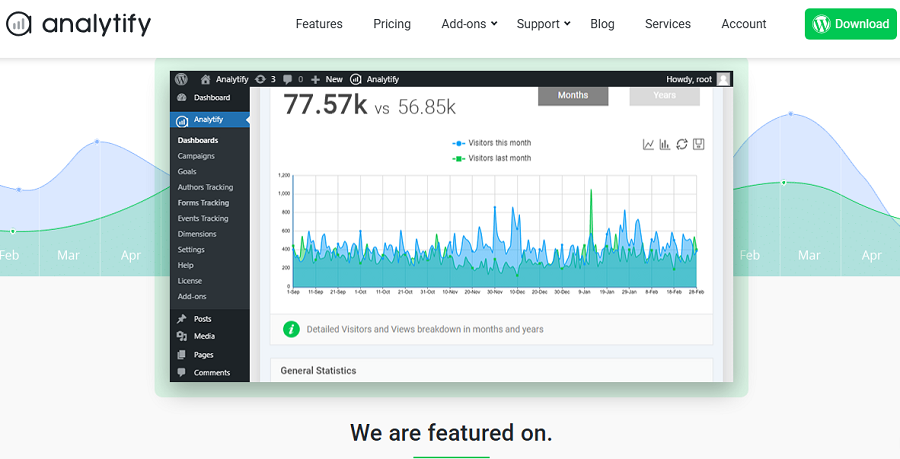
This is another Google Analytics integration for WordPress. It has good visual reporting and is really popular among small businesses, agencies, bloggers, and eCommerce store owners.
Analytify provides some great features for conversion optimization, including event tracking, campaign monitoring, real-time statistics, WooCommerce analytics, and goal tracking.
All of these features are available in an easy-to-use dashboard, making it a great alternative to GA4.
If you have a startup and want a simple tool for product performance, revenue reports, and conversion trends, this is a good choice for you.
Key Features of Analytify
- Google Analytics integration
- Real-time analytics
- Campaign tracking
- WooCommerce analytics
- Goal tracking
- Dashboard reports
- Front-end analytics widgets
- UTM tracking
Pricing Plans of Analytify
| Plan | Price | Websites | Main Features |
| Startup | $99/year | 2 | Core analytics features |
| Agency | $199/year | Unlimited | All-in-one |
| Developer | $499/year | Lifetime | Full control |
Pros of Analytify
- User-friendly reporting
- Strong WooCommerce support
- Real-time data
- Easy setup
- Affordable pricing
Cons of Analytify
- No native heatmaps
- No session recordings
- Limited CRO-focused features
5. Burst Statistics
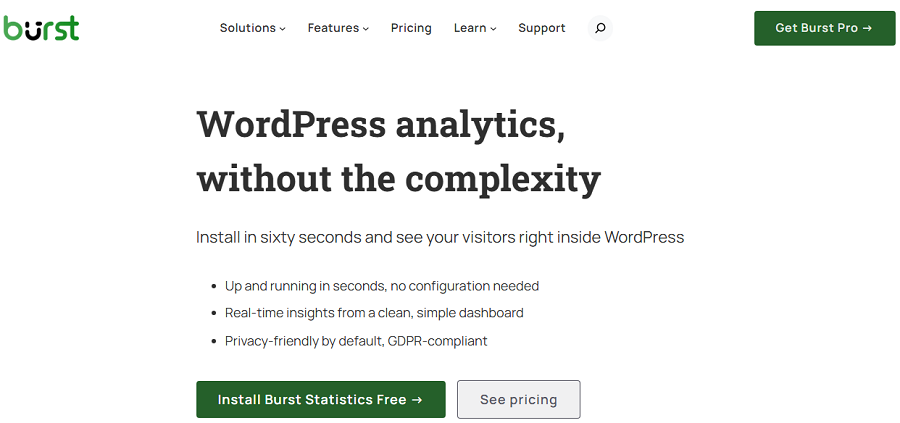
Burst Statistics is a popular privacy-conscious web analytics plugin and a great alternative to GA4.
It offers useful WordPress analytics features without complexity and stores analytics data directly within WordPress.
Apart from being GDPR-compliant, it provides effective features for conversion tracking and optionization, like visitor analytics, click tracking, page performance metrics, and referrer tracking.
Although it lacks features like heatmaps, A/B testing, or advanced behavioral recordings, it’s still a reliable tool for organizations that prioritize privacy.
Key Features of Burst Statistics
- Real-time reporting
- Visitor insights
- Traffic source tracking
- Lightweight implementation
- UTM tracking
- Automated reporting
- Custom goal tracking
Pricing of Burst Statistics
| Plan | Pricing/year | Key Features | |
| 1 site | 5 Sites | ||
| Creator | $49 | $79 | Geographic Insights, Referral Analysis, UTM Tracking, Reporting |
| Business | $99 | $119 | Creator features + Revenue Tracking, WooCommerce Analytics |
| Agency | $199 (Unlimited) | All features, Unlimited Sites, Advanced Reporting | |
Pros of Burst Statistics
- GDPR-friendly
- cookie-free
- Easy implementation
- Self-hosted analytics
- Lightweight
- Free version available
Cons of Burst Statistics
- No heatmaps
- No A/B testing
- Limited behavioral analytics
6. Koko Analytics
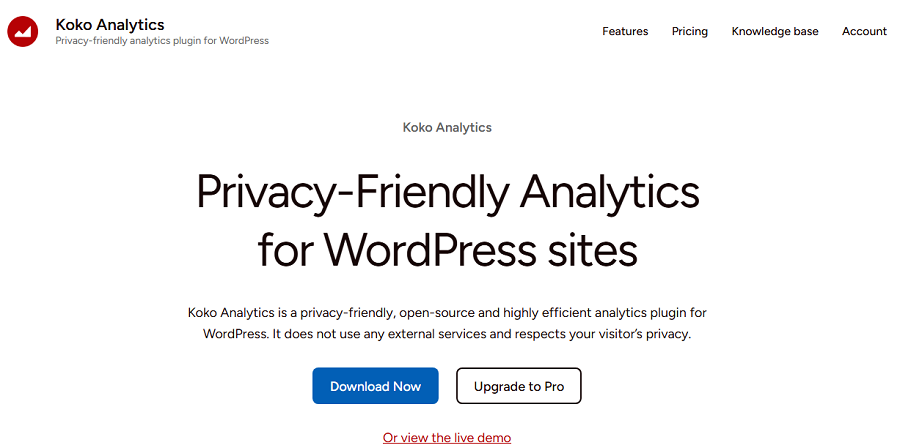
Koko Analytics is another privacy-focused WordPress analytics plugin. It prioritizes simplicity and data ownership, while providing useful features, including conversion-focused analytics.
You can use it for CRO purposes and monitor page performance, visitor trends, referring websites, popular content, and traffic patterns.
Koko Analytics stores data directly on the WordPress server. This allows you to have control over visitor data without dependence on third-party services.
The plugin is minimalist with a user-friendly dashboard, but it gives you the most important reports you need.
It doesn’t offer advanced reports like heatmaps, user session recordings, funnel visualization, and split testing.
However, if you have a blog or a smaller business, you can count on its reports and be sure about your compliance.
Key Features of Koko Analytics
- Privacy-friendly tracking
- Self-hosted analytics
- Lightweight architecture
- Real-time dashboard
- Referrer tracking
- Page analytics
- No third-party data sharing
- Performance-focused design
Pricing Plans of Koko Analytics
| Feature | Single | Multi | Agency |
| Price | €59/year | €99/year | €249/year |
| Site Limit | Up to 1 site | Up to 5 sites | Up to 25 sites |
| Priority Support | ✓ | ✓ | ✓ |
| Geo-location | ✓ | ✓ | ✓ |
| UTM Tracking | ✓ | ✓ | ✓ |
| Device & Event Tracking | ✓ | ✓ | ✓ |
| All Premium Features | ✓ | ✓ | ✓ |
Pros of Koko Analytics
- Completely free
- Privacy-focused
- Lightweight
- Easy setup
- No external services required
Cons of Koko Analytics
- No heatmaps
- No A/B testing
- Limited conversion reporting
- Basic compared to enterprise solutions
7. Microsoft Clarity
Microsoft Clarity is one of the most valuable free CRO analytics tools. Clarity helps you understand exactly how visitors interact with your webpages.
The most useful features it provides are heatmaps and session recordings. Heatmaps visually display where users click, scroll, and engage with page elements. Also, session recordings allow you to replay actual user visits.
These help you identify friction points and usability problems and use them for CRO analytics.
For example, Clarity can show you when your visitors frequently click on a non-clickable image. So, you can turn that image into a link or button to align it with what users want.
Microsoft Clarity also offers machine learning features that automatically detect unusual user behavior.
Its integration with other platforms like GA4, Google Tag Manager, and WordPress is also really helpful.
The good news is that you’ll have all of these features for free, making it one of the best conversion rate analytics tools.
Key Features of Microsoft Clarity
- Heatmaps
- Session recordings
- Click tracking
- Scroll tracking
- Rage click detection
- Dead click detection
- JavaScript error insights
- User behavior analysis
- Google Analytics integration
- Free cloud-based reporting
Pros of Microsoft Clarity
- Completely free
- Excellent heatmaps
- Session replay functionality
- Easy setup
- Strong CRO capabilities
Cons of Microsoft Clarity
- No built-in A/B testing
- Limited traditional analytics
- Cloud-based data storage
8. Nelio A/B Testing
Nelio A/B Testing is specifically designed for conversion optimization through split testing. Nelio allows you to test different versions of your pages and understand which variation gives better results.
This plugin provides A/B testing for items, like landing pages, posts, headlines, menus, widgets, and themes.
Nelio can automatically distribute traffic between variations and measure conversions. So, it’s possible to make data-driven decisions and optimize your site’s conversion.
Moreover, it provides heatmaps and click maps to help you understand interaction patterns on your site.
If your business has a focus on leads and sales, A/B testing can be really effective for your CRO strategies. Nelio integrates these capabilities into your WordPress dashboard, making it a great option for WooCommerce stores, digital marketing, and SaaS.
Key Features of Nelio A/B Testing
- A/B testing
- AI suggest test
- Multivariate testing
- Heatmaps
- Click maps
- Landing page experiments
- Headline testing
- WooCommerce testing
- Conversion goal tracking
- Automatic winner selection
Pricing Plans of Nelio A/B Testing
| Plan | Price | Monthoy views | Sites |
| Starter | Free | 500 | 1 |
| Basic | €58/month | 5,000 | 1 |
| Professional | €177/month | 50,000 | 5 |
| Enterprise | €474/month | 200,000 | Unlimited |
Pros of Nelio A/B Testing
- Native WordPress integration
- Excellent A/B testing tools
- Heatmaps included
- WooCommerce support
- Data-driven optimization
Cons of Nelio A/B Testing
- No full traditional analytics suite
- Usage-based pricing
- Learning curve for beginners
9. OptinMonster
OptinMonster is a well-known lead generation platform. It offers powerful CRO solutions that help you convert visitors into subscribers and customers.
It doesn’t focus solely on analytics and helps you monitor visitor behavior and run personalized marketing campaigns.
OptinMonster has a behavioral automation engine that gives you offers based on user actions, such as scroll depth, inactivity, page visits, referral source, or cart abandonment.
Another valuable CRO feature it offers is exit-intent technology. This helps you detect when users leave your website and gives you targeted offers to recover lost conversions.
OptinMonster also supports A/B testing and lets you compare campaign designs and messaging.
Key Features of OptinMonster
- Exit-intent technology
- Behavioral targeting
- Campaign A/B testing
- Scroll-triggered campaigns
- Cart abandonment recovery
- Popup builder
- Lead generation forms
- WooCommerce integration
- Email marketing integrations
- Conversion analytics
Pricing Plans of OptinMonster
| Plan | Price | Websites | Main Features |
| Basic | From $7/month | 1 | Core campaign features |
| Plus | From $19/month | 2 | More integrations |
| Pro | From $29/month | 3 | Exit-intent and advanced targeting |
| Growth | From $49/month | 5 | Advanced automation and optimization |
Pros of OptinMonster
- Excellent lead generation
- Powerful behavioral targeting
- A/B testing included
- WooCommerce support
- Strong integrations
Cons of OptinMonster
- Not a complete analytics platform
- Premium subscription required
- No traditional heatmap reports
10. Matomo
Matomo is one of the most powerful privacy-focused analytics platforms. It’s a famous GA4 alternative that offers both cloud-based and self-hosted storage.
This GDPR-compliant tool offers a plugin that makes it easy to use for WordPress websites. It provides a wide range of features for conversion analytics, including goal tracking, heatmaps, session recordings, media analytics, and A/B testing tools.
Matomo provides detailed reports on product performance, shopping cart activity, and revenue generation. This is great for ecommerce businesses that want to track how visitors behave in conversion funnels.
Matomo is widely used by large organizations and enterprises because it offers a full set of tracking features without violating privacy laws.
Key Features of Matomo
- Conversion goal tracking
- Funnel analysis
- Event tracking
- eCommerce analytics
- Campaign tracking
- User journey reports
- Custom dimensions
- Form analytics
- Premium heatmaps and session recordings
- Premium A/B testing
- GDPR-friendly architecture
Pricing Plans of Matomo
| Plan | Price/month | Features |
| Self-hosted | €0 | Basic features, server resources required |
| €33 – €219 | Payment per feature | |
| Cloud Starter | €22 | 50,000 hits per month |
| €172 | 1 million hits per month | |
| Enterprise | Custom | Advanced support, scaling, and compliance tools |
Pros of Matomo
- Privacy controls
- Full data ownership
- Advanced analytics capabilities
- Funnel and goal tracking
- eCommerce support
- Self-hosted option
Cons of Matomo
- Advanced CRO tools are expensive
- Complex
- Self-hosting needs server resources
Tips to Boost Conversion Using CRO Analytics
Now that you know what tools you have to use for conversion optimization, it’s time to learn how to use them. Here are the best practices for boosting conversion on your site:
- Track Button Clicks: Monitor how visitors interact with your CTAs to understand which buttons have higher conversion rates.
- Analyze Scroll Depth: Measure how far users scroll on your webpages to understand what content or elements your visitors don’t visit.
- Monitor Landing Page Performance: Find your well-performing landing pages and recognize why visitors like them.
- Use A/B Testing: Compare different versions of headlines, layouts, or buttons to find what performs best.
- Reduce Form Abandonment: Simplify your forms and find where users drop off to increase submissions.
- Improve Mobile User Experience: Optimize your site for mobile visitors because the majority of web traffic comes from mobile devices.
- Find High-Exit Pages: Find pages where visitors leave your site and improve the content or design.
Conclusion
Conversion optimization is one of the most important tasks of business owners. Without an effective tracking tool, you can’t detect friction points and users’ interests. Here is a quick comparison between the best WordPress conversion rate monitoring and optimization tools:
| Plugin | Analytics | Heatmaps | Session Recording | GDPR Friendly | Free Version |
| WP Statistics | Advanced | No | No | Yes | Yes |
| MonsterInsights | Yes | No | No | Partial | No |
| Google Site Kit | Yes | No | No | Depends on setup | Yes |
| Analytify | Yes | No | No | Depends on setup | Limited |
| Burst Statistics | Yes | No | No | Yes | Yes |
| Koko Analytics | Yes | No | No | Yes | Yes |
| Microsoft Clarity | Limited | Yes | Yes | Configurable | Yes |
| Nelio A/B Testing | Limited | Yes | No | Configurable | No |
| OptinMonster | Campaign analytics | No | No | Configurable | No |
| Matomo | Yes | Premium | Premium | Yes | Yes |
You have to choose a tool based on your requirements and budget. If you need a privacy-first tool that provides advanced analytics features with conversion tracking capabilities, WP Statistics can be a good choice.
You’d better try its free version to get familiar with its features and then choose a plan. You can also use a 14-day money-back guarantee to make sure about its usefulness for your business.
FAQs
What is the CRO in WordPress?
CRO is the process of increasing the number of visitors who complete a specific action, such as making a purchase or filling out a form on your site.
How to track analytics in WordPress?
You can use an analytics plugin like WP Statistics to monitor your site performance directly from your dashboard.
What is CRO analytics?
CRO analytics is used to analyze user behavior and conversion data to find opportunities for improving website performance and increasing conversions.
Is CRO the same as SEO?
No! SEO focuses on ranking in SERPs and attracting more visitors from search engines. However, CRO focuses on converting visitors into customers.