

Every well-performing website needs an accurate platform to track various metrics, including visitor behavior. The problem is that tracking many metrics requires you to collect and store highly personal data from visitors.
Table of Contents
Data collection by website owners and analytics platforms has become a big privacy concern in the world, especially in the EU.
The EU has strict privacy and data protection rules that every business owner, including website admins, needs to comply with. If you collect, store, and process European individuals’ data without their consent, you might face serious legal issues.
To avoid that, you need to learn the key requirements for making your site and its analytics platform compliant.
This article is a practical guide for website owners who respect GDPR compliance and the privacy of their visitors. Read the key compliance requirements carefully, and if you still have questions, contact our team.
What is GDPR Compliance?
The General Data Protection Regulation (GDPR) is a comprehensive data privacy law in the EU.
Its purpose is to protect the personal information of individuals within the European Union (EU) and European Economic Area (EEA).
So, GDPR compliance means following these rules when collecting, processing, storing, sharing, and managing personal data.
GDPR became mandatory in May 2018 and is now considered the most influential privacy framework in the world.
It’s good to know that similar privacy laws in many other countries and regions were inspired by this European regulation.
GDPR applies to your business if you’re:
- Operating within the EU
- Offering products or services to EU residents
- Monitoring or tracking the behavior of EU visitors to your website
- Processing personal data that belongs to European customers
So, even if your business is located outside Europe, you still need to comply with GDPR requirements if you want to offer any product/service to EU residents.
Although many websites have privacy policies and basic security measures, it’s not enough to ensure people’s rights. General privacy practices usually focus only on transparency.
GDPR is something more important because it creates specific legal obligations with serious penalties.
GDPR has enforceable rules on:
- User consent
- Data minimization
- User rights
- Data processing records
- Breach notifications
- Processor agreements
According to GDPR, you have to get user consent for collecting any type of personal data that can identify a person. For example, the following items are considered personal data under GDPR:
| Personal Data Type | Common Website Example | Example |
| Name | Contact form submissions | John Smith |
| Email Address | Newsletter subscriptions | [email protected] |
| Phone Number | Support requests | +1 555 123 4567 |
| Home Address | Shipping and billing forms | 123 Main Street, New York |
| Customer ID | User account records | CUST-45892 |
| IP Address | Website analytics logs | 192.168.1.1 |
| Location Data | Geolocation services | User located in Berlin, Germany |
| Cookie Identifier | Analytics and tracking cookies | Unique browser tracking ID |
| Device Information | Browser and device detection | Chrome browser on Windows 11 |
| Payment Details | Online checkout processes | Credit card or billing information |
| Online Behavioral Data | User interactions and browsing activity | Pages visited, clicks, session duration, and browsing patterns |
GDPR Requirements for Websites
Now, we take a closer look at GDPR requirements for web analytics you need to know in 2026:
Lawful Basis for Data Collection
ِYou should have a lawful basis for every data processing activity. This means, as a website owner, you cannot collect personal information from your site’s visitors simply because it may be useful in the future.
In fact, you should have a clear and lawful reason for every piece of data you collect from users.
Here are some details about this lawful basis:
- Consent: You need a clear written consent from users before collecting their personal information. You have to use a valid and explicit method to get consent from visitors, while they know the reason you are getting their consent.
- Contractual Necessity: You can process data when it’s necessary to fulfill a contract. For example, you can handle customers' data when you want to process their orders or manage subscriptions.
- Legitimate Interest: You can process data when you have a legitimate business reason that does not violate user rights. For instance, if you want the data for fraud prevention, network security, or internal analytics, you can use the data.
- Legal Obligations: You can perform certain data processing activities that are required by law. For example, you have to record tax record retention, financial reporting, and regulatory compliance requirements.
Privacy Policy Requirements
As a website owner, you must have a privacy policy page to disclose your policies about privacy and data manipulation.
This is one of the most important GDPR compliance documents. Your policy page must be clear, transparent, and easily accessible.
In this policy, you should explain:
- Who collects the data
- What data do you collect
- Why do you collect data
- Legal basis for processing
- How long do you want to keep the data
- Who receives the data
- User rights
- Contact information
Overall, your visitors should understand which forms collect data and how your analytics tool operates. You should also mention whether or not you’re using cookies.
Data Retention Policies
You need to explain how long you store information and why the retention periods exist. Also, you have to clearly determine when you will delete their data.
For example, you might keep customer invoices for several years due to tax regulations. On the other hand, less important data, like abandoned form submissions, should be deleted much sooner.
User Rights Information
Your privacy policy should explain to users what they can do with their data. They have the right to access their information and correct inaccurate data.
Also, you should explain the way they can request deletion of their data from your server. Moreover, the right to withdraw consent is a must that should be explained in your privacy policy.
Here is a summary of users’ rights under GDPR:
| Right | Description |
| Right to Access | Users can request copies of their personal data |
| Right to Rectification | Users can correct inaccurate information |
| Right to Erasure | Users can request the deletion of data |
| Right to Data Portability | Users can receive data in transferable formats |
| Right to Object | Users can object to certain processing activities |
| Right to Restrict Processing | Users can limit how data is processed |
Third-Party Services
If your website uses external tools, like analytics services, payment gateways, email marketing platforms, and customer support systems, users should know.
Cookie Consent Requirements
Cookies are one of the most critical aspects of web analytics when it comes to GDPR compliance. Many website owners think that all cookies are illegal, but that’s not true.
Let’s see what cookie requirements in compliant web analytics are:
Essential vs Non-Essential Cookies
Essential cookies are necessary for website functionality, so they’re not illegal. For example, login authentication, shopping cart functionality, and security features are essential for your site.
Non-essential cookies usually require consent. For instance:
- Analytics tracking
- Advertising cookies
- Social media tracking
- Behavioral profiling
Cookie Banners
You have to use cookie banners on your site to let users know you’re using them. If you want to have a GDPR-compliant cookie banner, you need to:
- Clearly explain cookie usage.
- Allow users to accept or reject non-essential cookies.
- Avoid deceptive design patterns.
- Record consent decisions.
- Allow consent withdrawal later.
As a result, you can’t use a cookie that only has an "Accept" button.
Consent Management Platforms
Many websites use Consent Management Platforms (CMPs) to manage cookie preferences.
These platforms help:
- Display consent banners
- Record consent logs
- Categorize cookies
- Manage preference centers
- Demonstrate compliance during audits
GDPR Compliance Checklist for Your Site
Here is a summarized to-do list of what you have to consider to make sure your website is GDPR compliant:
1. Install a Compliance Analytics Platform
Although each website needs many tools and integrations, the most important platform that collects and stores people’s data is analytics. You’d better choose a tool that is GDPR-compliant by default.
For example, if you’re using a WordPress website, you can install WP Statistics as a web analytics plugin. It offers GA4 alternative services while staying compliant.
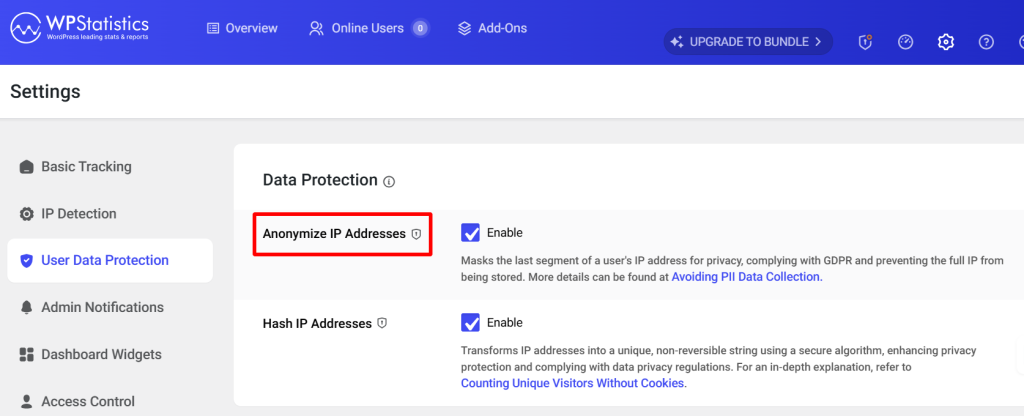
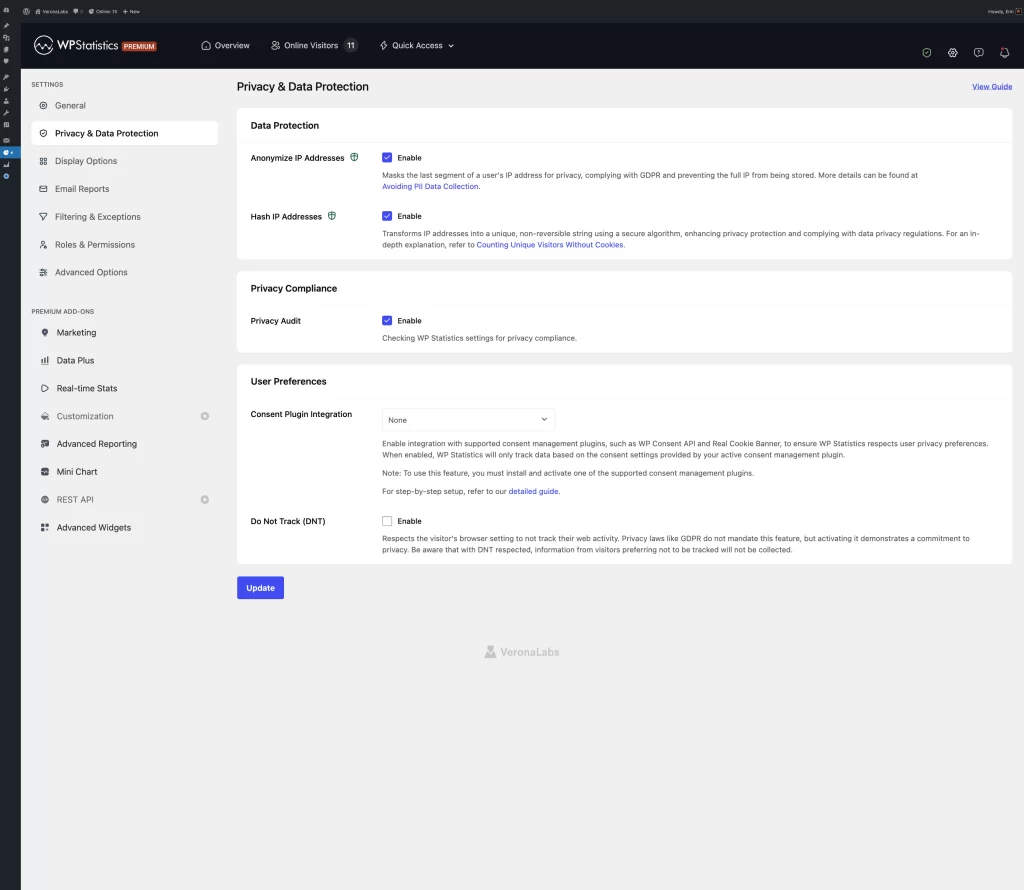
It doesn’t use cookies and stores your data locally on WordPress servers. Also, it allows you to anonymize visitors’ IP addresses.
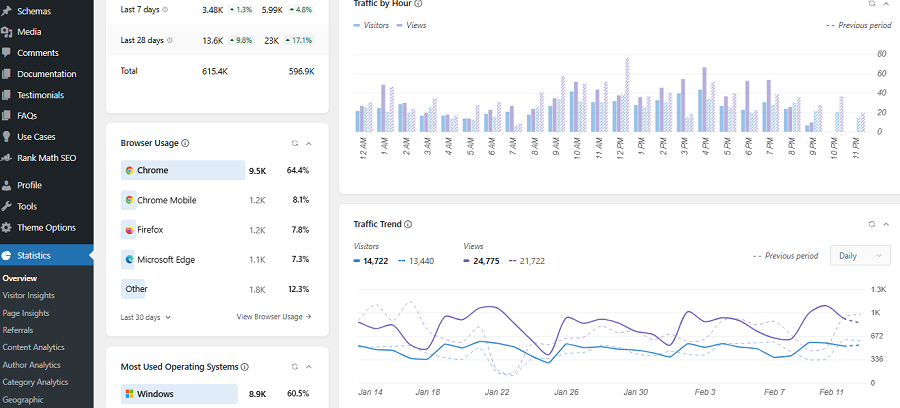
Although it might not track some metrics like returning visitors, you can use many other advanced features, including:
- Author Analytics
- Content Analytics
- Page Insights
- Visitor Insights
- Location Analytics
It offers a free plan with basic features for small websites. If you want more advanced features and add-ons, you can go premium. Don’t worry, it has a 14-day money-back guarantee to ensure you’re fully satisfied with its capabilities.
2. Document Important Activities
You have to keep a record of important activities related to data processing for future issues. For example, try to document:
- Consent records
- Security procedures
- Vendor agreements
3. Double-check Your Website Policies
You have to make sure that your website policy page includes:
- Privacy policy
- Cookie policy
- Terms of service were applicable
4. Test Your Consent Management System
Try testing your site’s consent banners and records to ensure users are giving consent freely.
You can use opt-in newsletter signup boxes or marketing email subscriptions to get consent. Tools like WP Statistics easily integrate with consent banner plugins to make your tasks easier. Remember that pre-checked boxes do not qualify as valid consent.
5. Constantly Check Data Security
You need to have regular assessments to make sure about website vulnerabilities, hosting security, and user access permissions.
6. Respond to Users
It’s essential to create clear workflows for responding to:
- Access requests
- Deletion requests
- Correction requests
7. Review Third-Party Services
You need to make sure of the privacy policies of the third-party tools you add to your website. Check their policy page regularly and make sure that they’re compliant.
Final Thoughts
Privacy is now a big concern for all businesses, especially website owners and visitor data analysts.
If you’re collecting personal data from your users and store them somewhere, you need to be careful about privacy and data protection rules.
This is particularly important in the EU because its privacy law, GDPR, has strict requirements for data collection, storage, and processing.
It’s essential to have a GDPR compliance checklist for your site to review your site regularly. Make sure that you know the latest changes to GDPR rules and that all of your tools and third-party platforms comply with them.
FAQs
Does GDPR Apply Outside the European Union?
Yes! Companies based in other regions have to make their websites GDPR-compliant if they have visitors from Europe or sell products/services to European residents.
Is GA4 compliant by default?
No! However, you can make it compliant by using a consent banner and think of an EU-based server to store data.
What’s the best GDPR-compliant alternative to GA4?
There are some valid options based on your requirements. Matomo is the best option for organizations and enterprise-level sites. WP Statistics is the best choice for small to mid-sized businesses and e-commerce stores.