
Choosing the right WordPress traffic statistics plugin can help you detect issues in your website’s design, content, and marketing campaigns.
Table of Contents
Apart from traffic tracking features, you have to think of its pricing, simplicity, integrations, and reporting style.
Here we have listed the 12 top WordPress traffic statistics plugins in 2026 to help you choose the right one for your website.
How to Choose a WordPress Traffic Statistics Plugin
First, let’s see what we considered when listing these plugins. You have to choose the right WordPress traffic tracking plugin considering several factors, including:
- Ease of Use: Choose a plugin that aligns with your level of expertise. If you’re a beginner, you can’t struggle with a complex setup.
- Accuracy: Make sure that the plugin’s results are as accurate as real data. You can test it by comparing the results with another platform. Also, read the reviews online for further details.
- Integrations: Integrations with Google tools like GTM or GSC can simplify your web analytics procedure.
- Privacy & GDPR Compliance: Look for GDPR-compliant services with features like cookie-less tracking and IP anonymization.
- WooCommerce & Conversion Tracking: Choose a plugin with eCommerce tracking features, sales funnel reports, and customer insights.
- Scalability: If you have a growing business, you need to choose a plugin with good scalability. It should be able to handle large websites without a performance impact.
- AI-Powered Insights: Modern web analytics plugins have already added AI features to predict trends and suggest optimizations.
- Pricing: Choose a plugin considering your budget.
12 Best WordPress Traffic Analytics Plugins
Here are the top web analytics plugins for WordPress websites:
1. WP Statistics
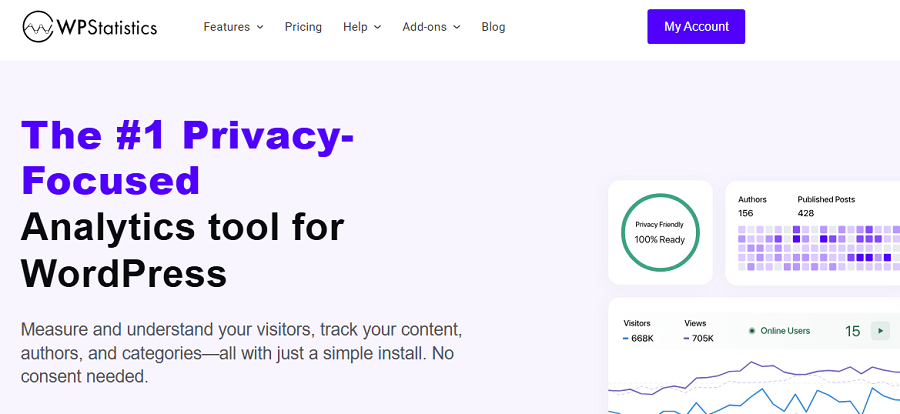
WP Statistics is a famous WordPress analytics plugin and a great GA4 alternative. It offers GDPR-compliant traffic statistics services, making it a great option for businesses that prioritize data protection.
This plugin doesn’t use cloud storage, but stores the site’s traffic data in your WordPress database.
You can be sure that it doesn’t share your information with any third-party platform or use it for monetization or remarketing.
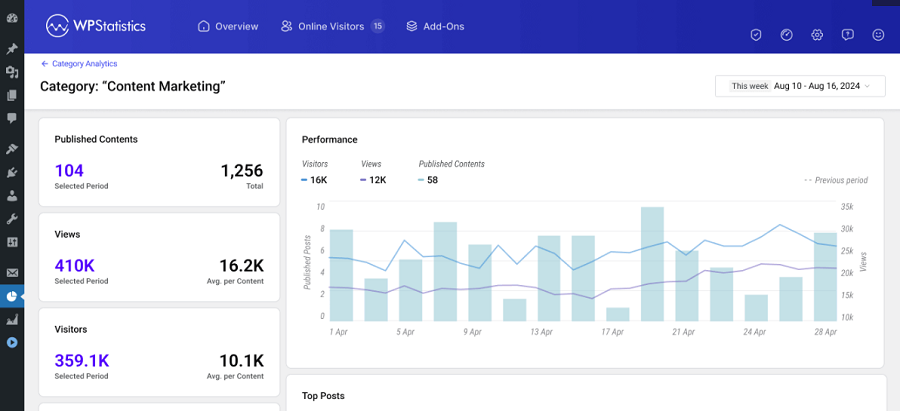
WP Statistics offers a wide range of metrics to analyze traffic. It includes detailed visitor reports, geolocation tracking, search engine referrals, browser statistics, and content performance analytics.
More importantly, it offers some specific features that you can’t find on GA4 as a built-in service. For example, you can track the performance of authors and see the traffic each of them drives to your site.
Key Features of WP Statistics
- Daily/weekly/monthly traffic analytics
- Visitor geolocation tracking
- Search engine referrals
- Top Queries
- Google Search Console integration
- Real-time visitor monitoring
- Browser and device analytics
- Privacy-focused tracking
- Local data storage
- Content performance reports
- Author analytics
Pricing Packages of WP Statistics
| Plan | Price/year | Features | |
| Free | $0 | Core analytics features | |
| Premium Add-ons | $39 | 1 Site | Advanced Reporting, Real-Time Stats, Data Plus, Marketing, and Mini Chart |
| $99 | 5 Sites | ||
| $199 | Unlimited | ||
| Agency Bundles | $119 | 1 Site | All features, add-ons, and integrations. |
| $249 | 5 Sites | ||
| $449 | Unlimited | ||
Pros of WP Statistics
- Full data ownership
- Strong privacy compliance
- No dependency on external services
- Detailed reporting features
- Good value for budget-conscious users
- Customizations
Cons of WP Statistics
- Premium features may be expensive
- WordPress-only
2. MonsterInsights

MonsterInsights is one of the most popular Google Analytics plugins for WordPress websites. Using this plugin, you can experience a beginner-friendly traffic analytics solution on your site.
As you know, GA4 is a bit complex for non-expert users. MonsterInsights simplifies it for users and offers important traffic reports directly in the WordPress dashboard.
It allows you to monitor your site’s traffic without a complicated setup on GA4 or other conventional analytics platforms.
This is especially useful for bloggers, affiliate marketers, and small businesses that want important insights without a steep learning curve.
You can use its advanced tracking options, such as conversion tracking, affiliate link monitoring, file download tracking, and real-time visitor analytics.
Key Features of MonsterInsights
- Real-time visitor tracking
- WooCommerce analytics
- Affiliate link tracking
- AI-powered insights
- Search Console integration
- File download tracking
- User behavior reporting
- Custom event tracking
Pricing Packages of MonsterInsights
| Plan | Price / Yr | Sites | Top Features |
| Lite (Free) | $0 | 1 | Basic GA4 link tracking. |
| Plus | $99.50 | 1 | Standard reports, GDPR tools. |
| Pro | $199.50 | 5 | eCommerce and form tracking. |
| Elite | $299.50 | 5 | Client controls, multisite support. |
Pros of MonsterInsights
- Beginner-friendly
- Fast and simple setup
- Detailed reporting dashboards
- AI-generated traffic insights
- Strong documentation and support
Cons of MonsterInsights
- Advanced features need premium plans
- Reliance on Google Analytics
3. ExactMetrics

ExactMetrics is a user-friendly traffic stats plugin that offers simplicity for tracking WordPress sites’ traffic.
This is a great Google Analytics integration for WordPress that offers actionable metrics like top-performing pages, traffic sources, audience behavior, and device usage.
ExactMetrics also supports event tracking, affiliate link monitoring, and WooCommerce analytics. Overall, it’s great for both bloggers and small online stores.
Key Features of ExactMetrics
- Google Analytics 4 integration
- Real-time analytics
- Audience behavior reports
- Mobile traffic tracking
- WooCommerce reporting
- Affiliate link tracking
- AI-powered traffic summaries
- Search Console integration
Pricing Packages of ExactMetrics
| Plan | Price / Year | Sites | Key Features |
| Lite | Free | 1 Site | Basic analytics, traffic reports, GA4 integration |
| Plus | $99.50 | 1 Site | Scroll tracking, GDPR tools, AI insights, and real-time stats |
| Pro | $199.50 | 5 Sites | WooCommerce analytics, form tracking, and custom dimensions |
| Agency | $399.50 | 25 Sites | Multisite support, client controls, and advanced management |
| More Sites / Scale | $699.50 | 100 Sites | Large-scale site management, premium reporting, and scalability tools |
Pros of ExactMetrics
- Very easy to use
- Beginner-friendly reports
- Clean dashboard interface
- Helpful onboarding process
- Strong Google Analytics integration
Cons of ExactMetrics
- Limited customization
- Premium plans are expensive
- No advanced features
4. Analytify
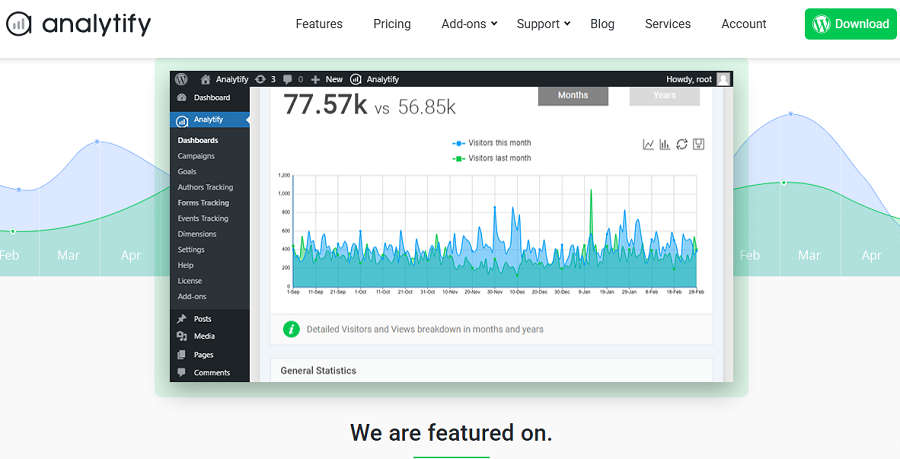
This is one of the best Google Analytics plugins for WordPress websites. It offers a wide range of metrics in a beginner-friendly dashboard, making it a great option to track your site’s traffic.
The most important aspect of Analytify is visually appealing reports that make traffic statistics easy to understand.
Analytify offers a page-level analytics system to show you traffic data for each of your posts and pages.
This is great for bloggers, content creators, and marketers who need to optimize their content performance.
It also supports WooCommerce tracking, social media analytics, and frontend reporting.
Key Features of Analytify
- Google Analytics integration
- Frontend analytics reports
- WooCommerce tracking
- Page-level analytics
- Social media tracking
- Real-time traffic reporting
- AI-powered insights
- Campaign tracking
Pricing Packages of Analytify
| Plan | Price / Year | Sites | Key Features |
| Free | Free | 1 Site | Basic analytics dashboard, GA integration |
| StartUp | $99 | 1 Site | Real-time stats, campaign tracking, email reports |
| Agency | $199 | 3 Sites | WooCommerce analytics, event tracking, and dimensions |
| Developer | $499 | Unlimited Sites | Client management, multisite support, priority support |
Pros of Analytify
- Excellent dashboard design
- Easy-to-read reports
- Strong content analytics
- Good WooCommerce support
- Beginner-friendly interface
Cons of Analytify
- Premium features are expensive
- Limited advanced analytics
5. Matomo
Matomo is one of the most advanced privacy-focused analytics platforms and a famous GA4 alternative. You can use its services both as a standalone tool and a WordPress plugin on your dashboard.
If you want a professional tool similar to GA4 with a data ownership and privacy focus, Matomo is your best choice.
The platform supports advanced traffic and interaction reporting features, such as heatmaps, session recordings, conversion funnels, goal tracking, and behavioral analytics.
Matomo is popular among organizations with strict privacy requirements, especially when it comes to data ownership.
It respects modern privacy trends and uses strong cookie-less tracking methods to comply with GDPR while offering exact traffic reports.
Key Features of Matomo
- Heatmaps and session recordings
- Conversion funnels
- Goal tracking
- Cookie-less tracking
- AI-powered insights
- GDPR compliance tools
- WooCommerce analytics
Pricing Packages of Matomo
| Add-on | Starting Price | Features |
| Heatmaps & Session Recording | €219/year | User recordings, heatmaps |
| Funnels | €193/year | Conversion funnel analytics |
| A/B Testing | €219/year | Split testing tools |
| WooCommerce Analytics | €39/year | eCommerce reporting |
| Custom Reports | €219/year | Advanced reporting dashboards |
Pros of Matomo
- Control over analytics data
- Privacy compliance
- Advanced reporting features
- Powerful behavioral analytics
- Strong WooCommerce support
Cons of Matomo
- More complex setup process
- High server usage
- Steep learning curve for beginners
6. Site Kit by Google
This is the official analytics plugin of Google for WordPress websites. Site Kit is the easiest way to connect your WordPress to Google Analytics without complex setup processes.
Fortunately, this plugin can integrate other Google tools like Search Console, AdSense, and PageSpeed Insights directly into the WordPress dashboard.
The thing is that this plugin focuses on simplicity rather than advanced analytics metrics. You can quickly view traffic trends, search performance, and website speed metrics, but you can’t expect engagement metrics and marketing features.
For beginners, Site Kit is a great option for traffic monitoring. However, if you’re a growing business, you can’t rely on it as a complete web analytics platform.
Key Features of Site Kit by Google
- Google Analytics integration
- Search Console reporting
- AdSense monitoring
- Core Web Vitals reports
- Simple dashboard interface
- Fast onboarding process
- Google ecosystem integration
Pricing Packages of Site Kit by Google
Site Kit by Google is completely free.
Pros of Site Kit by Google
- Completely free
- Official Google plugin
- Extremely easy setup
- Reliable integrations
- Minimal performance impact
Cons of Site Kit by Google
- Limited advanced analytics
- Basic reporting interface
- No customization options
7. Clicky Analytics
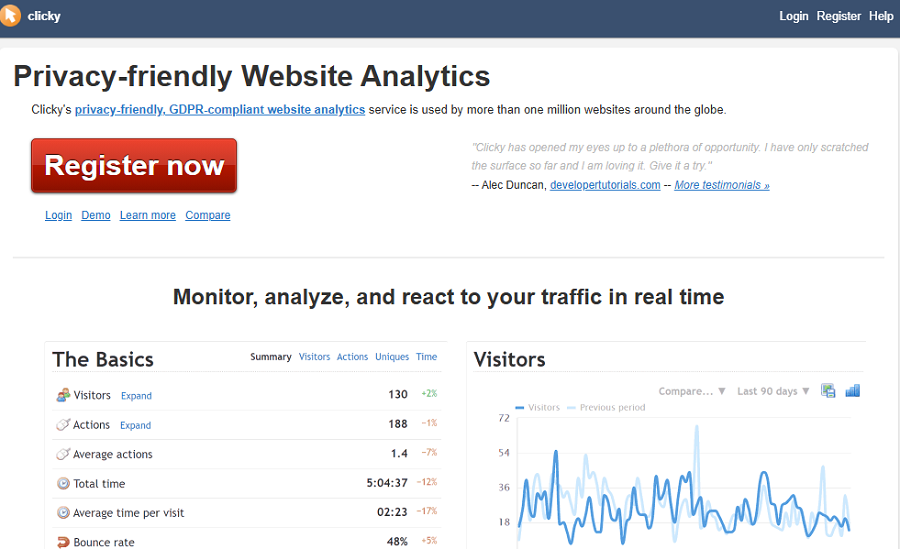
Clicky Analytics is another famous privacy-first Google Analytics alternative. It’s famous for real-time traffic monitoring and detailed visitor tracking.
Fortunately, it has effective plugins for many platforms, including WordPress, Shopify, Cloudflare (Zaraz), Google Tag Manager, and Google Chrome widget.
It provides live visitor data that is great for marketers who want to monitor active campaigns. Apart from simple traffic statistics, Clicky offers advanced features like heatmaps, uptime monitoring, visitor segmentation, and visitor statistics.
It has a clean interface and a beginner-friendly report style, making it great for businesses of all sizes.
Key Features of Clicky Analytics
- Real-time visitor tracking
- Heatmaps
- Uptime monitoring
- Goal tracking
- Individual visitor analysis
- Traffic segmentation
- Live visitor maps
Pricing Packages of Clicky Analytics
| Plan | Price / Year | Sites | Key Features |
| Free | Free | 1 Site | Basic analytics, real-time stats, 3,000 daily pageviews |
| Pro | $79.99 | 10 Sites | Premium analytics, API access, advanced filtering |
| Pro Plus | $119.99 | 10 Sites | Heatmaps, uptime monitoring, and visitor insights |
| Pro Platinum | $159.99 | 30 Sites | Higher traffic limits, all premium features |
| Custom | Custom Pricing | Up to 1,000 Sites | Enterprise analytics, large traffic capacity |
Pros of Clicky Analytics
- Excellent real-time reporting
- Detailed visitor insights
- Easy-to-read interface
- Useful heatmap tools
Cons of Clicky Analytics
- Smaller plugin ecosystem
- Premium features are expensive
8. Burst Statistics
Burst Statistics is a popular traffic monitoring tool for WordPress. It uses a privacy-first approach and a cookieless analytics method to offer useful features like UTM tracking, geographic traffic data, and automated traffic reports.
If you want an accurate tool that uses a GDPR-compliant system for traffic tracking, you can count on Burst Statistics.
It offers diverse web analytics solutions for bloggers, agencies, entrepreneurs, and WooCommerce owners.
Key Features of Burst Statistics
- Traffic sources analytics
- Live traffic monitoring
- Goal conversions over time
- Key metrics, including visitors, sessions, pageviews, and bounce Rate
Pricing Packages of Burst Statistics
| Plan | Price / Year | Sites | Key Features |
| Free | Free | Unlimited | Basic analytics, privacy-friendly tracking |
| Creator | €59 | 1 Site | Geographic insights, Source analysis, UTM tracking |
| Business | €99 | 5 Sites | Creator + Revenue & sales funnel tracking |
| Agency | €199 | Unlimited | Complete setup, multisite support, client management |
Pros of Burst Statistics
- Excellent GDPR compliance
- Lightweight and fast
- Easy to use
- Privacy-focused architecture
Cons of Burst Statistics
- Limited advanced analytics
- Fewer enterprise reporting features
- Small ecosystem
9. Jetpack Stats

Jetpack offers a complete set of tools for security, performance, and growth of WordPress sites.
Jetpack Stats is a lightweight analytics solution on this platform. It offers essential traffic insights without overwhelming you with complicated dashboards or advanced analytics terminology.
It’s one of the easiest-to-use traffic statistics tools for WordPress websites.
This plugin is particularly useful for bloggers and small website owners who want to monitor visitor trends, referrers, and popular content.
Key Features of Jetpack Stats
- Visitor tracking
- Referrer reports
- Popular content analytics
- Simple dashboard interface
- Jetpack ecosystem integration
Pricing Packages of Jetpack Stats
| Plan | Pricing | Sites | Key Features |
| Free | Free | 1 Site | Basic stats, referrer tracking, top posts, GDPR-friendly |
| Personal | Pay What You Want | 1 Site | Basic stats, priority support, personal sites only |
| Commercial | $8.33/month | 1 Site | Real-time stats, UTM tracking, and advanced insights |
| Complete Bundle | Custom Pricing | Multiple Sites | Full Jetpack suite + 100K monthly views |
Pros of Jetpack Stats
- Very beginner-friendly
- Easy setup process
- Lightweight dashboard
- Simple reporting interface
Cons of Jetpack Stats
- Limited advanced analytics
- Less customization
- Basic reporting options
10. Heap

Heap is an advanced product analytics platform that focuses on behavioral tracking and user journey analysis.
Apart from simple traffic and pageview metrics, Heap tracks user interactions across websites and applications.
So, if you have a SaaS business or manage product teams and need deeper insights into user behavior patterns, this can be the best choice for you.
Using this platform, you can track the end-to-end user journey and optimize your sales funnel based on accurate behavioral insights.
Key Features of Heap
- Automatic event tracking
- Funnel analysis
- User journey tracking
- Behavioral analytics
- Session insights
- AI-powered recommendations
Pricing Packages of Heap
| Add-on | Availability | Features |
| Session Replay | Pro & Premier | User recordings and journey analysis |
| Heatmaps | Pro & Premier | On-page engagement tracking |
| Error Analysis | Pro & Premier | Error diagnostics and issue tracking |
| Heap Connect | Add-on / Included in Premier | Data warehouse syncing |
| Heap Activate | Add-on / Included in Premier | Audience activation and targeting |
Pros of Heap
- Excellent behavioral analytics
- Automatic event tracking
- Powerful conversion insights
- AI-assisted reporting
Cons of Heap
- Advanced learning curve
- Premium pricing structure
- No transparent pricing plans
11. Mixpanel
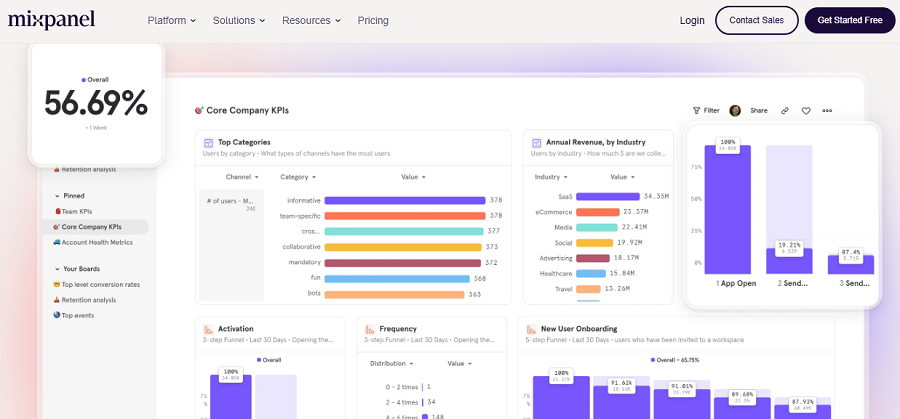
Mixpanel is an advanced analytics platform with powerful AI insights that help you analyze your traffic more easily.
If you need deep user behavior tracking and conversion optimization tools, you can count on this web analytics platform.
It offers an effective plugin for WordPress users that makes it easy to track pageviews and perform event-based analysis.
Mixpanel is ideal for SaaS businesses, membership websites, and digital products because user actions are more important than raw traffic numbers.
Key Features of Mixpanel
- Event tracking
- Funnel analysis
- Cohort analytics
- Referral traffic tracking
- Retention reporting
- User segmentation
- Predictive analytics
- AI-powered insights
Pricing Packages of Mixpanel
| Plan | Pricing | Features |
| Free | Free starter tier | Basic event tracking and analytics |
| Growth | Mid-tier pricing | Advanced reporting and data retention |
| Enterprise | Premium pricing | Enterprise-scale analytics and security |
Pros of Mixpanel
- Excellent conversion tracking
- Deep behavioral analytics
- Strong reporting customization
- Powerful retention analysis
Cons of Mixpanel
- Complex setup
- Steep learning curve
- Pricing plans are not transparent
12. Slimstat Analytics
Slimstat Analytics is a lightweight WordPress traffic analytics plugin. It’s a privacy-focused platform and offers detailed analytics without relying on external sources.
The plugin stores your site’s traffic data on the WordPress server, so you can be sure about the safety of your users’ information.
Slimstat offers real-time reports, conversion tracking, and visitor behavior monitoring. The great news is that you can use many of its features for free. And also, you can go for Slimstat Pro for premium features.
Key Features of Slimstat Analytics
- Real-time analytics
- Visitor tracking
- Geolocation reporting
- Browser analytics
- Event tracking
- Local data storage
- Privacy-friendly setup
Pricing Packages of Slimstat Pro
| Plan | Price / Year | Sites | Key Features |
| Single Site License | $39 | 1 Site | Network analytics, email reports, Excel export |
| Up to 5 Sites License | $99 | 5 Sites | Multi-site analytics, user overview, advanced reporting |
| Unlimited Sites License | $199 | Unlimited Sites | Agency-scale analytics, full addon access |
Pros of Slimstat Analytics
- Free
- Lightweight and efficient
- Strong privacy controls
- Real-time visitor tracking
Cons of Slimstat Analytics
- Dashboard design feels outdated
- Small ecosystem
Conclusion
WordPress traffic statistics plugins have simplified the process of monitoring and optimizing websites.
Instead of working with complex dashboards on traditional web analytics platforms like Google Analytics, you can check important stats on your website’s control panel.
Here we have listed some of the most famous WordPress analytics plugins you can use to track your site’s traffic:
| Plugin | Real-Time Tracking | Privacy-Friendly | GA4 Integration | AI Insights | Ease of Use |
| WP Statistics | ✅ | ✅ | ❌ | ❌ | ✅ |
| MonsterInsights | ✅ | ⚠️ | ✅ | ✅ | ✅ |
| ExactMetrics | ✅ | ⚠️ | ✅ | ✅ | ✅ |
| Analytify | ✅ | ⚠️ | ✅ | ⚠️ | ✅ |
| Matomo | ✅ | ✅ | ⚠️ | ✅ | ⚠️ |
| Site Kit by Google | ⚠️ | ⚠️ | ✅ | ❌ | ✅ |
| Clicky Analytics | ✅ | ✅ | ❌ | ❌ | ✅ |
| Burst Statistics | ⚠️ | ✅ | ❌ | ❌ | ✅ |
| Jetpack Stats | ⚠️ | ✅ | ❌ | ❌ | ✅ |
| Heap | ✅ | ✅ | ❌ | ✅ | ⚠️ |
| Mixpanel | ✅ | ✅ | ❌ | ✅ | ⚠️ |
| Slimstat Analytics | ✅ | ✅ | ❌ | ❌ | ✅ |
You have to choose a tool based on your requirements, budget, and the scale of your site. WP Statistics is the overall best among these options. It offers privacy-focused services without sacrificing accuracy.
FAQs
Is WP Statistics free?
WP Statistics offers a free plan with essential traffic tracking metrics. However, for more advanced features, you have to go premium.
What is the best WordPress plugin to check website traffic?
WP Statistics is the best web analytics plugin for WordPress websites.
How do I add statistics in WordPress?
You can add a web analytics plugin to your WordPress websites. To do that, you have to go to Plugins and click Add Plugin.