
Which analytics approach are you using: real-time analytics vs. historical analytics?
Table of Contents
Almost all website owners use web analytics tools to track their websites’ performance. But many of them don’t know what type of data they have to focus on more.
A common mistake small businesses make is using real-time analytics and historical analytics wrongly.
In this blog post, we’ll explain the differences between live web analytics and historical analytics and when you have to use each of them for your website.
What is Real-Time Analytics?
Real-time web analytics shows you what is happening on your website in real time. In other words, real-time analytics gives insights into the number of online visitors, active pages, the location of active users, and other details about events that are happening on your site.
Real-time analytics is an event-based data collection approach. When users interact with your site, like loading pages, clicking buttons, and submitting forms, your web analytics tool collects details and shows you the results within seconds.
In the real-time analytics approach, speed is much more important than the depth of reports. The goal is to track immediate signals and detect spikes or drops, rather than analyze trends.
To have a useful real-time analysis, you need to focus on:
- Active users
- Sessions
- Live traffic sources like paid ads, social, referrals, and direct
- Page views
- Navigation paths
- Events such as clicks, video plays, downloads, or errors
- Geographic and device-level snapshots
As an example, imagine you’re running a new marketing campaign and want to track real-time results of your campaign.
You need to monitor traffic spikes and compare them with your objectives. Also, you have to track the channels that are driving visitors first. This is the main purpose of real-time tracking.
On the other hand, during these campaigns, real-time web analytics can be helpful in finding technical issues.
For instance, slow load times or broken links might damage the performance of your campaign if you don’t detect them immediately. Real-time analytics gives you insights into these problems and prevents financial losses.
Advantages of Real-Time Analytics
- You get instant insights into live traffic on your website.
- It’s possible to detect and fix technical issues soon.
- It gives you immediate campaign performance feedback.
- Real-time analytics is useful during launches and promotions.
Limitations of Real-Time Analytics
- It lacks long-term context.
- It’s less reliable data.
- You might misinterpret short spikes/drops.
- You can’t count on it for strategic decisions.
- It can’t help you with trend analysis.
What is Historical Analytics?
Historical web analytics helps you understand your website’s performance over a longer period of time.
It doesn’t show what is happening right now, but it analyzes past data to find trends and patterns.
As a result, you’ll getlong-term performance insights into the strengths and weaknesses of your site. This is great for optimizing your strategies in terms of UX, content, SEO, paid ads, social integrations, etc.
Historical analytics tracks the way users behave on your site over days, weeks, months, or even years. This type of data is essential for analyzing the behavior of your audience and what they like the most.
That’s why it focuses on metrics that are related to user interactions, such as page views, clicks, sessions, entry/exit pages, and conversions. Here, the context and trends are much more important than speed and spikes/drops.
As an example, if you want to analyze the success of your SEO efforts, you have to track organic traffic growth over several months.
Historical web analytics helps you find which pages attract consistent visitors and measure conversion. You can’t get this type of insight in real-time analytics because you need time to see the results of your strategies.
Advantages of Historical Analytics
- It gives you long-term insights into your site’s performance.
- You can use it to identify trends and patterns.
- It’s great for strategic and data-driven decisions.
- You can rely on it for benchmarking and forecasting.
- You need it for SEO and conversion analysis.
Limitations of Historical Analytics
- It’s not useful for immediate changes.
- It doesn’t provide any data on technical issues.
- You need time and enough data to use it.
- It’s not effective for urgent decisions.
Real-Time Analytics vs. Historical Analytics: Key Difference
Here is a quick comparison between real-time analytics and historical analytics:
| Dimension | Real-Time Web Analytics | Historical Web Analytics |
| Data Speed | Instant or near-instant | Delayed and aggregated |
| Time Scope | Seconds to minutes | Daily, monthly, and annually |
| Primary Use | Monitoring and quick reactions | Trend analysis and strategy |
| Decision Type | Tactical and short-term | Strategic and long-term |
| Data Stability | Volatile and noisy | Stable and contextual |
| Best For | Campaign launches and issue detection | Optimization, forecasting, and planning |
Now, let’s take a closer look at these analytics methods to see when to use each of them.
When to Use Real-Time Analytics
You have to use real-time analytics when you need quick data and reactions. It works best in time-sensitive situations such as:
- Launching a new marketing campaign or paid ad
- Testing a new landing page or product feature
- Running time-sensitive promotions, flash sales, or announcements
- Monitoring website in events, like Black Friday, product launches, or live events
- Finding technical problems like slow loading, broken links, or high error rates
When to Use Historical Analytics
On the other hand, historical web analytics is important when you need long-term results for decision-making.
Use historical analytics when you want to:
- Analyze SEO growth and organic traffic trends
- Compare marketing channels
- Measure the long-term impact of design or UX updates
- Identify seasonal patterns in user behavior
- Set benchmarks, goals, and forecasts
How to Use Both Together to Improve Website Performance
You shouldn’t treat real-time and historical analytics as separate tools. It’s good to use them as part of a combined approach.
First, you have to observe live behavior using real-time analytics to see how users respond to new content, campaigns, or features.
This helps you find sudden changes like unexpected traffic sources, unusually high bounce rates, or engagement spikes.
Then, track those signals over time using historical analytics. Try to figure out if the spikes are a one-time event or the start of a trend. Also, make sure that short-term drops recover naturally. Otherwise, there is a problem that you need to fix. Finally, you have to optimize based on the results of both analytics approaches.
Best Tools for Real-Time and Historical Web Analytics
Now that you know the differences between real-time and historical web analytics, it’s time to learn how to track them. Here is a list of the best analytics tools that can track live and historical data on your website.
1. WP Statistics
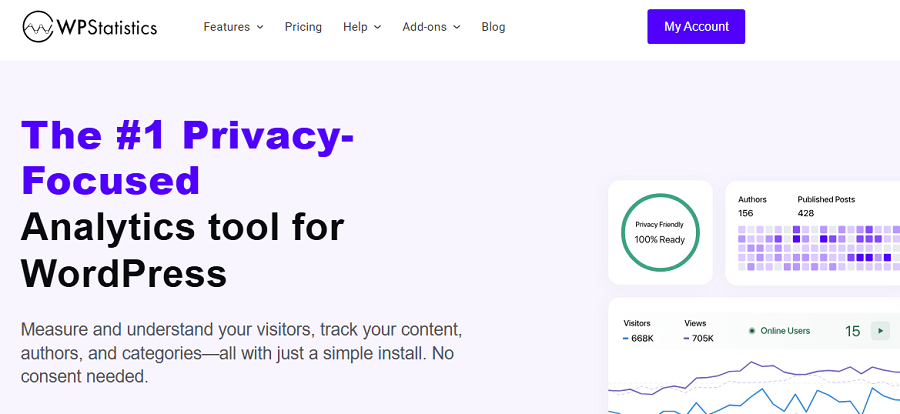
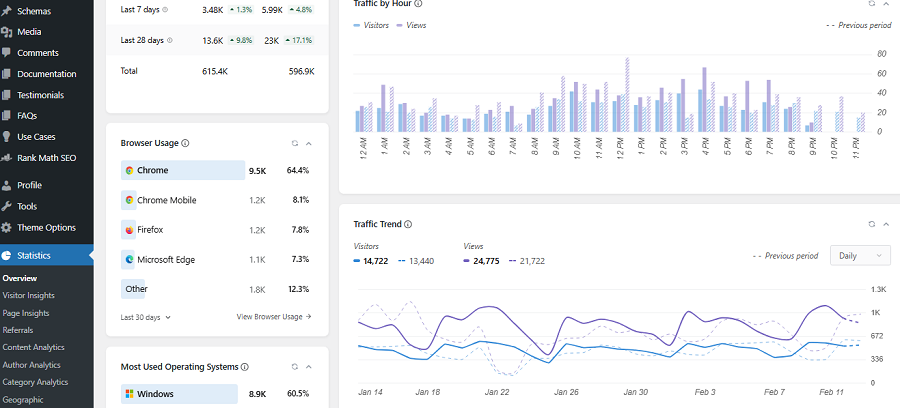
WP Statistics is a WordPress web analytics plugin that offers great features for tracking your site’s performance in real-time and historical web analytics.
The good news is that it provides the results directly on your website’s dashboard and stores the data locally on the WordPress server.
It’s GDPR-compliant by default and doesn’t require you to use cookie banners on your site. WP Statistics is a privacy-focused analytics tool, and is perfect for bloggers, small businesses, and those who respect customers’ privacy.
Look at the advantages and disadvantages of WP Statistics:
| Pros | Cons |
| ✅ Easy to use ✅ Real-time & historical ✅ Privacy-focused ✅ No external data sharing✅ Integrating with Seach Console | ❌ WordPress only |
2. Google Analytics (GA4)
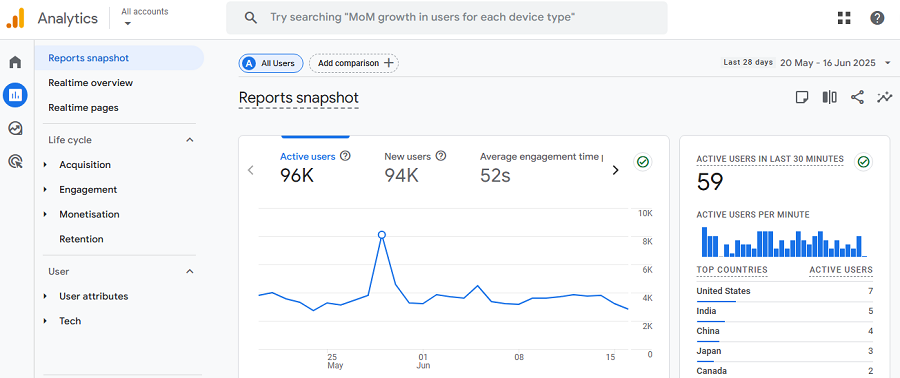
Google Analytics 4 is the most famous analytics tool in the world. It’s suitable for businesses of all sizes and types, especially large online shops that want to track different marketing channels.
It offers strong real-time monitoring features along with historical analysis. Besides, it allows you to create any type of custom report with a focus on event tracking.
This complete analytics setup is free, so business owners prefer to use it instead of paid services. The only drawback is privacy concerns and monetization by tracing users across websites.
If you don’t care about using cookies, GA4 can be your best choice to track your website’s online and historical performance.
Look at the pros and cons of GA4:
| Pros | Cons |
| ✅ Powerful analytics ✅ Custom dashboards ✅ Integrates with Google Ads ✅ Free | ❌ Steep learning curve ❌ Data sampling for large sites❌ Needs cookie banner |
3. Matomo
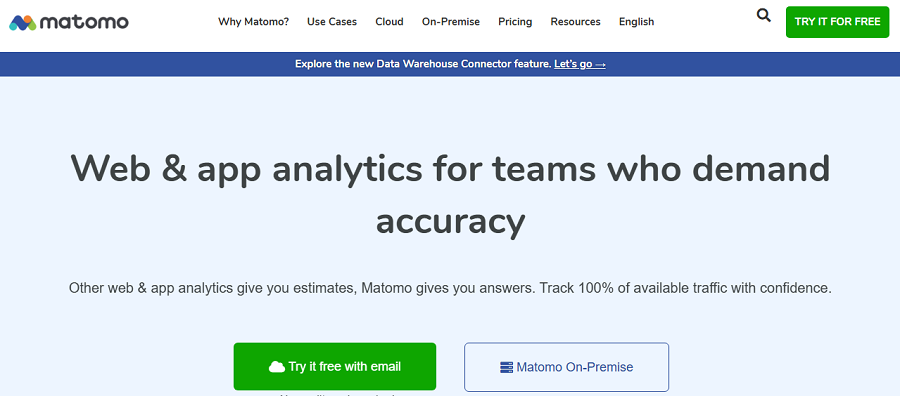
Matomo is an open-source web analytics platform and a famous Google Analytics alternative.
This web analytics tool emphasizes data ownership and is widely used by organizations that want a privacy-first platform.
Matomo offers strong real-time and historical details through a complete dashboard and visualized reports.
If you need full data control and accurate analytics like GA4, Matomo is the best option for you.
Before choosing this tool, look at its pros and cons:
| Pros | Cons |
| ✅ Full data control ✅ Real-time + historical ✅ GDPR-compliant ✅ Highly customizable | ❌ Technical setup required❌ Cloud version is costly❌ Less intuitive interface |
4. Adobe Analytics
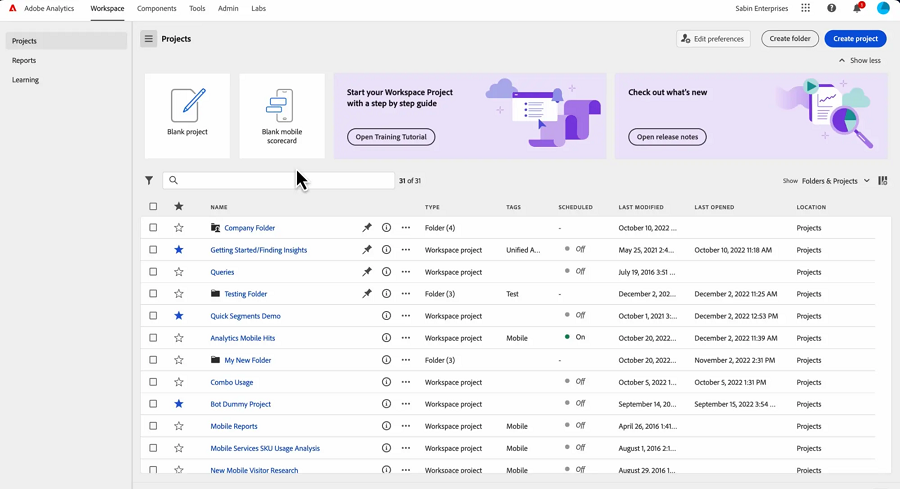
Adobe is a well-known name in the realm of software. Its Analytics platform is a premium tracking tool for enterprises that need advanced and customizable reports.
It offers great real-time and historical analytics and lets you monitor live interactions and long-term campaign performance.
Adobe Analytics can integrate with Adobe Experience Cloud for full marketing analytics capabilities.
If you don’t have a budget limitation, Adobe can be an ideal analytics tool for your website. Here are its pros and cons:
| Pros | Cons |
| ✅ Enterprise-grade ✅ Custom dashboards ✅ Multi-channel support ✅ Real-time + historical | ❌ Very expensive ❌ Needs an analytics team ❌ Steep learning curve |
5. Mixpanel
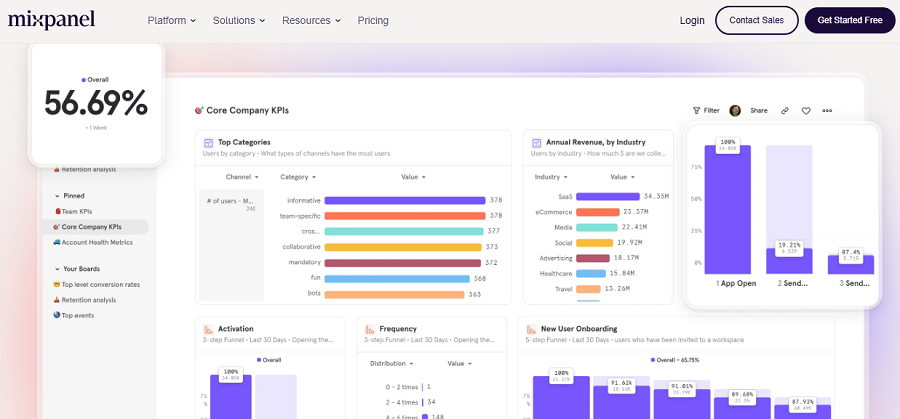
Mixpanel is an event-based analytics platform that is great for user behavior tracking. It offers live user tracking that lets you understand user interactions in real time.
It also provides great cohort analysis and funnel tracking that helps you in retention and conversion optimization. Mixpanel is particularly ideal for SaaS and websites that need product analysis.
Here are its advantages and disadvantages:
| Pros | Cons |
| ✅ Product behavior insights ✅ Real-time + cohort tracking ✅ User-friendly dashboards ✅ Free tier available | ❌ Less focus on web traffic ❌ Pricing scales fast ❌ Limited marketing analytics |
Conclusion
Understanding real-time analytics vs. historical analytics helps you optimize your website effectively. Real-time analytics gives instant insights for campaigns, traffic monitoring, and quick issue resolution.
On the other hand, historical analytics shows long-term trends, SEO performance, and helps with strategic opportunities. The best approach is to use both together. You have to use real-time data to react quickly and build a smarter strategy with historical insights.
FAQs
What is the difference between real-time data and historical data?
Real-time analytics focuses on what’s happening on your site right now. On the other hand, historical analytics tracks the long-term performance of your site to find trends.
What’s the best web analytics tool for historical tracking?
WP Statistics is one of the best web analytics plugins for WordPress websites.
When to use historical analytics?
If you want to track the performance of your strategies over time, you’d better use historical analytics. For example, for optimizing SEO strategies, historical analytics is essential.