
As a website owner, you need to track your site and your user behavior to make sure it’s performing well.
Web analytics tools that give you detailed insights into activities on your website. However, there are some concerns about the way they collect and use users’ personal information.
The majority of traditional web analytics tools use cookies to track visitors on your site and also across the web.
They create profiles for users and sometimes monetize their information by advertising. This has increased concerns about people’s privacy, and that’s why cookie-free tracking has become popular.
Some website owners believe cookie-free tracking methods are not accurate. We’ll discuss this claim in this blog post and introduce some of the best cookie-free tools for your website.
What Are Cookies in Web Analytics?
Cookies are small text files that your website stores on your visitors’ devices to remember them. This way, your website can recognize each visitor in different sessions.
That’s why cookies have become so popular in web analytics. Using cookies, you can track user behavior, measure engagement, and personalize experiences.
How Cookies Work
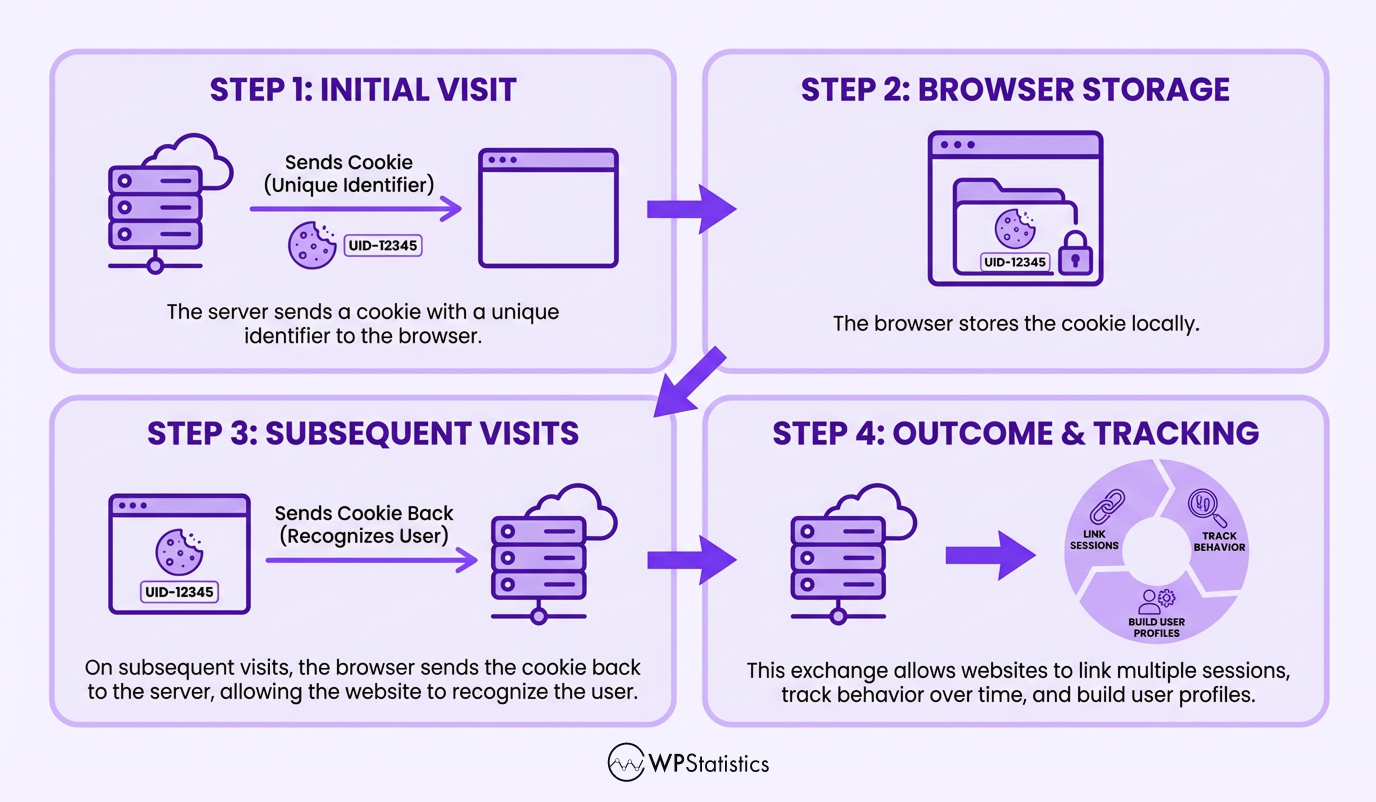
The following image shows how cookies act on visitors’ devices:
Cookies can be categorized based on different aspects, like the duration and the source. Considering the duration, cookies can be divided into two types:
1. Session Cookies
These cookies exist only for the duration of a single visit to your site and will be deleted when the user closes the browser.
For example, when a user adds items to their shopping cart during a single visit, the cookie remembers it.
The items remain in the shopping cart when the user is browsing other pages. However, the information will be deleted if the user closes the browser.
2. Persistent Cookies
Your website stores these cookies on the user’s device for a specific period. So, even if the user closes the browser, the cookie remains on their system. These cookies are helpful in remembering login credentials or language preferences.
Also, if you consider the source of cookies, they can be categorized as
1. First-Party Cookies
Sometimes your website directly sets cookies, and that’s why we call them first-party cookies. These cookies are useful for personalization, preferences, logins, and basic analytics.
2. Third-Party Cookies
If you use third-party platforms like advertising networks or web analytics tools, they store their own cookies.
Third-party cookies help them track users across multiple websites and use their data for targeted advertising and monetization.
Disadvantages of Cookies in Web Analytics
Cookies are helpful in web analytics but have some drawbacks, including:
1. Privacy Concerns
Cookies help website owners and third-party platforms store highly personal information and use it for tracking users across the web.
Many internet users are aware of cookies’ purposes and try to delete them or block them using ad blockers.
Data protection regulations like GDPR have defined strict limitations for using cookies. So, be aware of the risk of using them when tracking your website’s performance.
For example, you have to use cookie banners and get consent from visitors before collecting their data. This might impact user experience and make them leave your site.
2. Browser Restrictions
Many browsers, like Safari and Firefox, block third-party cookies. Also, Google Chrome lets users manage or disable them via browser settings.
3. Data Gaps
Many times, users browse in incognito/private mode, which prevents your site from generating persistent cookies. Also, they can manually delete cookies, leading to inaccurate data.
Moreover, users who have several devices, like a desktop, a mobile, and a tablet, are usually counted as separate visitors.
4. Security Risks
HTTPS protects cookies when your site stores them on users’ devices. However, if you have a website that uses unsecured connections (HTTP), malicious sites can see details of cookies and access sensitive data.
What Is Cookie-free Tracking?
Cookie-free tracking is any web analytics method that avoids storing browser cookies on users’ devices.
These methods are becoming more and more popular because they use privacy-first approaches for collecting and analyzing users’ data.
How Cookie-free Tracking Works
Here are different types of cookie-free tracking:
- JavaScript: In this method, you use a small JavaScript snippet in the visitor’s browser. When it runs, it sends anonymized data to your analytics platform. Using JavaScript, you can collect key events like pageviews, referrers, and timestamps, without setting cookies on visitors’ devices.
- Server-Side Analytics: Server-side tracking also runs a script in the browser to collect data. However, it sends the data to your server instead of a third-party platform. This way, it provides more control over data and prevents personal data sharing. It’s important to note that server-side tracking is not cookieless by default. In fact, you can configure your server to prevent it from setting cookies on users’ browsers.
- Aggregate or Contextual Analytics: This model focuses on the trends on your site instead of the visitors. For example, it tracks pages viewed, time on pages, referrer sources, etc. So, it won’t identify repeat visits and doesn’t need to store cookies on users’ devices.
Pros and Cons of Cookie-free Tracking
As said earlier, browsers block third-party cookies, and many users clear cookies. So, the accuracy of cookie-based methods is sometimes lower than your expectations.
Cookie-free tracking doesn’t have this problem, and this helps you collect more realistic data about your users.
Cookie-free tracking is privacy-first by default and avoids PII and persistent identifiers. So, you can be sure about your compliance with regulations and users’ privacy.
However, this method has its own drawbacks. For example, when you don’t use persistent identifiers, you might be able to identify unique visitors. In fact, it’s difficult to recognize the users when they visit your website twice, especially from different devices.
Also, if you use JavaScript, visitors might disable it and prevent you from tracking their behavior.
Cookie-based vs. Cookie-free Tracking
Now let’s review the main differences between cookie-based and cookie-free tracking methods.
Look at the following table to compare cookie-based vs cookie-free analytics:
| Dimension | Cookie-Based Tracking | Cookie-Free Tracking |
| Identifier | Cookie ID | Session hash |
| Data Storage | Browser | Server |
| User Persistence | Persistent | Temporary |
| Repeat Visitor Accuracy | High | Medium |
| Cross-Device Support | Weak | Limited |
| Privacy Risk | Medium–High | Low |
| Consent Requirement | Required | Often not required |
| Browser Restrictions | High impact | Low impact |
| Ad Blocker Impact | High | Medium |
| Future Viability | Declining | Growing |
If you want to choose the best method for your website, you need to consider your requirements and priorities. Overall, if you prioritize privacy, you’d better go for cookie-free tracking for your website.
Most Accurate Cookie-free Web Analytics Tools
If you want to change your web analytics tool from a traditional cookie-based tool like GA4 to a cookie-free tool, you can think about the following platforms:
| Tool | Accuracy | Privacy Compliance | Pricing |
| WP Statistics | Medium-High | GDPR, CCPA compliant | Free / Paid premium |
| Matomo | High | Fully GDPR-compliant | Free self-hosted / Paid cloud |
| Fathom | Medium-High | Fully privacy-compliant | Paid |
| Plausible | Medium-High | GDPR, CCPA, PECR compliant | Paid |
| Heap | High | Can be configured privacy-compliant | Paid |
Here are more details about these tools:
1. WP Statistics
WP Statistics is an open-source web analytics plugin for WordPress websites. It’s GDPR-compliant by default and lets you track your site’s performance without cookies.
This plugin used to track websites using a server-side method, but now, it allows you to choose between client-side (recommended) and server-side tracking.
The good news is that it allows you to customize compliance settings according to your requirements.
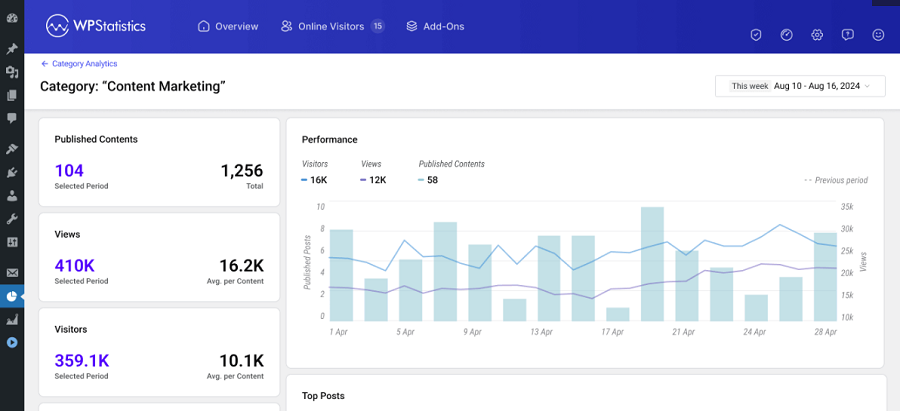
Features of WP Statistics
- Visitor Insights
- Content Analytics
- Author Analytics
- Page Insights
- Clicks Tracking
- Downloads Analytics
- Campaign Builder
- Internal Search Terms
- Top Queries
- Integration with Google Search Console
Pros of WP Statistics
- Accurate
- GDPR-compliant
- Free plan
- No data sharing with third-party platforms
- Cookie-free
- Easy-to-use
Cons of WP Statistics
- WordPress only
- Advanced features require payment
2. Matomo
Matomo is also an open-source platform that puts privacy first. It’s one of the most accurate and secure web analytics tools that you can use as an alternative to GA4.
It allows you to own your data completely, and offers both self-hosting and cloud-based options.
It provides cookieless tracking via methods like device fingerprints or server setups. Over a million sites rely on it for spot-on, regulation-friendly data gathering without any sampling shortcuts.
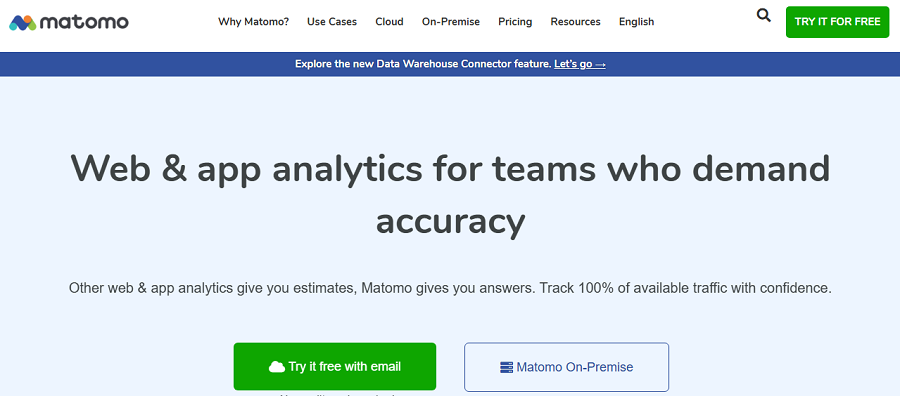
Features of Matomo
- Instant real-time data
- Unlimited segments, users, and sites
- High accuracy
- Easy import from Google Analytics
- Safe handling of personal info
- Cookieless options
- API for integrations and plugins
Pros of Matomo
- Total control over your data
- Adaptable
- No consent pop-ups
- Trustworthy
Cons of Matomo
- In the cookieless setup, some stats might not be accurate
- A bit complex to set up
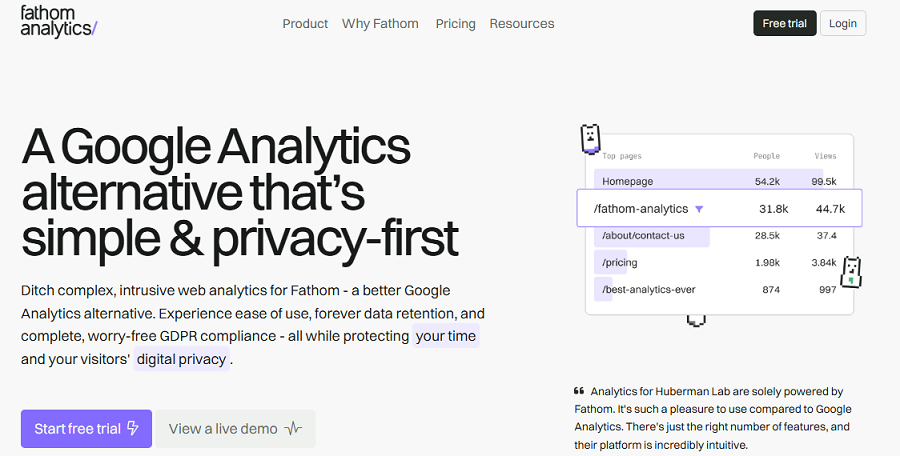
3. Fathom Analytics
Fathom is a lightweight web analytics tool that focuses on privacy. It tracks and reports key site insights without extra details, which is great for small businesses.
It’s cookieless by default and keeps data anonymous to get rid of consent problems. Also, it filters out bots to provide reliable numbers. More than a million sites use Fathom because it offers a simple but accurate tracking dashboard.
Features of Fathom Analytics
- Real-time tracking
- Blocking bots and spam
- Tracking UTM campaigns
- Sending reports via email weekly or monthly
- API for building custom connections
- Anonymizing IPs and visitor details
Pros of Fathom Analytics
- Easy-to-use
- Tiny script size (2kB)
- Holding data for 20 years
- String privacy focus
Cons of Fathom Analytics
- No deep analytics for campaigns
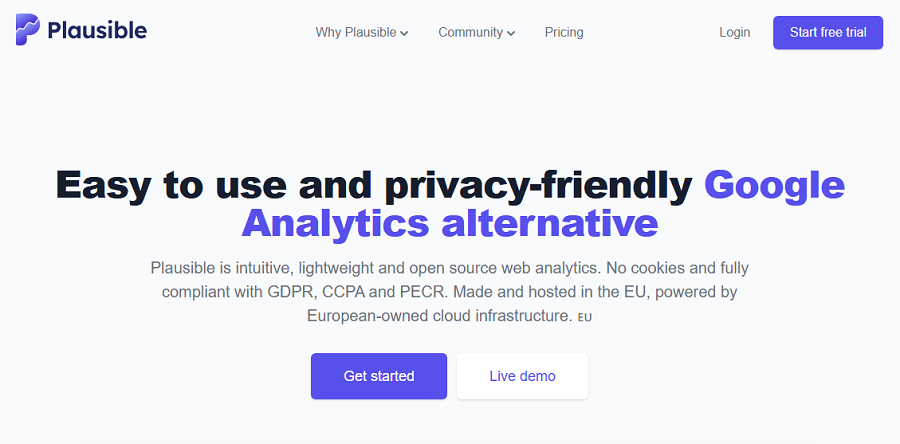
4. Plausible
Plausible is an open-source tool hosted in the EU. It’s famous for keeping analytics clean and private without collecting personal info.
It’s lightweight, eco-conscious, and compliant with rules. You can consider it a great alternative to GA4, especially if you prioritize privacy.
Features of Plausible
- Tracking without cookies
- Tracking goals, revenue, and step-by-step funnels
- Real-time analytics
- Measuring engagement
- Tracking scroll and bounce rates
- Integration with WordPress, Google Search Console, and others.
Pros of Plausible
- Small size and fast
- Anonymous data tracking
- Handling millions of visitors
- Near-perfect uptime
- Budget-friendly with a one-month trial
Cons of Plausible
- Payment for long-term use
- Less advanced than GA4
5. Heap
Heap is a full digital insights platform that collects every user action and offers in-depth analysis.
It works with server-side tracking for cookieless or low-cookie modes. Heap can spot bottlenecks and help you with smart data tools. Over 10,000 businesses use it for boosting conversions and keeping users around.

Features of Heap
- Cookie-free tracking
- Tracking paths and links
- Replaying sessions with full details
- Connecting to over 100 other apps
- Analyzing funnels and user retention
- Managing datasets completely
Pros of Heap
- Fast and easy-to-use
- Accurate
Cons of Heap
- Expensive
Conclusion
Cookie-free tracking is now the priority of many businesses, especially those that prioritize privacy.
Before choosing your analytics tool, you have to know your marketing path and what you want. Despite what many website owners think, cookie-free tools can track many details with enough accuracy.
WP Statistics is one of the most accurate and easy-to-use cookie-free analytics tools. It can easily be installed on your WordPress website and help you track every activity without violating privacy rules.
So, why wait? Install it for free, and if required, pay for add-ons to use advanced tracking features.
FAQs
Can cookies track location?
Cookies can’t directly collect location data. However, they can learn your location using other data like device, IP address, purchase history, etc.
How to find a tracking cookie?
Use your browser’s developer tools or settings to view stored cookies. Also, free cookie scanners can automatically detect them on sites.
How to track without cookies?
Use GA4 alternatives like WP Statistics to track your website’s performance without cookies.
Can cookies be traced?
Yes, cookies can be traced back, and this leads to tracking visitors’ data across websites.
How do I stop cookies from tracking me?
You can use ad blockers or delete cookies manually from your browser’s settings.