
Choosing the right web analytics tool can simplify the process of tracking and auditing your website.
Table of Contents
Many website owners go for Google Analytics by default because it’s the most famous tracking tool in the world. But this is not a good approach. Although GA4 is a powerful analytics platform, it has some drawbacks, especially regarding privacy.
That’s why privacy-first analytics tools have become so popular among experts and business owners.
In this article, we’ll compare WP Statistics vs. Google Analytics to let you know why you have to think about privacy-focused tools.
What Is WP Statistics?
WP Statistics is a WordPress analytics plugin and a great alternative to traditional analytics platforms like GA4.
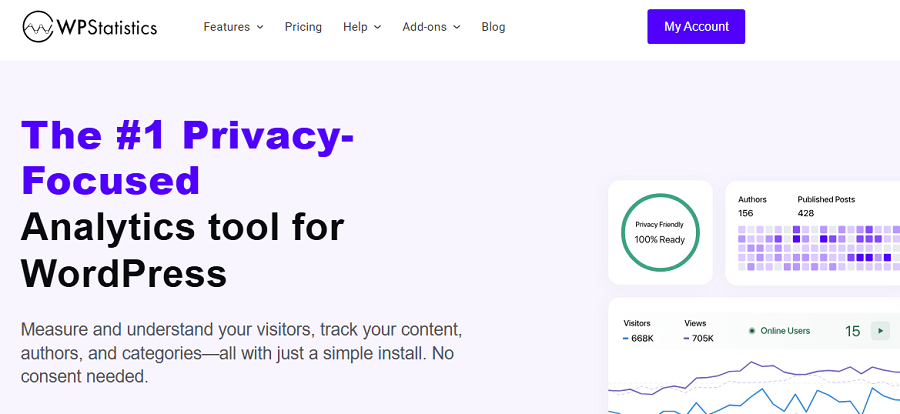
WP Statistics helps you understand your traffic while keeping full control over your data without sharing it with third-party platforms.
Unlike cloud-based analytics platforms, WP Statistics works within WordPress and stores all collected data locally on your own server.
It runs lightweight JavaScript on the visitor’s browser to record their behavior without violating their privacy.
It doesn’t track users across sites and avoids collecting PII unless you enable this option manually.
WP Statistics is cookie-free by default and does not share data with third parties. It
aligns naturally with privacy regulations such as:
- GDPR
- CCPA
- ePrivacy Directive
In many jurisdictions, this allows analytics tracking without requiring a cookie consent banner, depending on local legal interpretation and configuration.
What Is Google Analytics?
Google Analytics is one of the most useful tools developed by Google and is the industry-standard for analytics services.
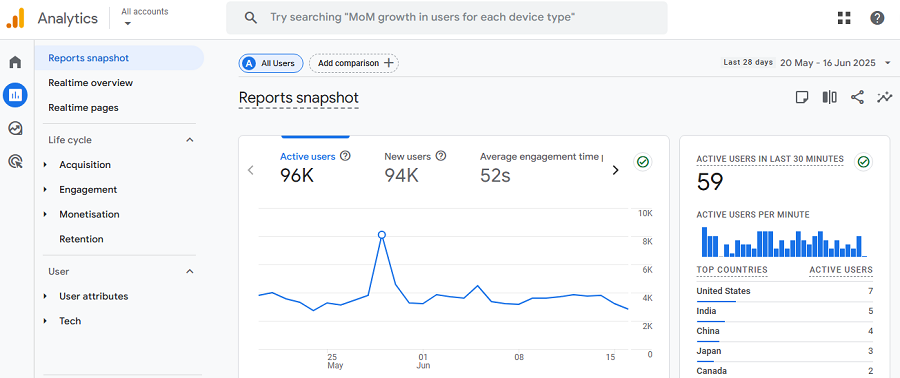
It’s an event-based analytics platform and is great for tracking large marketing campaigns and comparing conversion rates to find the best channel.
The last version of Google Analytics is GA4, which helps you track visitor behavior across websites using JavaScript and cookies.
It offers deep insights into traffic sources, user behavior, and conversion tracking, and allows you to define custom reports based on your specific requirements.
Here is a list of what GA4 provides:
- Complete Reports: You have detailed metrics on sessions, user engagement, goals, and ecommerce.
- Integration: GA4 can easily integrate with other Google tools, like Google Ads and Search Console.
- Campaign: Google Analytics can track different campaigns and channels, like SMS, email, and organic search, and measure your revenue from them.
GA4 uses cookies for tracking user behavior across domains, and offers an option for IP anonymization. When you use it, you have to get explicit consent for GDPR compliance.
WP Statistics vs. Google Analytics: Key Differences
Let’s review the main differences between WP Statistics and Google Analytics. Here is a summary of WP Statistics vs Google Analytics differences:
| Feature | WP Statistics | Google Analytics |
| Data Ownership | Fully owned; your server | Google servers |
| Privacy | Privacy-first; minimal user tracking | Requires consent; data sharing |
| Installation | WordPress plugin; simple setup | Account setup and script installation |
| GDPR Compliance | Default | Consent banners and configuration |
| Data Accuracy | Less detailed; no cross-device tracking | Highly detailed; Cross-device tracking |
| Ease of Use | Dashboard integrated into WordPress | Requires navigating Google’s interface |
1. Privacy & Data Ownership
WP Statistics stores all of your data on your WordPress server. This local data storage brings peace of mind about visitor information and gives you control over their personal data.
In fact, WP Statistics doesn’t allow any third-party services to collect or process your visitors’ data.
WP Statistics is a privacy-first web analytics tool, which means it prioritizes the privacy and personal information of visitors, rather than the insight itself. This is great for privacy-conscious businesses that want to minimize data exposure.
On the other hand, Google Analytics stores data on Google’s servers and shares it with Google Ads for advertising.
Also, GA4 uses cookies to collect visitors’ information and can support cross-domain or cross-device tracking.
In fact, Google can use this data to understand which sites users see and what content they like. It gives other platforms access to this data via Google Ads and earns money for targeted advertising.
2. Compliance with GDPR and Other Regulations
All countries, especially European countries, have data protection rules. If you don’t comply with these regulations, you might face legal fines and damage your brand’s reputation.
WP Statistics is GDPR-compliant by default because it doesn’t use cookies and avoids collecting personally identifiable information.
It offers options for enabling integration with WordPress consent banner plugins. But the default configuration is completely compliant with regulations, and this reduces the risk of violation.
Google Analytics, on the other hand, is not GDPR-compliant by default, and you need to use cookie banners to get rid of violations. Also, if you’re using Google Analytics, you have to pay attention to your privacy policy page and announce the type of data you’re collecting and your purpose for storing the data.
3. Installation & Setup
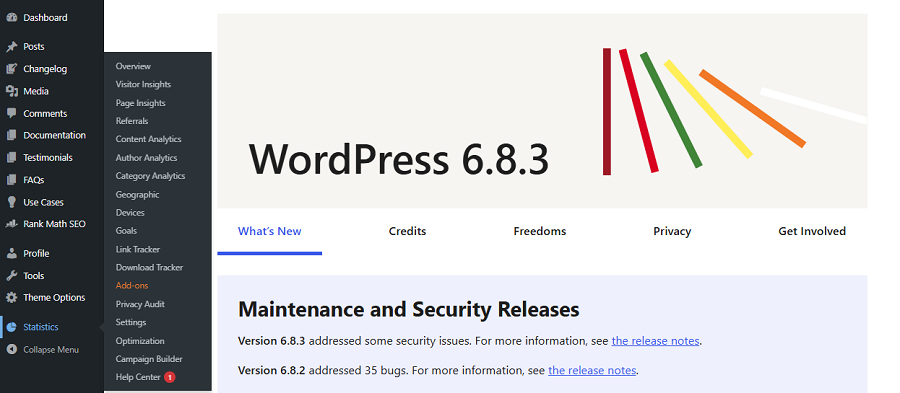
If you want to choose an easy-to-set-up web analytics tool, WP Statistics is your best choice. You just need to go to your WordPress dashboard and search for WP Statistics in Plugins to add it to your control panel.
The installation process is foolproof, and beginners can easily handle it without problem. Moreover, you can easily customize the plugin based on your requirements. For example, it allows you to configure privacy settings like consent banners and PII. Also, you can exclude the admin users to track more realistic traffic.
Finally, WP Statistics offers some advanced add-ons that can be added to your dashboard with just a few clicks.
On the contrary, to set up Google Analytics, you need to create an account and add your website as a property.
Although some plugins like Site Kit make the process easier, you have to struggle with several technical steps to install and configure your analytics dashboard.
4. Data Accuracy and Limitations
WP Statistics provides accurate insights into important metrics, including:
- Visitor numbers
- Pageviews
- Referrals
- Top queries
- Browser and device
- Location
The thing is that WP Statistics cannot track users across various devices, sessions, or browsers. So, visitor tracking in WP Statistics is less detailed than Google Analytics.
Moreover, WP Statistics doesn’t integrate with marketing or advertising tools. Of course, this leads to better compliance and won’t reduce data accuracy.
On the other hand, WP Statistics offers some features you can’t find natively on Google Analytics.
For example, you can track your website’s authors’ performance. In fact, it lets you know how many visits their blogs have received. If you want to track this on GA4, you need to create a custom report, which is considerably complex.
Also, Google Analytics is not a good choice for tracking single-page insights, while WP Statistics offers accurate insights into the performance of each page.
Another useful feature on WP Statistics is internal Search Terms insights. In fact, it allows you to track what users search using the internal search tool on your site. This insight, along with Google queries, gives you a complete picture of what your users like.
5. Ease of Use
WP Statistics is designed for WordPress users. It offers a simple and clear dashboard within the WordPress admin panel.
You don’t need external accounts, and the learning curve is minimal. So, it’s ideal for small businesses, bloggers, and businesses that want analytics on their dashboard.
Moreover, it displays a top-page toolbar on your website to let you check a summarized report without opening your dashboard.
On the other hand, Google Analytics has a steep learning curve and takes time to master all of its menus and reports. Although GA4 has a simpler dashboard compared to the previous versions of Google Analytics, it’s still more difficult to use compared to WP Statistics.
When to Choose WP Statistics over Google Analytics?
Still not sure which analytics tool to choose for your website? Look at the following table to see what WP Statistics and Google Analytics offer:
| Feature | WP Statistics | Google Analytics 4 (GA4) |
| Entry Pages | ✅ Built-in | ❌ Custom exploration |
| Exit Pages | ✅ Built-in | ❌ Custom exploration |
| Content Analytics | ✅ Yes | ❌ Not available by default |
| Category Analytics | ✅ Yes | ❌ Custom events |
| Author Performance | ✅ Yes | ❌ Custom exploration |
| Internal Search Terms | ✅ Automatic | ❌ Custom event setup |
| Cookie-Free Tracking (Default) | ✅ Yes | ❌ Consent Mode |
| Local Data Storage | ✅ On your server | ❌ Google servers |
| Privacy-Focused | ✅ Yes | ⚠️ Requires configuration |
| Cross-Device Tracking | ❌ Not supported | ✅ Built-in |
| Advertising & Remarketing Integration | ❌ No | ✅ Native Google Ads |
Overall, you’d better decide between these two, considering the following tips:
- Businesses that prioritize privacy have to choose WP Statistics over Google Analytics. So, if you insist on privacy and want to comply with regulations like GDPR or CCPA, it’s better to go for this plugin.
- If you want a marketing-focused platform and want to focus on events and user behavior, GA4 might be better for you. However, if you have an e-commerce site and are looking for simplicity, WP Statistics can also track campaigns using UTMs.
- WP Statistics has some paid add-ons, but GA4 is completely free. However, almost everyone can work with WP Statistics, while you need experts to work with GA4.
Final Thoughts
There is no certain formula to determine the best web analytics platform. GA4 is the most famous tool and offers a complete analytics dashboard for free.
However, it has raised some privacy concerns in the market. If you want a privacy-focused alternative for your WordPress website, you can go for WP Statistics.
It offers the same accuracy without using cookies or data sharing. Its features and add-ons, like author insights, single-page analytics, and exit-entry page tracking, help you track details that even GA4 doesn’t provide.
If you’re still in doubt, you can install it for free and use it for a while to make sure about data accuracy.
FAQs
Is WP Statistics good?
Yes. WP Statistics is a great choice for WordPress site owners who want privacy-friendly tracking tools. It stores data locally without relying on cookies and third-party services.
How accurate are WordPress stats?
They’re generally accurate for pageviews and visits, but they may not capture cross-device behavior or users who block tracking.
Why is Google getting rid of Google Analytics?
Google is not removing Analytics entirely. However, it replaced Universal Analytics with GA4 to offer better support for event-based tracking, privacy changes, and cross-device measurement.
Can ChatGPT analyze Google Analytics?
ChatGPT can help interpret reports or explain metrics. However, it can’t directly access or analyze your Google Analytics account unless you share the data manually.